- Mark as New
- Bookmark
- Subscribe
- Mute
- Subscribe to RSS Feed
- Permalink
- Report Inappropriate Content
03-02-2021 02:51 PM
Hi there!
I'm not sure if this is a known bug or not, but wanted to flag in case anyone knew a config change that could fix it.
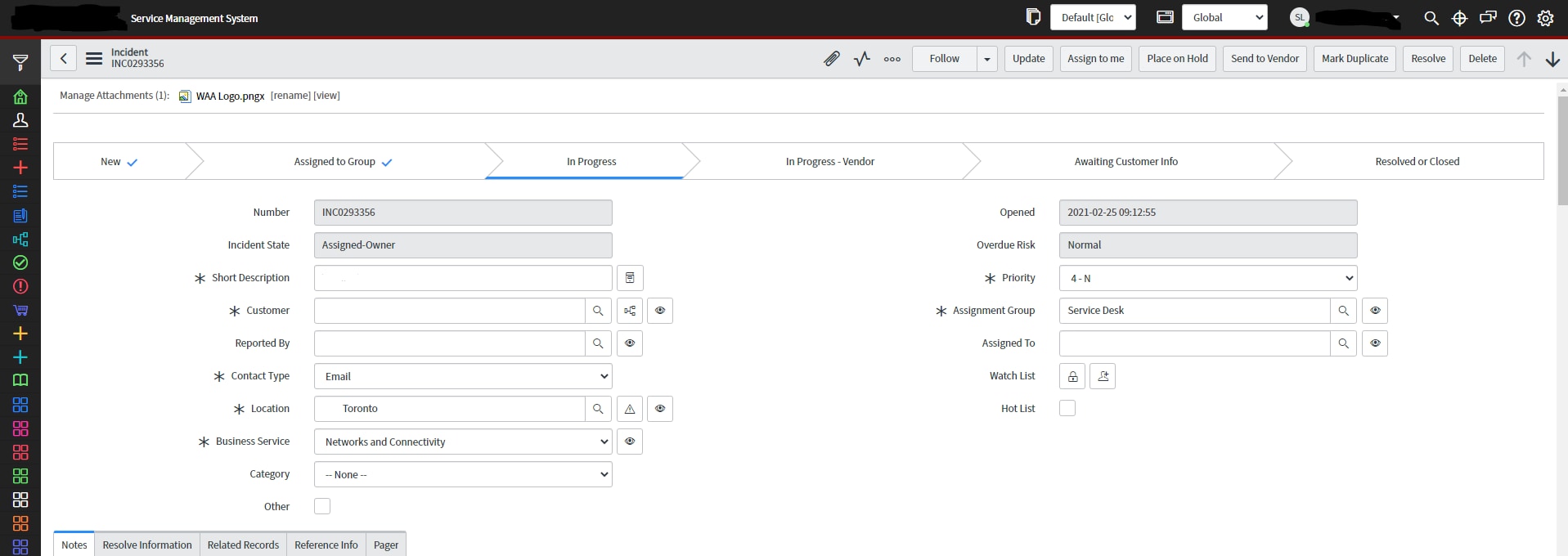
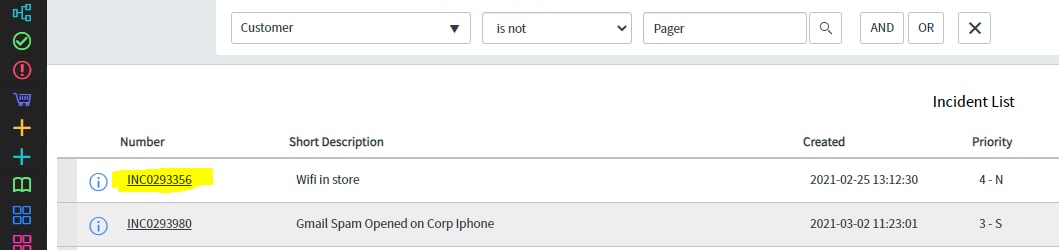
When ctrl-clicking(opening in a new tab) on a link in ServiceNow, the Nav bar always disappears completely. Basically have to reopen the instance on a difference page or change the url to get the correct UI showing.I'll include pictures here to explain a bit better.
Ctril+click the incident link below:
/incident.do?sys_id=016ac075db226410de87eeb35b9619b2&sysparm_record_target=incident&sysparm_record_row=1&sysparm_record_rows=107&sysparm_record_list=assignment_group%3Dcf8a8c450c9d7000945aba83678f3374%5Eincident_stateNOT+IN6%2C7%5Eshort_descriptionDOES+NOT+CONTAINMessage+notification%5Ecaller_id%21%3D54824a39db61c090b6c855384b96191d%5EORDERBYcategory

Where as just clicking it brings us here
nav_to.do?uri=%2Fincident.do%3Fsys_id%3D016ac075db226410de87eeb35b9619b2%26sysparm_record_target%3Dincident%26sysparm_record_row%3D1%26sysparm_record_rows%3D104%26sysparm_record_list%3Dassignment_group%3Dcf8a8c450c9d7000945aba83678f3374%5Eincident_stateNOT%2BIN6,7%5Eshort_descriptionDOES%2BNOT%2BCONTAINMessage%2Bnotification%5Ecaller_id!%3D54824a39db61c090b6c855384b96191d%5EORDERBYcategory

Solved! Go to Solution.
- Labels:
-
Instance Configuration
- 10,984 Views
- Mark as New
- Bookmark
- Subscribe
- Mute
- Subscribe to RSS Feed
- Permalink
- Report Inappropriate Content
04-07-2026 10:25 AM - edited 04-07-2026 10:26 AM

- Mark as New
- Bookmark
- Subscribe
- Mute
- Subscribe to RSS Feed
- Permalink
- Report Inappropriate Content
03-02-2021 02:56 PM
Hi Stephen,
This is known functionality, however there is a work around that I use.
There's a Chrome extension called Servicenow Framerizer, there are some notes here: https://snprotips.com/sn-framerizer/
You can download it from the Chrome Store here: https://chrome.google.com/webstore/detail/servicenow-framerizer/aigcknhbichbpcfdbhhoelohpdnjlfbb
Thanks,
Mike
- Mark as New
- Bookmark
- Subscribe
- Mute
- Subscribe to RSS Feed
- Permalink
- Report Inappropriate Content
03-03-2021 07:35 AM
Hi Mike,
Thanks for the answer. I've downloaded the plugin and it definitely works but I still find it odd that there is no workaround within ServiceNow itself.
I'll keep this question open in case there is a way to do it without having to use a 3rd party app.
Appreciate your help though!
Stephen

- Mark as New
- Bookmark
- Subscribe
- Mute
- Subscribe to RSS Feed
- Permalink
- Report Inappropriate Content
04-26-2022 08:42 AM
Agree. Why has this still not been "fixed" by now directly in ServiceNow?
All, please Up-Vote this "idea" so ServiceNow can get this done!
IDEA: Fix "Open in New Tab" so Filter Navigator does not vanish

- Mark as New
- Bookmark
- Subscribe
- Mute
- Subscribe to RSS Feed
- Permalink
- Report Inappropriate Content
06-29-2022 07:14 PM
Thought I'd also add a solution we use at work.
The Chrome framerizer is great, but it won't work on instances where you have changed the URL.
So a DEV instance works fine: "https://dev110715.service-now.com/..."
But if your work instance is "https://insertbusinesshere.proj/..." it won't work.
We created a dirty workaround by adding this as a shortcut URL, then clicking on it when you are on a uniquely name ServiceNow instance which is missing the ‘nav_to.do?’
"javascript:if(window.location.href.indexOf('/nav_to.do?uri=%27) === -1) {window.location.href = %27https://%27 + window.location.href.replace(%27https://%27,%27%27).replace(%27/%27,%27/nav_to.do?uri=/%27);}"
So create a new browser favourite on your bookmark bar, add the above javascript as the URL and it will add what you need.