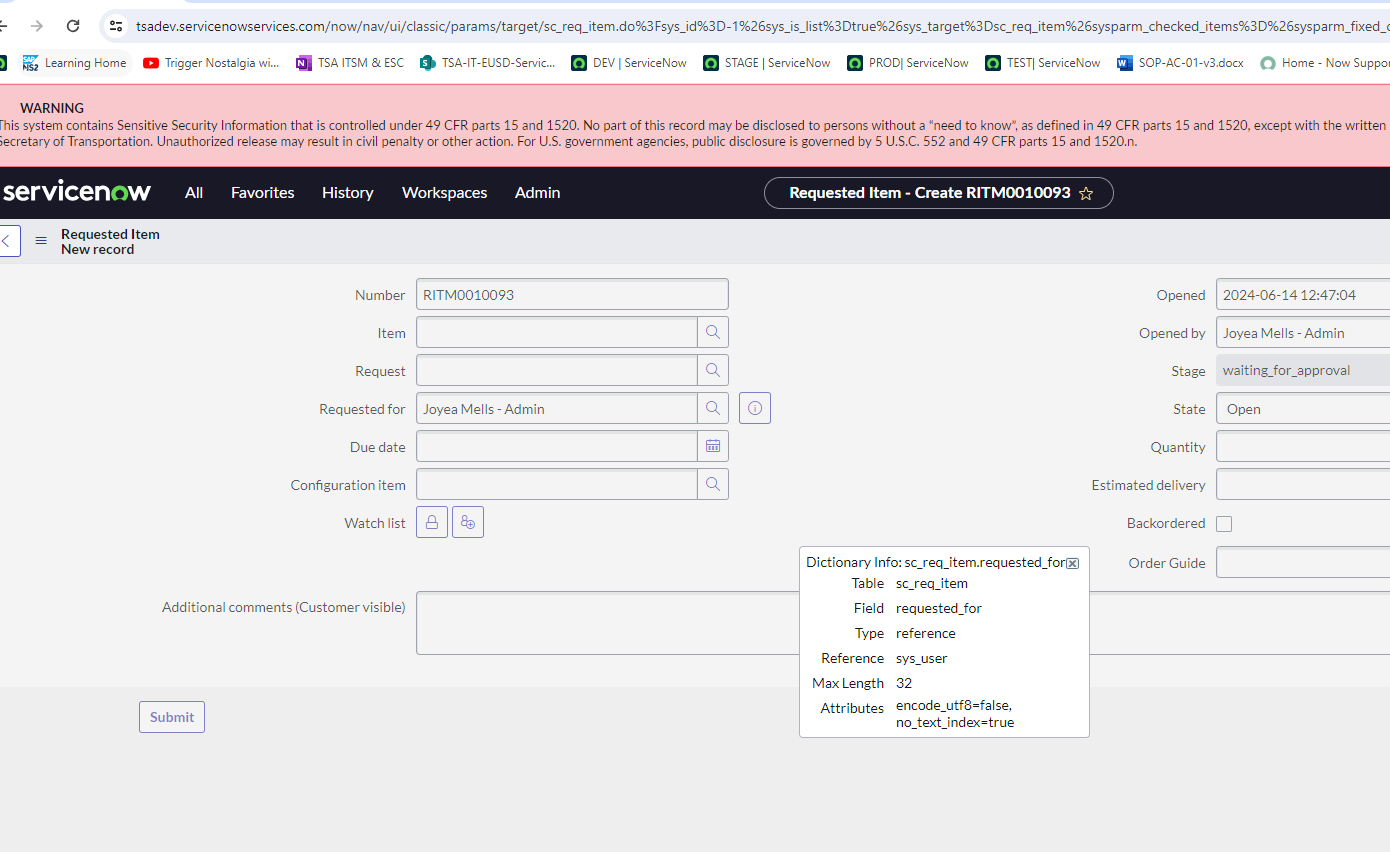
Problem solve Field names being different in dev and test environment

- Mark as New
- Bookmark
- Subscribe
- Mute
- Subscribe to RSS Feed
- Permalink
- Report Inappropriate Content
06-17-2024 07:12 AM
I encountered an issue where the catalog task "requested_for" form field that i created a client script for has different field name in test and my client script wont work for it in test. What's another way to approach this to display a field message.
my client script (using a script include) is used to display a field message if a user has a choice field selected on the user table and display it on child tables extended form the task table.


- Mark as New
- Bookmark
- Subscribe
- Mute
- Subscribe to RSS Feed
- Permalink
- Report Inappropriate Content
06-17-2024 07:38 AM
You should look to align your environments, rather than develop a workaround. The field in dev is the "correct" way to do it, since the introduction of requsted_for on sc_req_item
- Mark as New
- Bookmark
- Subscribe
- Mute
- Subscribe to RSS Feed
- Permalink
- Report Inappropriate Content
06-17-2024 08:35 PM
Hi @DevtoSME ,
The screenshots for DEV and TEST appear to be for two different fields. For example, Dev is showing Requested For (which references "sys_user"), and TEST is showing the field Requested (note the column name "requested", which references "sc_request").
The Requested For (requested_for) field is default out of the box, will should exist in all your environments. If it doesn't then there's some of other developer making global catastrophic changes.
Hope that helps.