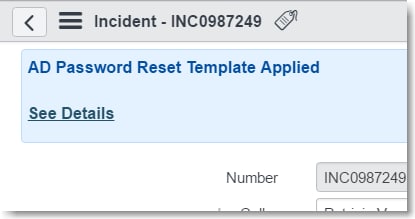
Run business rule after template is applied

- Mark as New
- Bookmark
- Subscribe
- Mute
- Subscribe to RSS Feed
- Permalink
- Report Inappropriate Content
02-22-2017 08:16 AM
Yes, I read this Run Business rule after template is applied but he/she is not looking to do what I'm looking to do... hence this new post.
I need to detect when a certain template is applied to an Incident form, and then do ... for lack of a better term, stuff to the form (change field values, etc..)
Kinda stuck on how to do this. Do I apply a BR on the Incident table or the sys_template table? Or is this "listener" even handled at the BR level at all?

- Mark as New
- Bookmark
- Subscribe
- Mute
- Subscribe to RSS Feed
- Permalink
- Report Inappropriate Content
02-22-2017 08:30 AM
I think you would have a field on the form that holds the template id, and then, you can either say:
Client Script:
onChange of template field, change the fields according to what newValue of that field is
or
Business Rule
before insert, if template field is A:
current.field = A;
current.field2 = A2;
else if template field is B:
current.field = B;
current.field2 = B2;
- Mark as New
- Bookmark
- Subscribe
- Mute
- Subscribe to RSS Feed
- Permalink
- Report Inappropriate Content
02-22-2017 08:41 AM


- Mark as New
- Bookmark
- Subscribe
- Mute
- Subscribe to RSS Feed
- Permalink
- Report Inappropriate Content
04-07-2017 01:02 AM
Hi David,
I'm looking to do something similar to this. I think what Mike's suggesting is that you would need the new field 'u_template_id' to itself be populated by the application of the template. In other words, part of the template definition would be to set the 'u_template_id' field on the form. That can then trigger its own client script or business rule.
Jamie.
- Mark as New
- Bookmark
- Subscribe
- Mute
- Subscribe to RSS Feed
- Permalink
- Report Inappropriate Content
04-10-2017 07:18 AM