SOW workspace enhancements- add attributes for opened for

- Mark as New
- Bookmark
- Subscribe
- Mute
- Subscribe to RSS Feed
- Permalink
- Report Inappropriate Content
01-01-2025 12:06 AM


- Mark as New
- Bookmark
- Subscribe
- Mute
- Subscribe to RSS Feed
- Permalink
- Report Inappropriate Content
01-01-2025 01:32 PM
Hi @Community Alums
Hi @Community Alums
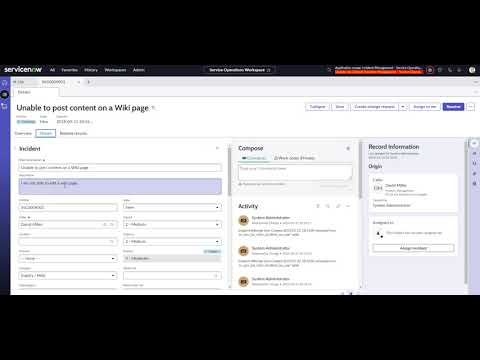
To make this possible, you need to copy/and then edit the Record Information SNC. which is under the contextual side bar. This video will give you a path for the same:

- Mark as New
- Bookmark
- Subscribe
- Mute
- Subscribe to RSS Feed
- Permalink
- Report Inappropriate Content
01-01-2025 08:49 PM
@Community Alums
you want extra fields to be shown in Record information tab?
at which place you are referring?
- Mark as New
- Bookmark
- Subscribe
- Mute
- Subscribe to RSS Feed
- Permalink
- Report Inappropriate Content
01-01-2025 09:57 PM
In the opened for card, under opened for user name we have to display other attributes


- Mark as New
- Bookmark
- Subscribe
- Mute
- Subscribe to RSS Feed
- Permalink
- Report Inappropriate Content
01-02-2025 07:01 AM
Hi @Community Alums
Did you check the link i shared?
