- Mark as New
- Bookmark
- Subscribe
- Mute
- Subscribe to RSS Feed
- Permalink
- Report Inappropriate Content
11-08-2022 03:24 PM
Hi all,
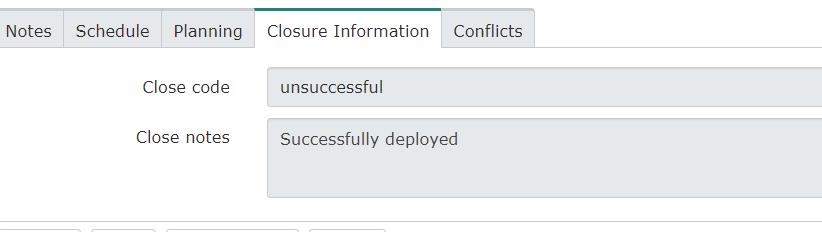
On a change request, I accidently put unsuccessful on a Close code rather than successful. Is there any way I can update that to successful as an ADMIN?
Thanks in advance.
Solved! Go to Solution.

- Mark as New
- Bookmark
- Subscribe
- Mute
- Subscribe to RSS Feed
- Permalink
- Report Inappropriate Content
11-08-2022 03:54 PM
If it's just read only due to a UI policy or client script,
you can open up the javascript executor (Press "Alt+Ctrl+Shift+j" to open the Javascript Executor.)
and run the code
g_form.setReadOnly('close_code',false);

If it's read only due to an ACL, you can either run a fix script to update the value, or enable the admin override on your ACLs.
- Mark as New
- Bookmark
- Subscribe
- Mute
- Subscribe to RSS Feed
- Permalink
- Report Inappropriate Content
11-08-2022 03:54 PM
If it's just read only due to a UI policy or client script,
you can open up the javascript executor (Press "Alt+Ctrl+Shift+j" to open the Javascript Executor.)
and run the code
g_form.setReadOnly('close_code',false);
If it's read only due to an ACL, you can either run a fix script to update the value, or enable the admin override on your ACLs.