Why Table row Background Color not showing when printing in UI Page ?

- Mark as New
- Bookmark
- Subscribe
- Mute
- Subscribe to RSS Feed
- Permalink
- Report Inappropriate Content
08-11-2020 11:47 PM
Hi, Community 🙂
Please help me
Why Table row Background Color not showing when printing in UI Page ?
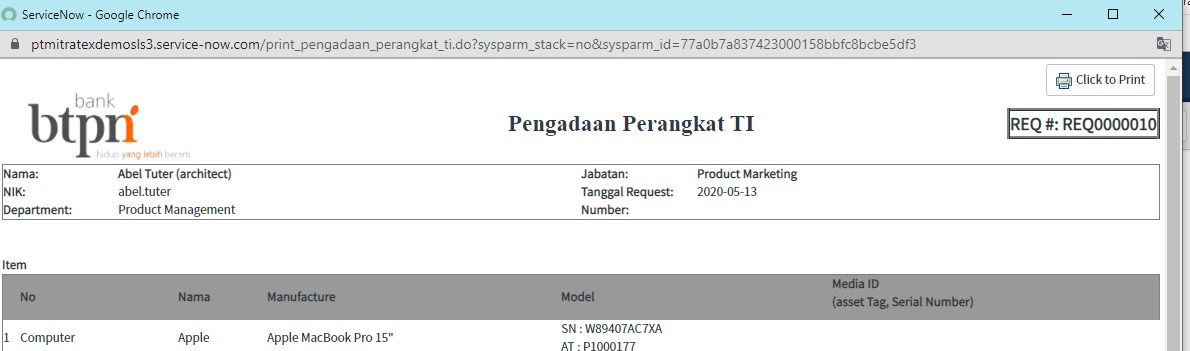
This is what the UI Page displays when I click Try It

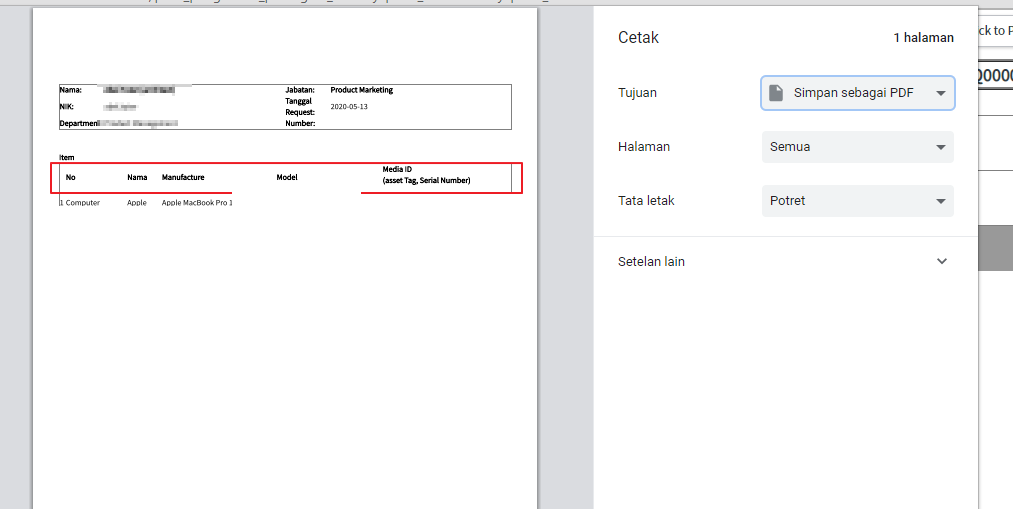
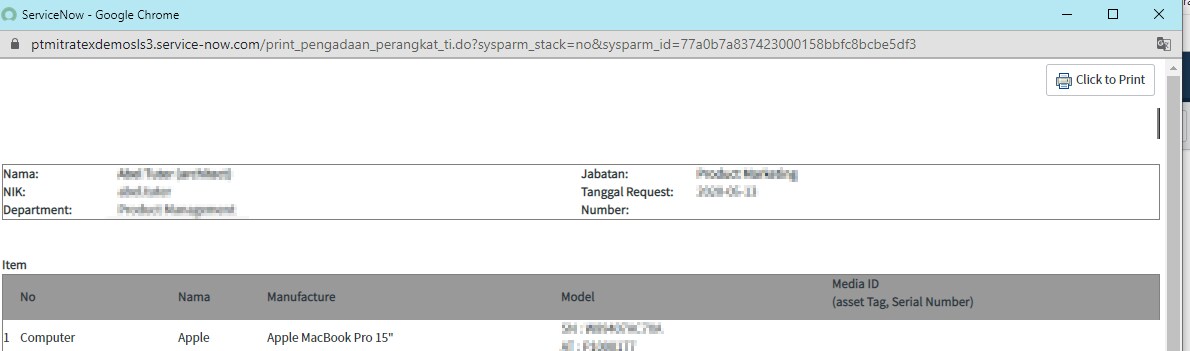
This is what the Page UI looks like when I try to print a page. Why table border is colorless. Even though in the script I have made the background color.

This is the script that I made on the UI Page:
<style type="text/css">
 table, td {
      border-color:#000;
      border-style:solid;
    }

    table {
      border-collapse:collapse;
      border-spacing:0;
      border-width:0 0 1px 1px;
      margin-top:14px;

    }

    td {
      border-width:1px 1px 0 0;
      margin:0;
      padding:4px;
      vertical-align:Bottom;
    }


    table.borderless, table.borderless td {
      border:0px;
      border-style:none;
    }

    table.borderAroundMe {
      border:1px;
      border-style:solid;
    }

    td.header {
	   background-color:#8DB4E2;
      font-weight:bold;
    }

    .center {
      text-align:center;
    }

    @media print {
      html, body {
        margin:0;
        padding:0;
      }
      br.page-break {
        display:block;
        page-break-before:always;
      }
      table {
        page-break-after:auto;
      }
      tr {
        page-break-inside:avoid;
        page-break-after:auto
      }
      td {
        page-break-inside:avoid;
        page-break-after:auto
      }
      thead {
        display:table-header-group
      }
	  thead tr{
     	  background: sandybrown;
	  }
      tfoot {
        display:table-footer-group
      }
      img {
        display:block;
      }
      div.printPage {
        position:relative;
        page-break-inside:avoid;
        page-break-after:auto;
        height:100%;
        width:100%;
      }
      table.footer {
        position:absolute;
        bottom:0;
      }
    }

    @page{
      margin:80px auto;
    }
	  .row{
   background-color:#999999;
   -webkit-print-color-adjust: exact;
   }
  </style>
this is the script to call the table color:
<table class="borderless" style="border-style:solid; border-width:1px;" width="100%" align="center" cellspacing="0" cellpadding="0">
	    <thead>
			<tr class="row">
				<th>No</th>
				<th>Nama</th>
				<th>Manufacture</th>
				<th>Model</th>
				<th>Media ID<p>(asset Tag, Serial Number)</p></th>
			</tr>
		 </thead>
		 <tbody>
</tbody>
</table>
Please help me to fix this one 🙂
Thanks.
Regards,
Dio Nanda


- Mark as New
- Bookmark
- Subscribe
- Mute
- Subscribe to RSS Feed
- Permalink
- Report Inappropriate Content
08-12-2020 12:08 AM
Hi Nanda,
please check below links
Regards
Ankur
Ankur
✨ Certified Technical Architect || ✨ 10x ServiceNow MVP || ✨ ServiceNow Community Leader
- Mark as New
- Bookmark
- Subscribe
- Mute
- Subscribe to RSS Feed
- Permalink
- Report Inappropriate Content
08-12-2020 04:52 AM
Hi, Sir.
Thanks for your feedback.
But, not working for me. Can you check my script what is wrong ?
- Mark as New
- Bookmark
- Subscribe
- Mute
- Subscribe to RSS Feed
- Permalink
- Report Inappropriate Content
08-12-2020 06:08 AM
Hi Nanda,
Can you provide details on how the UI page is being triggered?
Also the complete UI page script
Regards
Ankur
Ankur
✨ Certified Technical Architect || ✨ 10x ServiceNow MVP || ✨ ServiceNow Community Leader
- Mark as New
- Bookmark
- Subscribe
- Mute
- Subscribe to RSS Feed
- Permalink
- Report Inappropriate Content
08-23-2020 07:11 AM
Hi,
Any update on this thread?
Regards
Ankur
Ankur
✨ Certified Technical Architect || ✨ 10x ServiceNow MVP || ✨ ServiceNow Community Leader