- Mark as New
- Bookmark
- Subscribe
- Mute
- Subscribe to RSS Feed
- Permalink
- Report Inappropriate Content
11-01-2016 01:15 PM
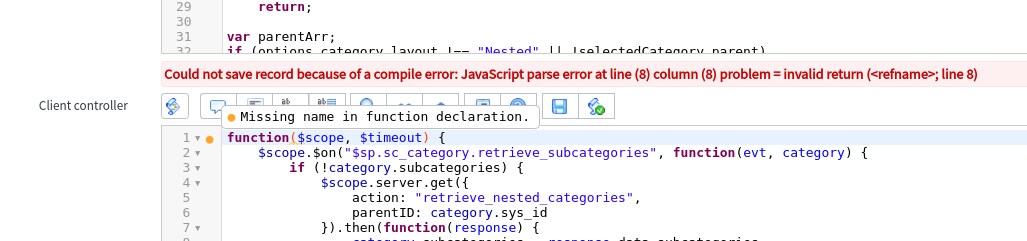
I have made a clone of the "SC Categories" widget, but I can't save it because of an error in a part of the script I haven't changed. It's in the Client controller field:

I get the error "Missing name in function declaration" - but the original widget uses this code - so what can I do?
Solved! Go to Solution.
- Labels:
-
Scripting and Coding

- Mark as New
- Bookmark
- Subscribe
- Mute
- Subscribe to RSS Feed
- Permalink
- Report Inappropriate Content
11-01-2016 01:20 PM
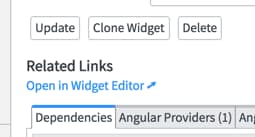
If you scroll down and click on the UI Action: "Open in Widget Editor"

You will be able to save it in the new window that opens.

- Mark as New
- Bookmark
- Subscribe
- Mute
- Subscribe to RSS Feed
- Permalink
- Report Inappropriate Content
11-01-2016 01:20 PM
- Mark as New
- Bookmark
- Subscribe
- Mute
- Subscribe to RSS Feed
- Permalink
- Report Inappropriate Content
11-28-2016 06:48 PM
This shouldn't be marked as a solution. Maybe ServiceNow should fix their buggy code against their own validator! As I've come across several widgets that have this problem when cloning.

- Mark as New
- Bookmark
- Subscribe
- Mute
- Subscribe to RSS Feed
- Permalink
- Report Inappropriate Content
09-06-2017 07:36 PM
I concur -- ServiceNow should fix these situations. Apparently they are NOT 'new'.
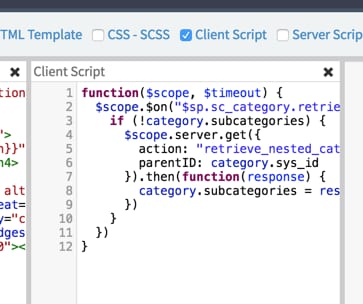
Can you recommend how to solve this for clones of the "sc_categories" widget? Below is a screen shot of the sc_categories widget which I cloned (along with many other customers...). Both the Server script and the Client controller have errors. When I edit my cloned version to add a semi-colon ";" to the end of line 6 in the Service script, that resolves that erro. but I haven't been able to figure out how to resolve the remaining errors in the Client controller script.
I'm learning as I go -- my apologies if this is rudimentary. Thanks in advance to you or anyone else who can help solve this permanently in my cloned widget!

- Mark as New
- Bookmark
- Subscribe
- Mute
- Subscribe to RSS Feed
- Permalink
- Report Inappropriate Content
10-10-2017 08:48 PM
Hi Lisa,
As a workaround, You can open the required widget in widget editor and try cloning the widget from widget editor.
You will able to save the target widget without any error messages.