Knowledge Base link on Employee Center Portal not working

- Mark as New
- Bookmark
- Subscribe
- Mute
- Subscribe to RSS Feed
- Permalink
- Report Inappropriate Content
02-27-2026 06:05 AM
For some reason, the link on our Employee Portal homepage to take the user to the KB articles in the User KB is not working.
If a non-itil license holder clicks the link on the portal, they get the message that there are no articles to view.
However anyone with an itil license gets the complete view
(see attachment for screen shots)
This worked fine until we upgraded to Yokohama and not working in Zurich either. So did something change on the back end of this feature that we need to update to get this to work again?
Thank you

- Mark as New
- Bookmark
- Subscribe
- Mute
- Subscribe to RSS Feed
- Permalink
- Report Inappropriate Content
02-27-2026 08:33 AM - edited 02-27-2026 08:34 AM
Hi @terrieb
Probable Cause
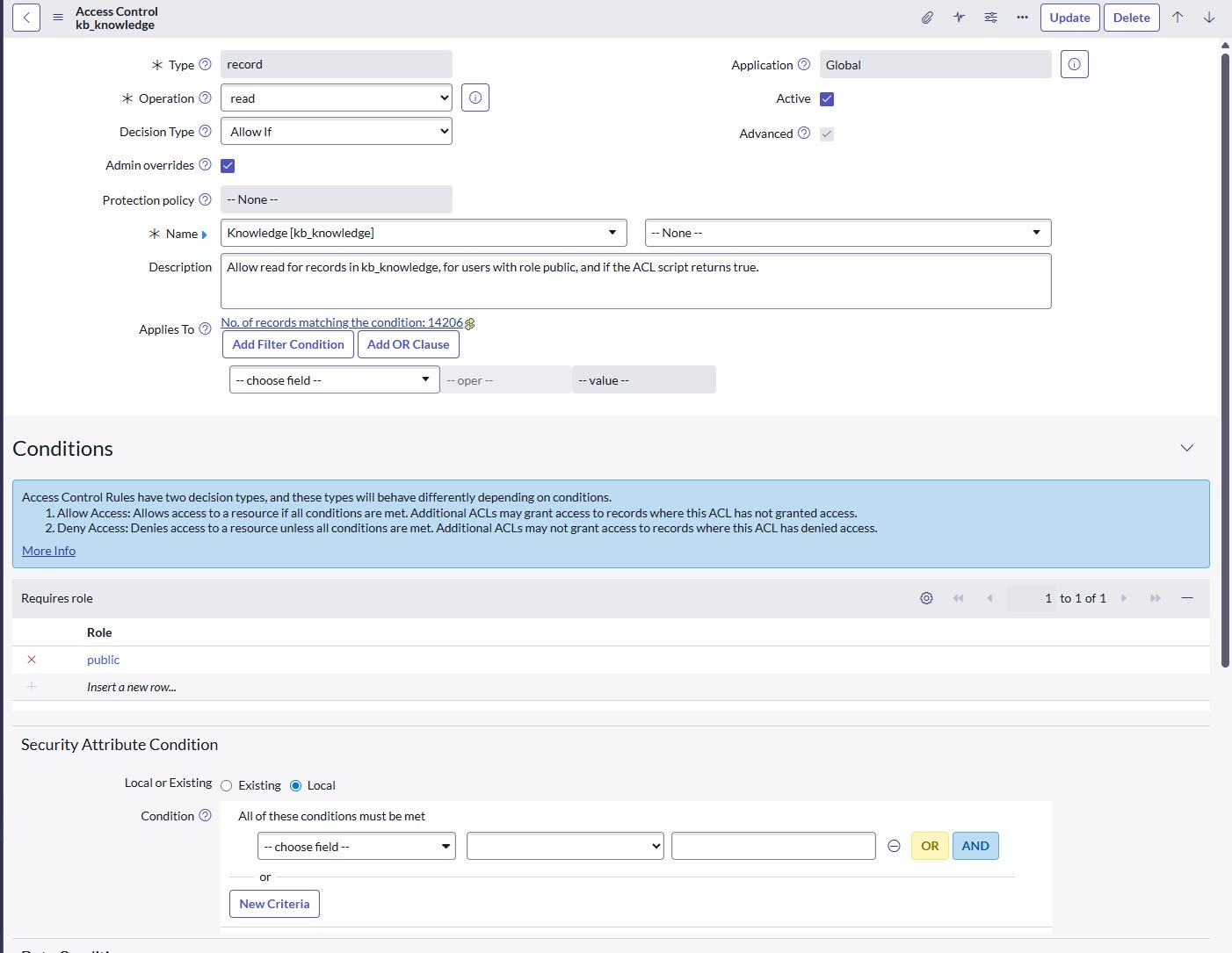
Usually you'll find that normal lower-level users (ex: non-itil) will have this issue. There may be several reasons for this, but in this KB we will investigate the ACL + Roles to check. It's possible that several KB's have been created with a specific role [kb_knowledge.role] specified. This prevents users from seeing the KB based on the role check in the following OOB ACL:
https://<instance-name>.service-now.com/nav_to.do?uri=sys_security_acl.do?sys_id=7d9dd050c0a801666e1223c8df88a4cc
This can cause confusion if the "Roles" field is no longer present on the [kb_knowledge] Form and/or List views. This can be the case if other means are typically used for control, like User Criteria.
Resolution
You can confirm/resolve this by adding the 'Roles' field to your Knowledge Form and/or List, or by examining the 'Show XML' data of a [kb_knowledge] record. Updating the Roles on the KB or ensuring the affected user has the expected roles should resolve this issue.
Ref Support KB: https://support.servicenow.com/kb?id=kb_article_view&sysparm_article=KB0819853
- Mark as New
- Bookmark
- Subscribe
- Mute
- Subscribe to RSS Feed
- Permalink
- Report Inappropriate Content
02-27-2026 10:19 AM
I checked the ACL and the role is public
I tried adding the role to the list view of articles but nothing appears and I added the field to the article form and got just the name of role added but no option to add a role.
So I can't do any of the options suggested in the Resolution of the KB article link you posted
Any other suggestions??