- Mark as New
- Bookmark
- Subscribe
- Mute
- Subscribe to RSS Feed
- Permalink
- Report Inappropriate Content
05-07-2026 10:23 AM
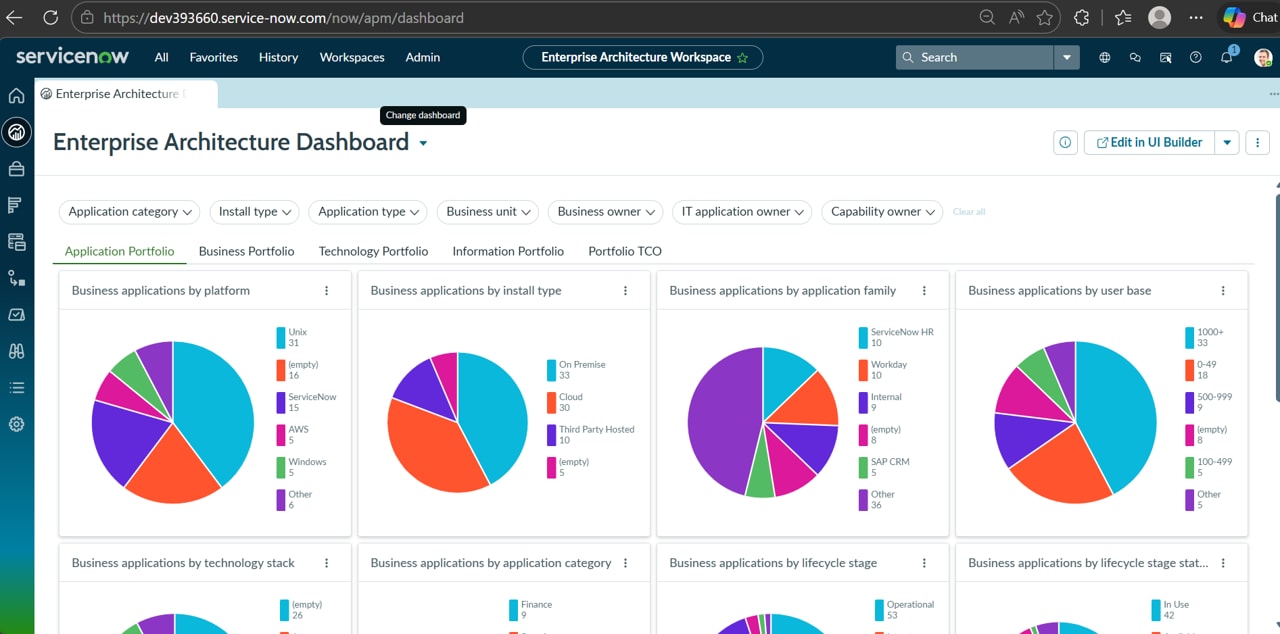
I cannot switch dashboards in EA workspace from Enterprise Architecture Dashboard to Application 360 - EA Workspace and Application Assessments - EA Workspace.
Only a small message/ hint pops up saying Change dashboard.
Solved! Go to Solution.

- Mark as New
- Bookmark
- Subscribe
- Mute
- Subscribe to RSS Feed
- Permalink
- Report Inappropriate Content
05-13-2026 07:26 AM
Hello @Pritom Dihingia
Then I would say, release the instance and request for new PDI.
Hope that helps!
- Mark as New
- Bookmark
- Subscribe
- Mute
- Subscribe to RSS Feed
- Permalink
- Report Inappropriate Content
05-07-2026 11:45 AM
Hello @Pritom Dihingia
Type cache.do in the filter navigator and hit enter and then try.

You can also Navigate to All > Platform Analytics > Library > Dashboards and at the bottom of the page search the dashboard and open it. If you are unable to open it then it means you do not have required role.
You can also open any other dashboard and click Change Dashboard drop down arrow to see you have required role like "dashboard_dmin" or not.
Hope that helps!
- Mark as New
- Bookmark
- Subscribe
- Mute
- Subscribe to RSS Feed
- Permalink
- Report Inappropriate Content
05-12-2026 07:21 AM
Hi Vishal,
Thank you for your response. I can access all the dashboards from All > Platform Analytics > Library > Dashboards but cannot switch to these dashboards from EA workspace
- Mark as New
- Bookmark
- Subscribe
- Mute
- Subscribe to RSS Feed
- Permalink
- Report Inappropriate Content
05-12-2026 12:01 PM
Hello @Pritom Dihingia
Please reach out to your Instance's System Administrator and ask for "dashboard_admin" role.
Hope that helps!
- Mark as New
- Bookmark
- Subscribe
- Mute
- Subscribe to RSS Feed
- Permalink
- Report Inappropriate Content
05-12-2026 06:02 PM
Hi Vishal,
This is my PDI and I have admin access