- Mark as New
- Bookmark
- Subscribe
- Mute
- Subscribe to RSS Feed
- Permalink
- Report Inappropriate Content
03-17-2022 06:58 AM
Hello everyone,
I may just be blind, but how do you set the catalog for HR Services >> Manage HR Catalog? We have a need to change it to a new catalog while still retaining the one currently set there.
Thanks!
Solved! Go to Solution.
- Labels:
-
HR Service Delivery


- Mark as New
- Bookmark
- Subscribe
- Mute
- Subscribe to RSS Feed
- Permalink
- Report Inappropriate Content
03-17-2022 08:03 AM
Hi
Are you referring to using the "Manage HR Catalog" for the default HR catalog, as well as a new catalog? If so, the module is pointing to the specific sys_id for the OOB HR catalog. You can manually change that sys_id, or create a new module with the correct URL arguments so you still have both to work with.


- Mark as New
- Bookmark
- Subscribe
- Mute
- Subscribe to RSS Feed
- Permalink
- Report Inappropriate Content
03-17-2022 07:49 AM
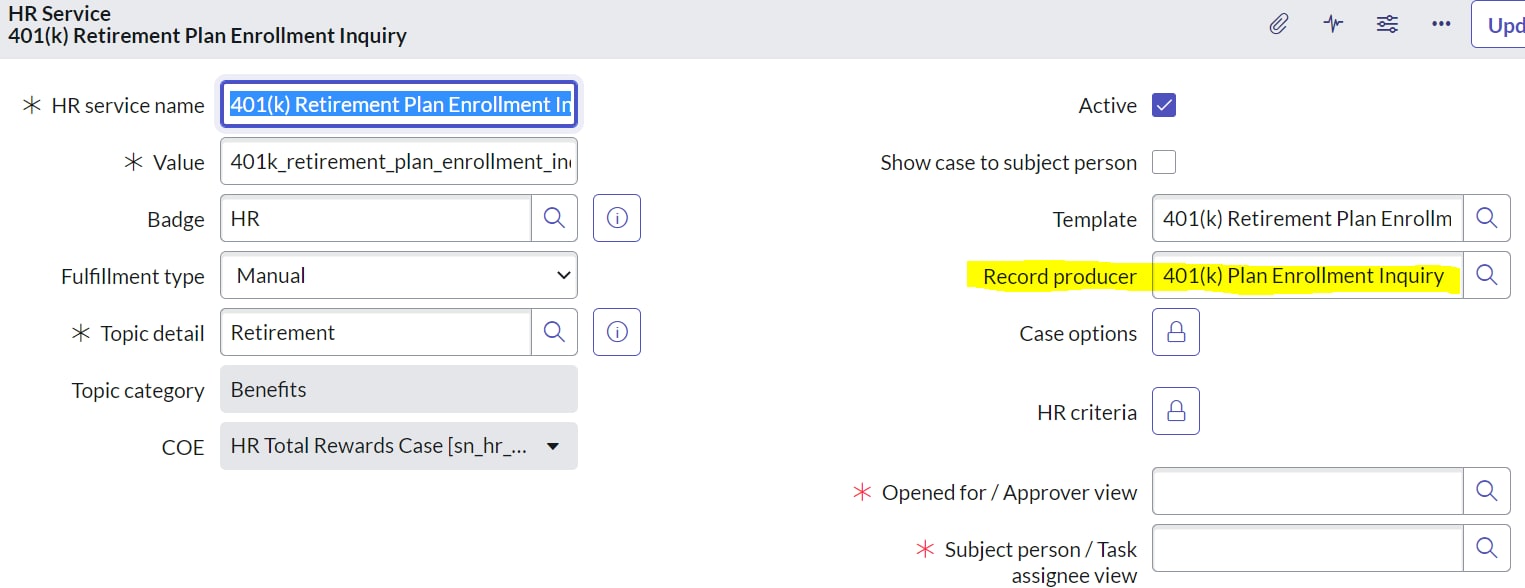
Navigate to HR Administration > HR Services > HR Service Configuration. Click New or open a record. Note: If you are creating a new HR service and plan to make it available for employee self-service, see HR catalog item configuration instead

Please see the detail in this ServiceNow document:Configure an HR service | ServiceNow Docs
If my reply is Helpful/Correct, please mark the answer as Helpful/Correct.
- Mark as New
- Bookmark
- Subscribe
- Mute
- Subscribe to RSS Feed
- Permalink
- Report Inappropriate Content
03-17-2022 08:03 AM
Hi
Are you referring to using the "Manage HR Catalog" for the default HR catalog, as well as a new catalog? If so, the module is pointing to the specific sys_id for the OOB HR catalog. You can manually change that sys_id, or create a new module with the correct URL arguments so you still have both to work with.
- Mark as New
- Bookmark
- Subscribe
- Mute
- Subscribe to RSS Feed
- Permalink
- Report Inappropriate Content
03-17-2022 08:35 AM
Thanks! I was figuring it was in a configuration setting somewhere but wasn't seeing one.