britt_champeau

ServiceNow Employee
Options
- Subscribe to RSS Feed
- Mark as New
- Mark as Read
- Bookmark
- Subscribe
- Printer Friendly Page
- Report Inappropriate Content
12-24-2014
11:26 AM
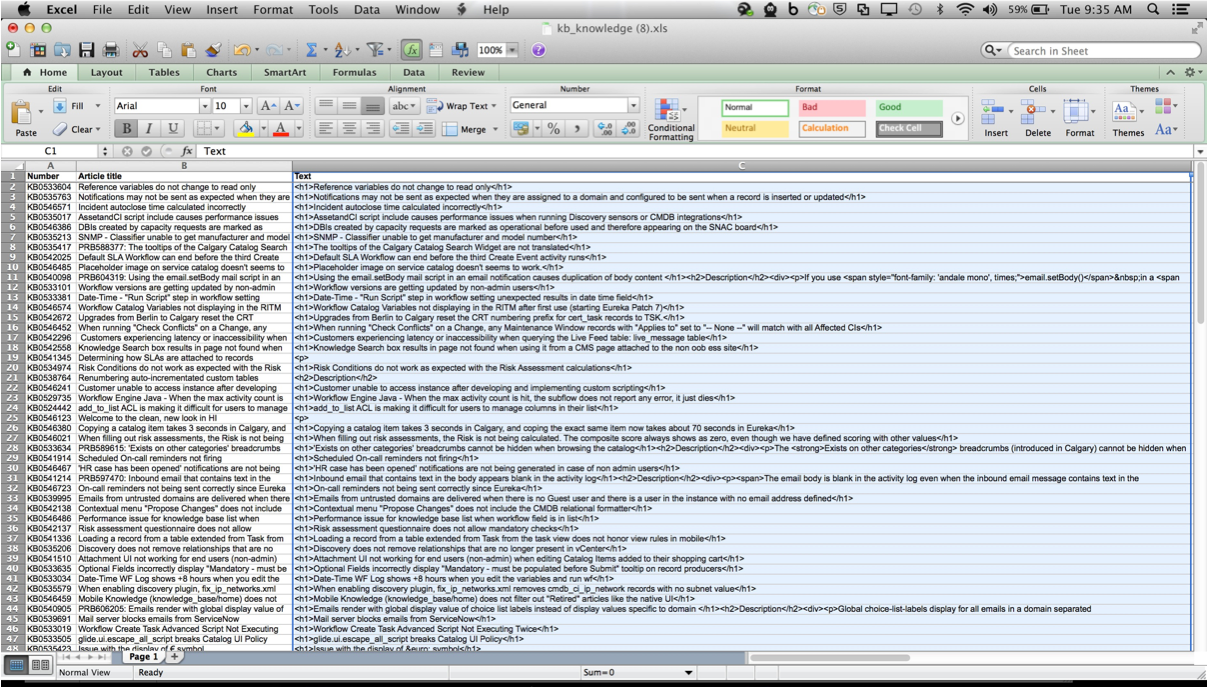
It's come to my attention that not everyone is best friends with Excel. This generally isn't an issue, as when we export data from a table or report, it renders as it should. There is an exception to this rule. When exporting a Translated HTML field, like Knowledge Text or Service Catalog Description, these fields render with HTML tags, which can be quite annoying when trying to review your content in bulk.
Rather than trying to customize a special report or change something in the platform, I'd suggest you export the information, let it render with the HTML tags and then use Visual Basic Editor in Excel to clean up the content.
To change a column from HTML to plain text, try this in your worksheet:
1. Copy this code:
Sub StripTags()
Dim cell As Range
Dim s As String
Dim asWd() As String
Dim iWd As Long
For Each cell In Intersect(Selection.Cells, ActiveSheet.UsedRange)
s = Replace(cell.Value, Chr(160), " ")
s = Replace(s, ">", "<")
s = Replace(s, vbCr, vbLf)
asWd = Split(s, "<")
s = vbNullString
For iWd = 0 To UBound(asWd) Step 2
s = s & " " & asWd(iWd)
Next iWd
Do While InStr(s, vbLf & " ")
s = Replace(s, vbLf & " ", vbLf)
Loop
Do While InStr(s, vbLf & vbLf)
s = Replace(s, vbLf & vbLf, vbLf)
Loop
cell.Value = WorksheetFunction.Trim(s)
Next cell
End Sub
2. While in your worksheet, press Alt+F11 to open the Visual Basic Editor
3. From the menu bar, do Insert> Module
4. Paste the code in the window
5. Close the window. (Don't worry about trying to find a save button. You can just close the window.)
6. Select your range, which will probably be a column since you're doing all those rows of article text
7. Press Alt+F8 to open the macro dialog
8. Select the macro name from the dropdown list and press run
Note: These steps are a little different if you're on a Mac, but they're pretty close. I highlight my range first, create the macro as outlined above, close the window, and then just click the Run button in the header. It looks like a Play button, and is directly under the Format menu.
There are a few tags which may remain, but this does make for much easier reading:
Thanks to Stephanie Lindorff for the great question, which can be found here
- 16,955 Views
5 Comments
You must be a registered user to add a comment. If you've already registered, sign in. Otherwise, register and sign in.