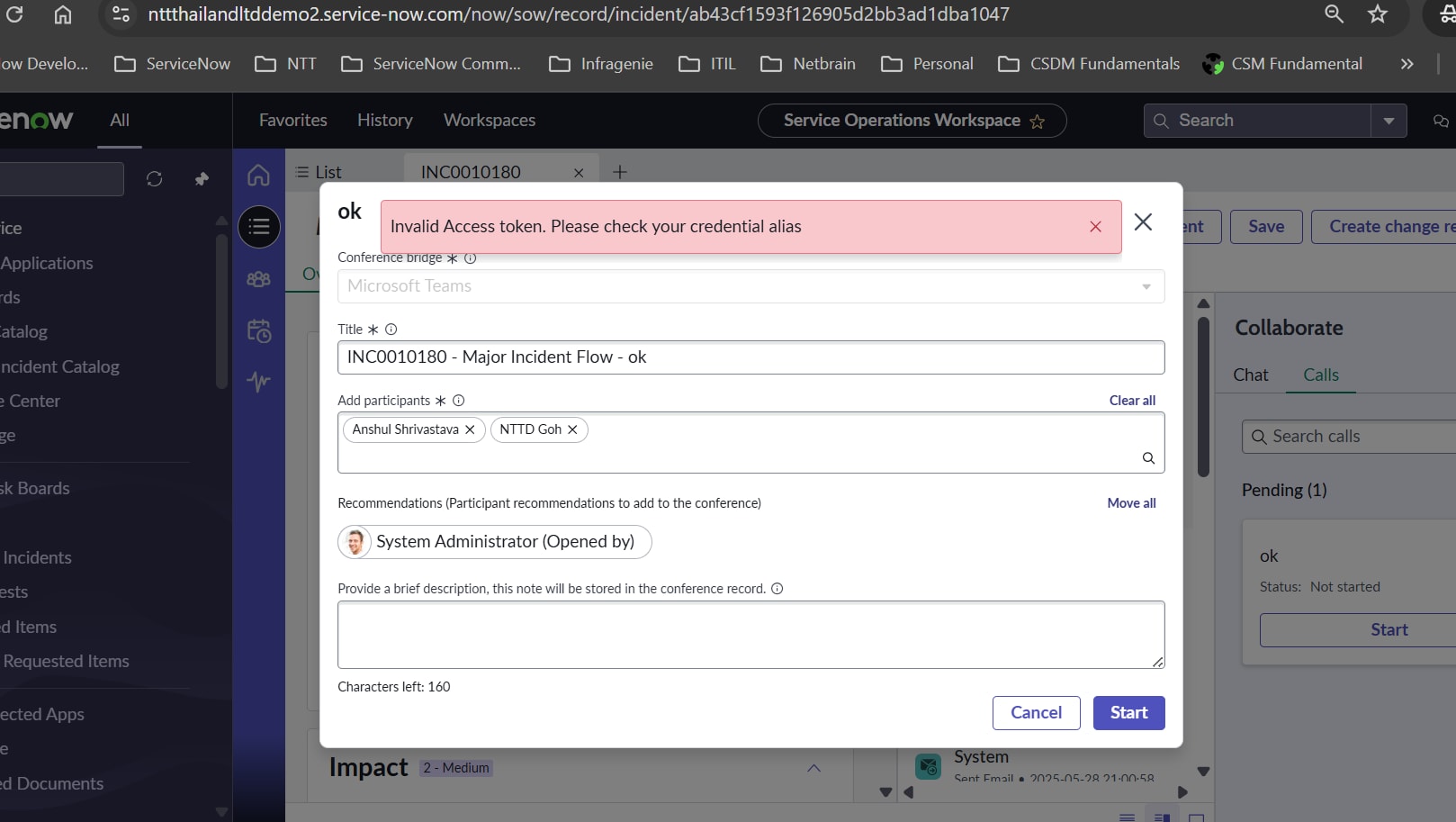
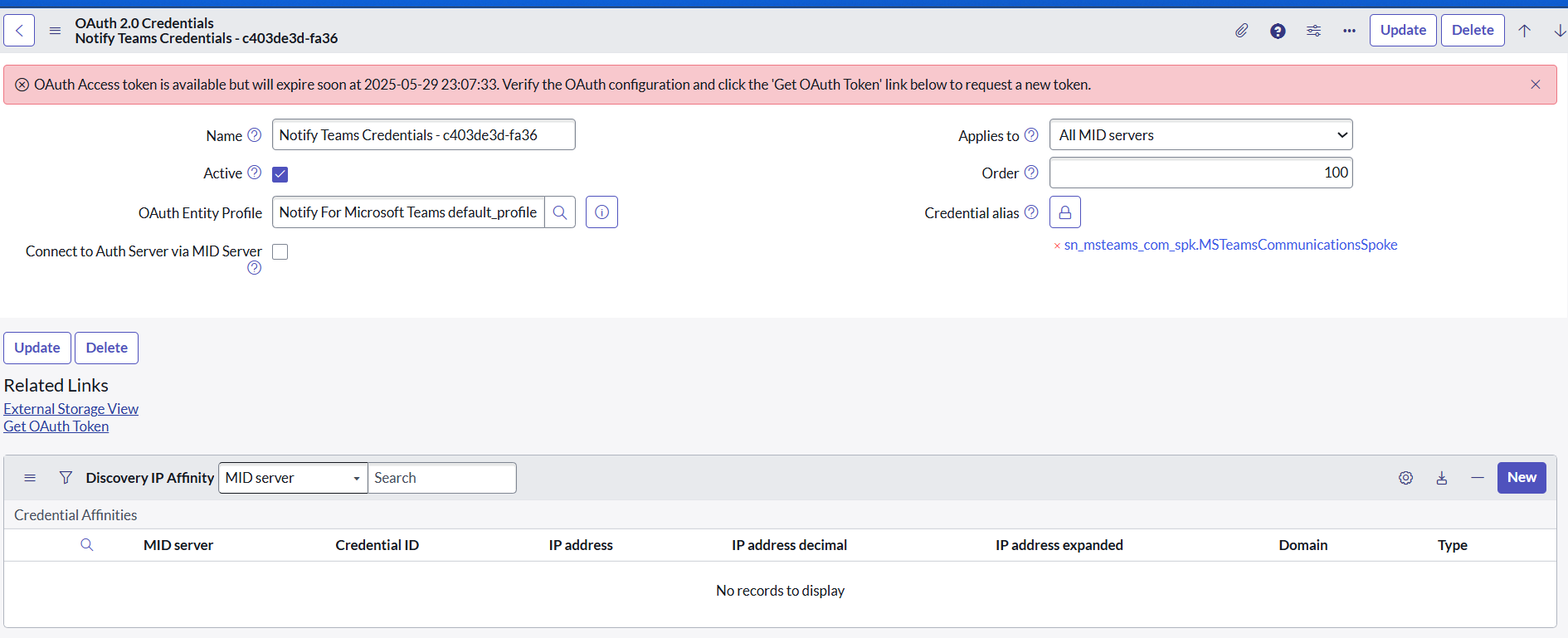
Invalid Access token. Please check your credential alias

- Mark as New
- Bookmark
- Subscribe
- Mute
- Subscribe to RSS Feed
- Permalink
- Report Inappropriate Content
05-29-2025 10:09 PM - edited 05-29-2025 10:09 PM
When clicking button to start MS Team meeting in service operation workspace getting below error.
Invalid Access token. Please check your credential alias
Try to delete oauth token from table but still same issue.
Able to get token directly from credential table but not bale to get from workspace.
Attached screenshot.
- Mark as New
- Bookmark
- Subscribe
- Mute
- Subscribe to RSS Feed
- Permalink
- Report Inappropriate Content
05-30-2025 08:40 AM
Hi Anshul,
Navigate to Notify> Microsoft teams > configuration and make sure the Microsoft Teams config is configured properly, also validate on your Microsoft team side weather you have the permission to initiate or not.
Validate Microsoft teams properties as well.
Once above validation is done, delete the existing token and generate a new toke and test it again.
Mark this as correct if this resolved your issue.
- Mark as New
- Bookmark
- Subscribe
- Mute
- Subscribe to RSS Feed
- Permalink
- Report Inappropriate Content
01-06-2026 07:27 AM
Please follow the steps below:
- In the Application Navigator, go to System OAuth → Manage Tokens.
- Open Manage Tokens in list view.
- Under the User field, search for the username.
- Delete both records associated with that user.
- Ask the user to try again. This should resolve the issue.
Thank you.
- Mark as New
- Bookmark
- Subscribe
- Mute
- Subscribe to RSS Feed
- Permalink
- Report Inappropriate Content
07-14-2026 02:38 AM
Hi Anshul Shrivast,
I am also facing exact issue, Did you found the solution for this. If found pls share a input here.