- Mark as New
- Bookmark
- Subscribe
- Mute
- Subscribe to RSS Feed
- Permalink
- Report Inappropriate Content
07-13-2022 05:42 PM
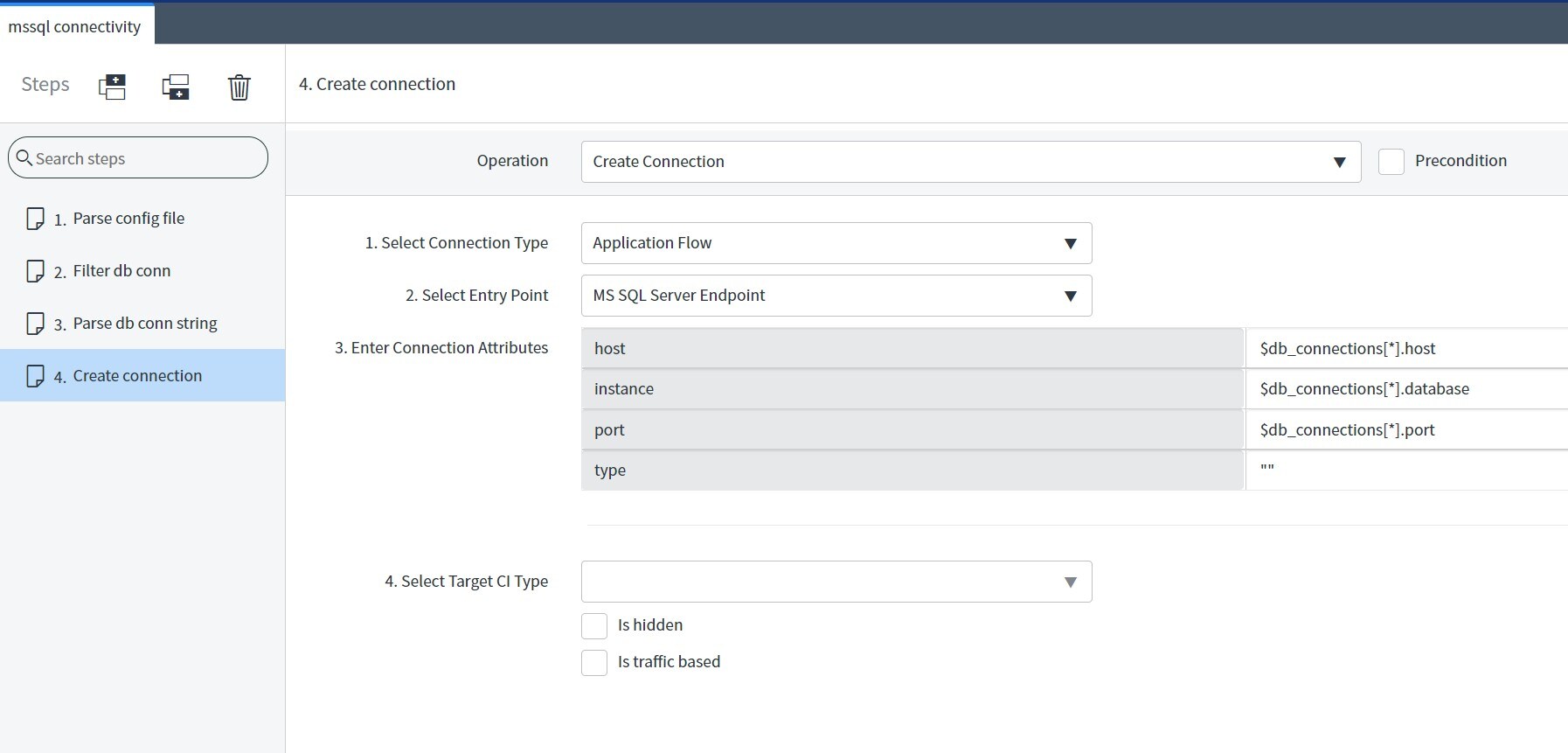
I'm trying to create a connection to a MS SQL Server by using the MS SQL Server Endpoint as below, however the "Database" attribute is not shown:

If I go to Ci Class Manager and lookup for the "Database" attribute it is defined there:

How can I display the Database attribute in the connection attributes?
Solved! Go to Solution.
- Labels:
-
Service Mapping
- Mark as New
- Bookmark
- Subscribe
- Mute
- Subscribe to RSS Feed
- Permalink
- Report Inappropriate Content
07-13-2022 06:04 PM
You need to edit the View using the following information:
- Table: [cmdb_ci_endpoint_ms_sql_server]
- View name: sa_map_properties
- View Attributes: Database, Port, Host
IMPORTANT: Create a new View by selecting the View name drop down list, and then select New. Do NOT click the New option inside the Section list.
- Mark as New
- Bookmark
- Subscribe
- Mute
- Subscribe to RSS Feed
- Permalink
- Report Inappropriate Content
07-13-2022 06:04 PM
You need to edit the View using the following information:
- Table: [cmdb_ci_endpoint_ms_sql_server]
- View name: sa_map_properties
- View Attributes: Database, Port, Host
IMPORTANT: Create a new View by selecting the View name drop down list, and then select New. Do NOT click the New option inside the Section list.