PRTG - Event Mgmt Connector Instance Error

- Mark as New
- Bookmark
- Subscribe
- Mute
- Subscribe to RSS Feed
- Permalink
- Report Inappropriate Content
07-22-2024 06:54 AM
Hi everyone,
This is my first post on the community, looking for guidance and assistance.
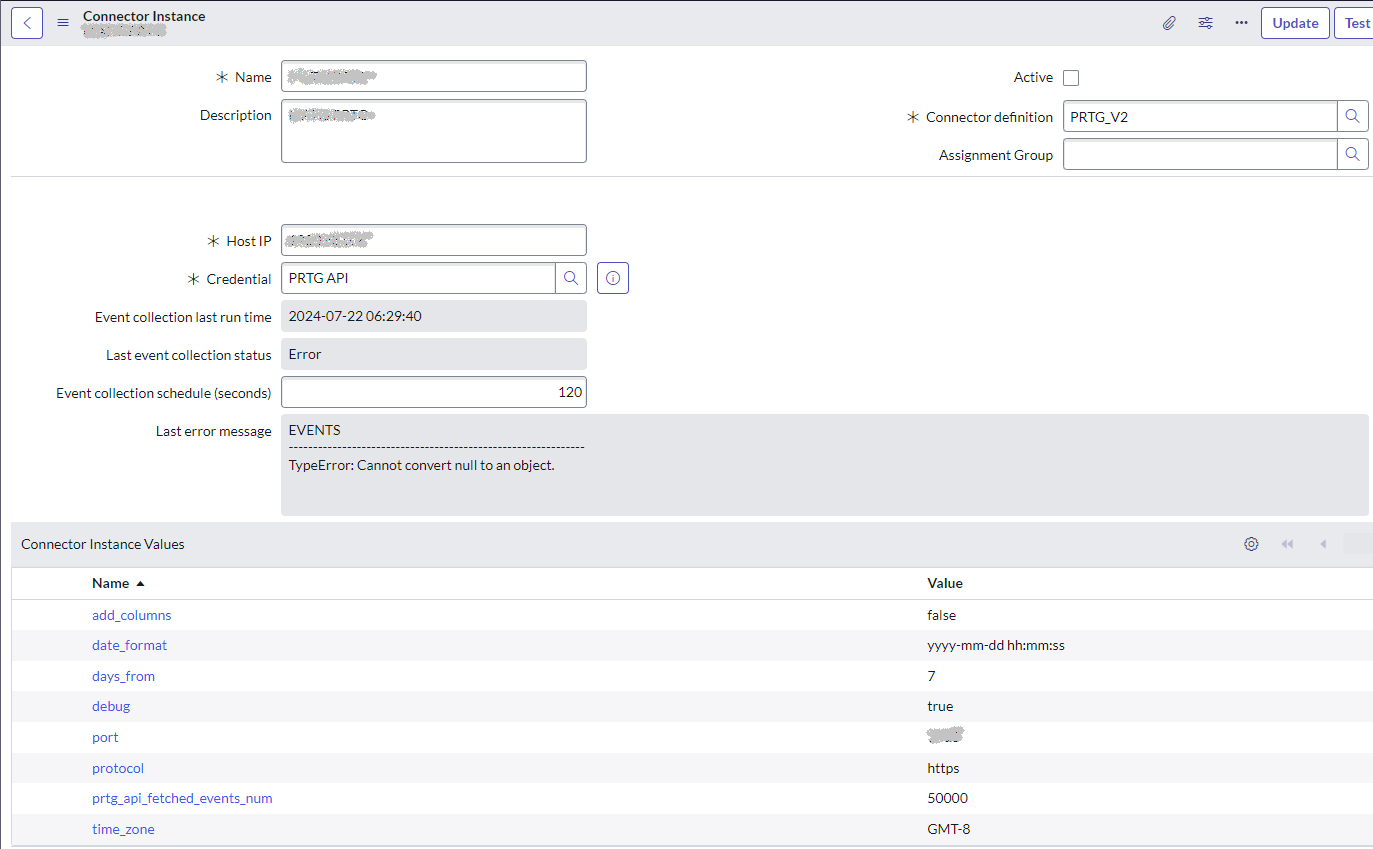
I have a Personal Development Instance where I'm trying to configure an Event Mgmt Connector using PRTG v2 API but I'm getting the following error when testing the connector:
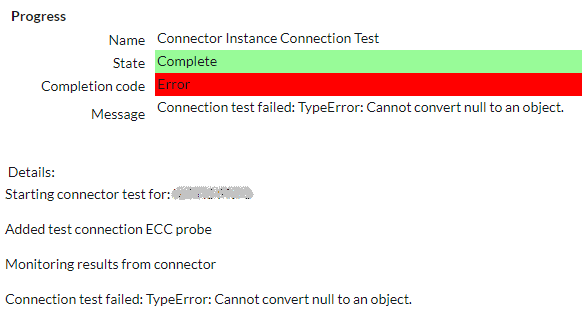
Connection test failed: TypeError: Cannot convert null to an object.
Attaching Connector Configuration and Error Message screenshots.
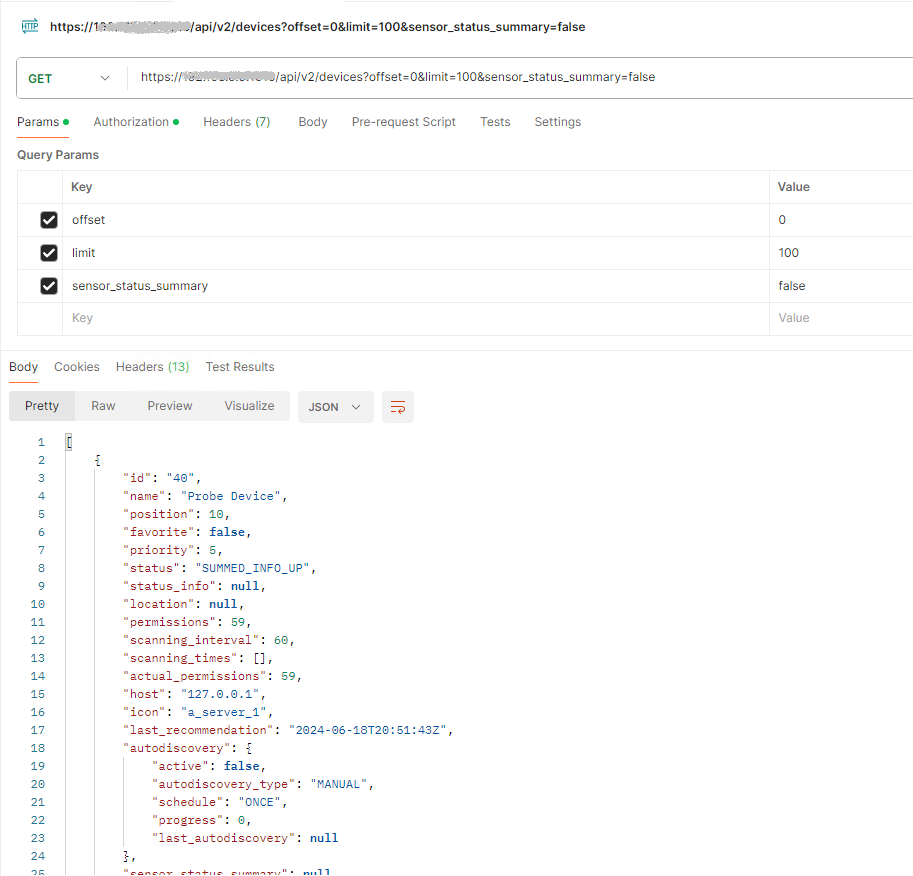
Already tested API successfully in Postman (attaching screenshots).
I also simulated an event thru Mid Server successfully (attached).
The item that calls my attention is the Date Time format coming from API (2024-06-18T20:51:43Z). I already tried updating the date_format in the connector to "yyyy-mm-ddThh:mm:ssZ" with no luck. I changed the date time in PRTG but API still returns the mentioned format.
Any guidance would be greatly appreciated.
Thanks
Martin

- Mark as New
- Bookmark
- Subscribe
- Mute
- Subscribe to RSS Feed
- Permalink
- Report Inappropriate Content
12-07-2024 07:27 PM
Hi Martian,
I successfully connected to PRTG using HTTP, but HTTPS is giving me trouble. Even though HTTPS calls to PRTG return 200 OK in Postman, the ServiceNow instance fails to connect, showing this error:
Connection test failed: TypeError: Cannot convert null to an object.
I suspect the issue might be related to SSL/TLS certificates. Have you faced this or found a solution?
Thanks!
Shubham Khaire
- Mark as New
- Bookmark
- Subscribe
- Mute
- Subscribe to RSS Feed
- Permalink
- Report Inappropriate Content
05-27-2026 02:43 AM
cHi,
To fix this issue, please check the MID Server and learn how to import SSL certificates.
As PRTG usually works with HTTPS, it will not accept any HTTP. The "SSL required" message is just a notification that the system cannot process the request.
How to configure and troubleshoot MID Server certificates - Support and Troubleshooting