Email Script bcc

- Mark as New
- Bookmark
- Subscribe
- Mute
- Subscribe to RSS Feed
- Permalink
- Report Inappropriate Content
02-07-2022 10:19 AM
Hi I have wrote an script for sending notification under bcc but when I am using below script blank is getting sent,can anyone help me
(function runMailScript(/* GlideRecord */ current, /* TemplatePrinter */ template,
/* Optional EmailOutbound */ email, /* Optional GlideRecord */ email_action,
/* Optional GlideRecord */ event) {
// Add your code here
if(!current.watch_list.nil()){
var watcherIds = current.watch_list.split(',');
for (var i=0; i< watcherIds.length; i++) {
var user = new GlideRecord("sys_user");
user.addQuery("sys_id", watcherIds[i]);
user.addQuery("notification",2);
user.addQuery("email","!=","");
user.query();
if (user.next()){
email.addAddress('bcc', user.email, user.getDisplayValue());
}
else{
email.addAddress('bcc', watcherIds[i]);
}
}
}
})(current, template, email, email_action, event);
- Labels:
-
Incident Management
- Mark as New
- Bookmark
- Subscribe
- Mute
- Subscribe to RSS Feed
- Permalink
- Report Inappropriate Content
02-08-2022 02:30 AM
Hi,
BCC and CC users are not shown here. You need to look in Email Log Module to view the result.
Navigate to Emails module as shown below under System logs:

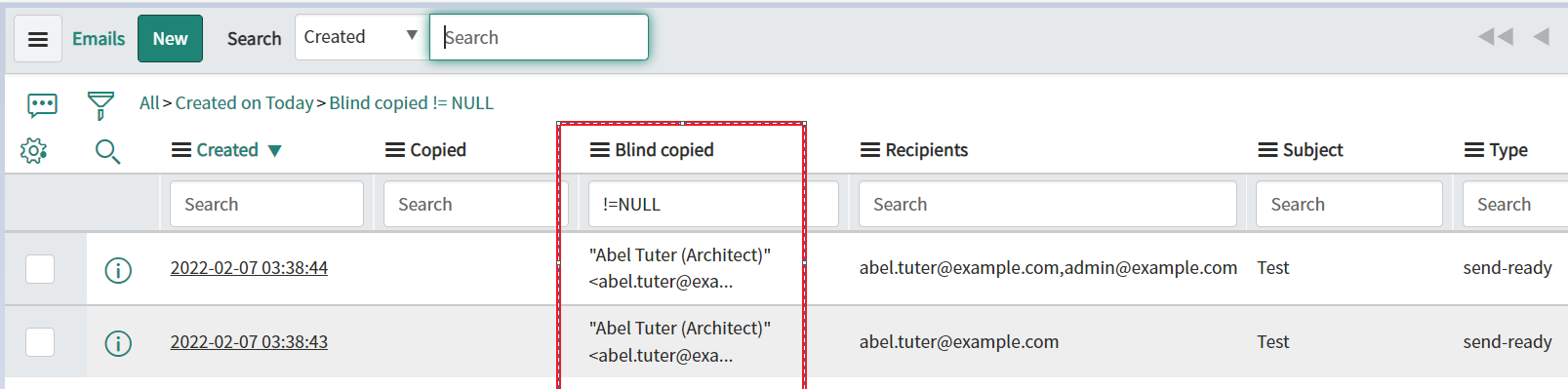
Now search here in the column highlighted in Red below for checking BCC :

IF blind copied column is not added to the layout then add it first and then check
Hope this helps. Please mark the answer as correct/helpful based on impact.
Regards,
Shloke
Regards,
Shloke