- Mark as New
- Bookmark
- Subscribe
- Mute
- Subscribe to RSS Feed
- Permalink
- Report Inappropriate Content
02-11-2022 02:48 AM
I am having 3 Icon Links(linked to catalog items) in the portal.
I need to add border to these icons so that these can be differentiated.

Solved! Go to Solution.
- Mark as New
- Bookmark
- Subscribe
- Mute
- Subscribe to RSS Feed
- Permalink
- Report Inappropriate Content
02-11-2022 04:00 AM


- Mark as New
- Bookmark
- Subscribe
- Mute
- Subscribe to RSS Feed
- Permalink
- Report Inappropriate Content
02-11-2022 03:22 AM
Hello,
What container did you use? if you have used a container of 3X3
Then do the below:-
Open the page in designer:-

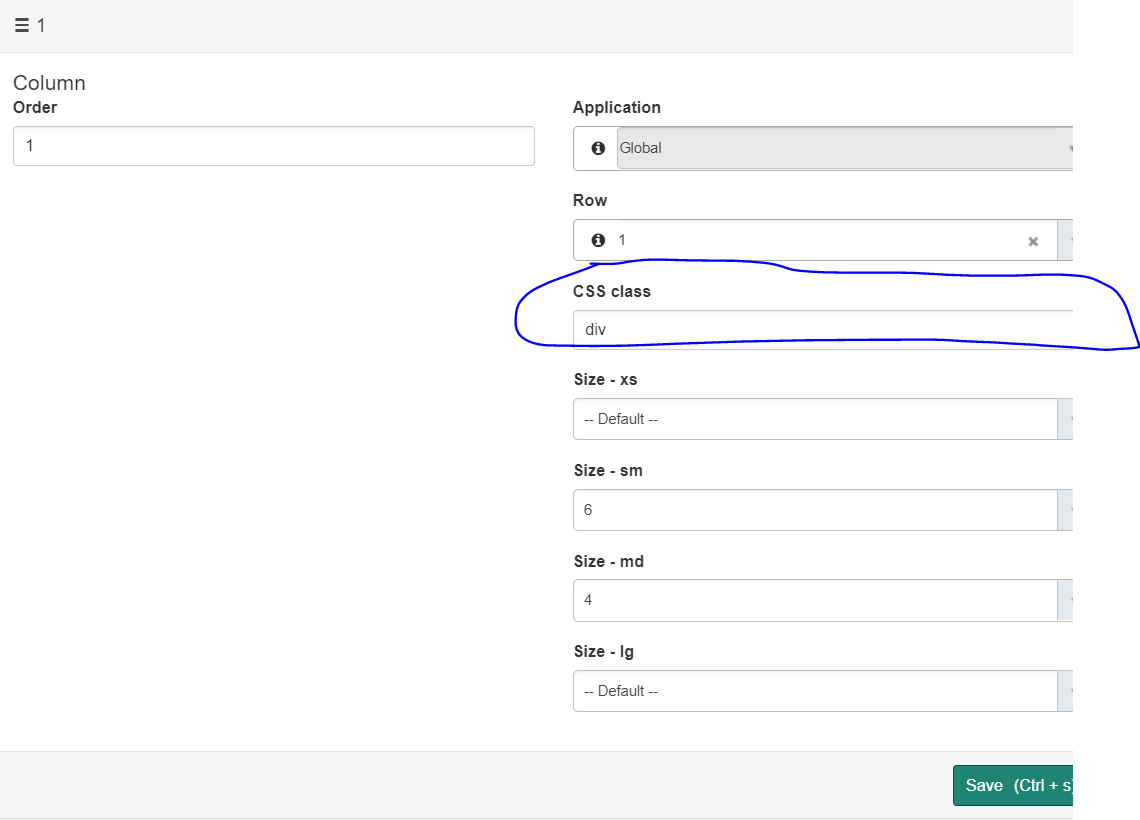
Then click on the container of the icon widget. Each will have it's own if you are using 3x3. Once opened put diiv in CSS and save.

Then open the page on which these three wiget are:-
And just add the below code in page specific CSS:-
.div {
border-right: solid;
}

Now you will see the border between the first and the second icon widget:-

Now in the second widget container just add div as page css is already defined it will take care and in the end it will look like below:-

Please mark answer correct/helpful base on impact
- Mark as New
- Bookmark
- Subscribe
- Mute
- Subscribe to RSS Feed
- Permalink
- Report Inappropriate Content
02-11-2022 04:00 AM

- Mark as New
- Bookmark
- Subscribe
- Mute
- Subscribe to RSS Feed
- Permalink
- Report Inappropriate Content
07-18-2022 06:10 AM
.iconlink{border-style:solid;
border-radius: 5px;
border-width: 1px;
border-color: #DEE5E7;
margin-bottom: 20px}
- Mark as New
- Bookmark
- Subscribe
- Mute
- Subscribe to RSS Feed
- Permalink
- Report Inappropriate Content
07-11-2022 11:55 AM
Doing this as a CSS Override worked well for me
.iconlink{border-style:solid;
border-radius: 5px;
border-width: 1px;
border-color: #DEE5E7;
margin-bottom: 20px}