How to disable/remove Virtual Agent Chat' functionality/option from Service Portal

- Mark as New
- Bookmark
- Subscribe
- Mute
- Subscribe to RSS Feed
- Permalink
- Report Inappropriate Content
08-04-2022 02:26 AM


- Mark as New
- Bookmark
- Subscribe
- Mute
- Subscribe to RSS Feed
- Permalink
- Report Inappropriate Content
08-04-2022 02:28 AM
Hi,
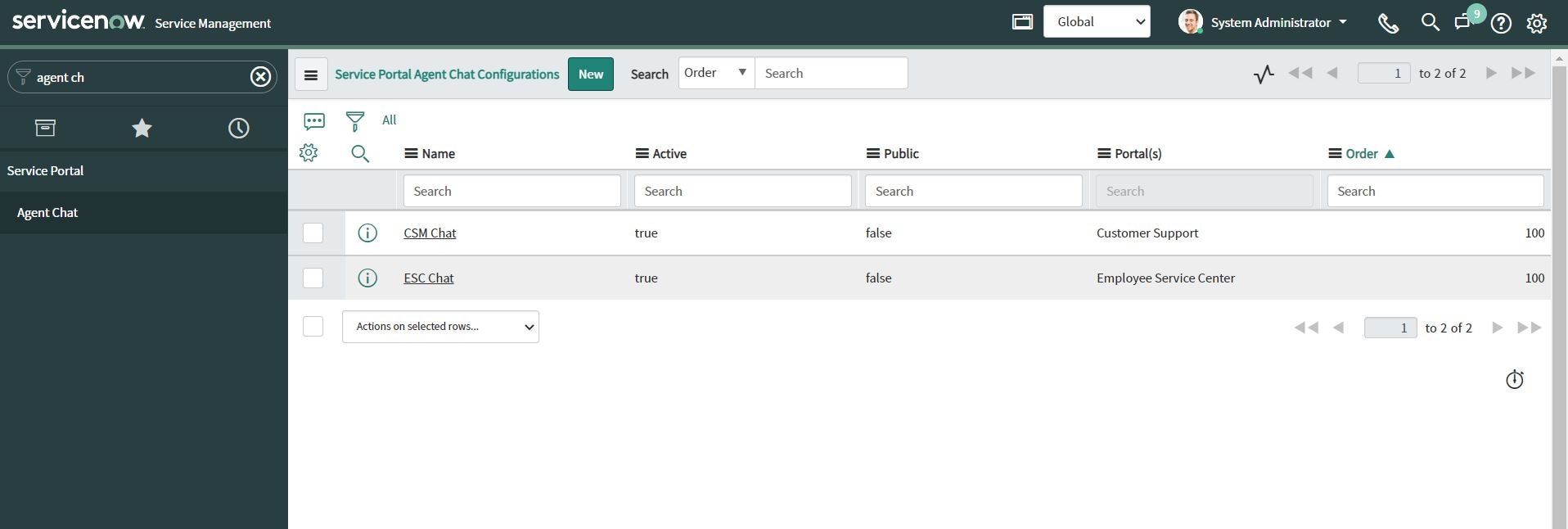
check if any record in sp_agent_chat_config has portal glide list field as empty
If the portal field is empty then that icon shows on all portals
Ensure each record of sp_agent_chat_config has a portal associated with it and your portal is not in that list

Regards
Ankur
Ankur
✨ Certified Technical Architect || ✨ 10x ServiceNow MVP || ✨ ServiceNow Community Leader
- Mark as New
- Bookmark
- Subscribe
- Mute
- Subscribe to RSS Feed
- Permalink
- Report Inappropriate Content
08-04-2022 02:49 AM
Hi Ankur,
The option you suggested, I don't see in my instance, what I did, I made 'Service Portal Agent Chat Config' as active false and I also deleted the Virtual agent service portal widget from page designer, it worked but when I'm committing the update set in test instance I'm getting error.
Appriciate any help.

Regards,
Rafmine.
- Mark as New
- Bookmark
- Subscribe
- Mute
- Subscribe to RSS Feed
- Permalink
- Report Inappropriate Content
08-07-2022 07:40 AM
what's the error?
Ankur
✨ Certified Technical Architect || ✨ 10x ServiceNow MVP || ✨ ServiceNow Community Leader
- Mark as New
- Bookmark
- Subscribe
- Mute
- Subscribe to RSS Feed
- Permalink
- Report Inappropriate Content
08-07-2022 11:28 PM
Hi Ankur,
I have replied, kindly see below information.
Regards,
Rafmine.