- Mark as New
- Bookmark
- Subscribe
- Mute
- Subscribe to RSS Feed
- Permalink
- Report Inappropriate Content
04-25-2020 06:58 AM
Hi,
I am née for service portal. My requirement is to when onclick of a button popup a static HTML table with some content. If any one has done like this requirement earlier can provide me code or what needs to be config?
Solved! Go to Solution.

- Mark as New
- Bookmark
- Subscribe
- Mute
- Subscribe to RSS Feed
- Permalink
- Report Inappropriate Content
04-26-2020 05:28 AM
Try This,
HTML Script:
<div>
<style>
. >div {
height: 15em;
width: 19em;
padding: 0.5em 1em;
margin: 0 0em 1em 0;
background-color: #fff;
color: #00385a;
}

. div li {
list-style-image: url('potato-bullet.png');
}

. div>div {
height: 95%;
background-image: url('');
background-repeat: no-repeat;
background-position: top right;
}
</style>
<a class="" href="">
    <ul ng-if="::c.options.bulletList">
      <li ng-repeat="b in ::c.options.bulletList"></li>
		</ul>
</a>
</div>
<div>
 <button class="btn btn-primary" ng-click="c.openModal()">${Open Modal}</button>
</div>

<script type="text/ng-template" id="modalTemplate">
 <div class="panel panel-default">
	 <div class="panel-heading">
		 <h4 class="panel-title">Modal Window</h4>
   </div>
   <div class="panel-body wrapper-xl">

     <table class="table table-striped table-bordered">
      <h2>Table data</h2>

        <tr>
          <th scope="col">Column 1</th>
          <th scope="col">Column 2</th>
          <th scope="col">Column 3</th>
        </tr>
         <tr>
          <td scope="col">data 1</td>
          <td scope="col">data 2</td>
          <td scope="col">data 3</td>
        </tr>
         <tr>
          <td scope="col">data 1</td>
          <td scope="col">data 2</td>
          <td scope="col">data 3</td>
        </tr>

      </table>

   </div>
 	 <div class="panel-footer text-right">
   <button class="btn btn-primary" ng-click="c.closeModal()">${Close Modal}</button>
 </div>
 </div>
</script>
Client Script:
function($uibModal, $scope) {
/* widget controller */
var c = this;
c.options.cssClassName = "lw-tile-" + c.options.cssClassName;
 c.openModal = function() {
 c.modalInstance = $uibModal.open({
 templateUrl: 'modalTemplate',
 scope: $scope
 });
 }

 c.closeModal = function() {
 c.modalInstance.close();
 }
}
Let me know if it work's
- Mark as New
- Bookmark
- Subscribe
- Mute
- Subscribe to RSS Feed
- Permalink
- Report Inappropriate Content
04-26-2020 07:22 AM
Thank you It really motivates me a lot. 🙂
- Mark as New
- Bookmark
- Subscribe
- Mute
- Subscribe to RSS Feed
- Permalink
- Report Inappropriate Content
04-26-2020 06:44 AM
I don't think on community such kind of functionality is available where you can share screen or instance.
- Mark as New
- Bookmark
- Subscribe
- Mute
- Subscribe to RSS Feed
- Permalink
- Report Inappropriate Content
04-26-2020 06:32 AM

- Mark as New
- Bookmark
- Subscribe
- Mute
- Subscribe to RSS Feed
- Permalink
- Report Inappropriate Content
04-26-2020 06:39 AM
Nope Sorry
- Mark as New
- Bookmark
- Subscribe
- Mute
- Subscribe to RSS Feed
- Permalink
- Report Inappropriate Content
04-26-2020 09:06 AM
HI Pandey,
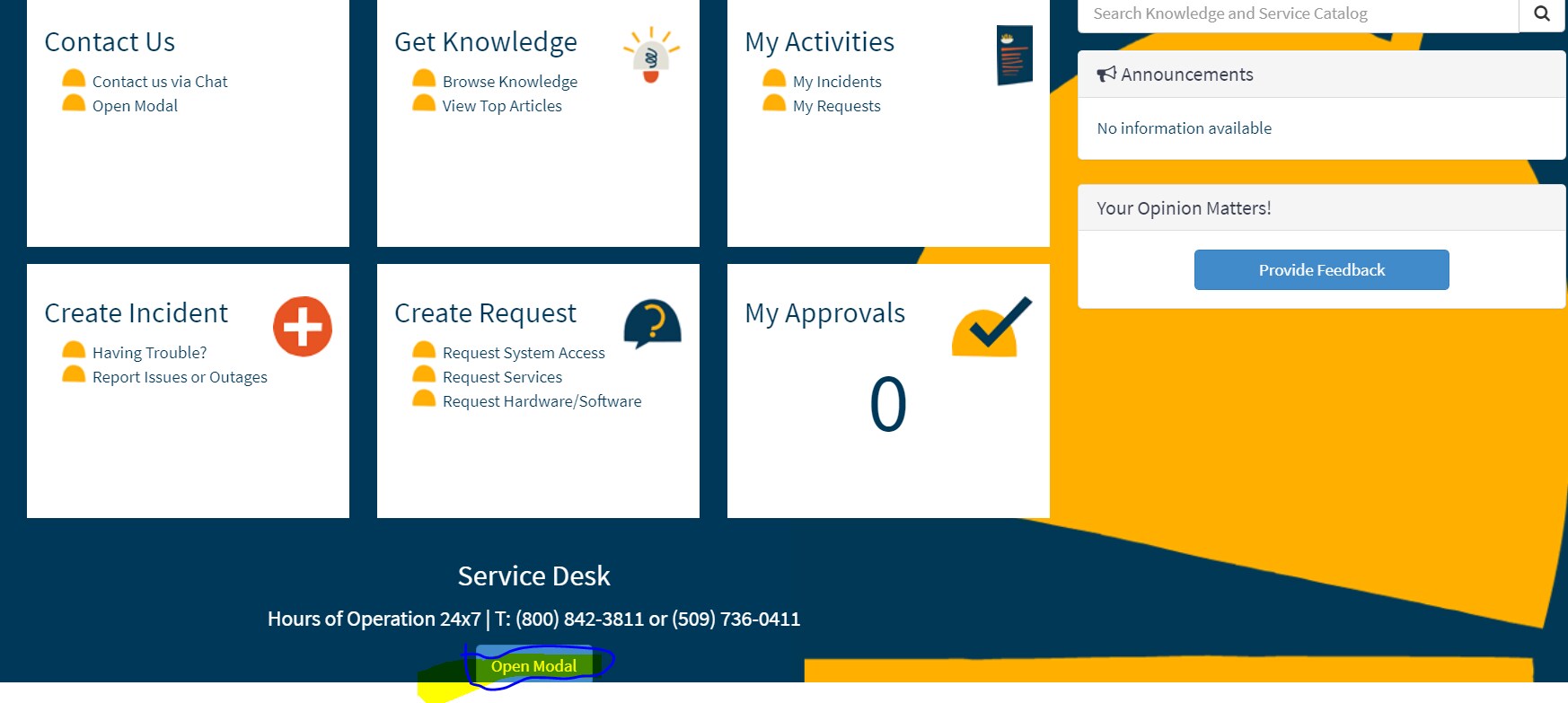
As a work around i have added our code on footer which is a separate widget. So after added the code i can able to see the Button but when i click that button nothing is happening

<div role="footer">
<h3>Service Desk</h3>
<p>Hours of Operation 24x7 | T: (800) 842-3811 or (509) 736-0411</p>
<div>
<button class="btn btn-primary" ng-click="c.openModal()">${Open Modal}</button>
</div>
<script>
<div class="panel panel-default">
<div class="panel-heading">
<h4 class="panel-title">Modal Window</h4>
</div>
<div class="panel-body wrapper-xl">
<table class="table table-striped table-bordered">
<h2>Table data</h2>
<tr>
<th scope="col">Column 1</th>
<th scope="col">Column 2</th>
<th scope="col">Column 3</th>
</tr>
<tr>
<td scope="col">data 1</td>
<td scope="col">data 2</td>
<td scope="col">data 3</td>
</tr>
<tr>
<td scope="col">data 1</td>
<td scope="col">data 2</td>
<td scope="col">data 3</td>
</tr>
</table>
</div>
<div class="panel-footer text-right">
<button class="btn btn-primary" ng-click="c.closeModal()">${Close Modal}</button>
</div>
</div>
</script>
</div>
$$$$$$$$$$$$CLient side code
//function() {
/* widget controller */
// var c = this;
//}
function($uibModal, $scope) {
var c = this;
c.openModal = function() {
c.modalInstance = $uibModal.open({
templateUrl: 'modalTemplate',
scope: $scope
});
}
c.closeModal = function() {
c.modalInstance.close();
}
}