How to stop email notification for a catalog item when RITM is closed complete notifications is triggering from sc_req table notification?

- Mark as New
- Bookmark
- Subscribe
- Mute
- Subscribe to RSS Feed
- Permalink
- Report Inappropriate Content
08-09-2022 08:02 AM
Hi
Can anyone help me with the solution of ' stopping an email for a catalog item' when the RITM is closed, notification is getting triggered from sc_ req table, iam not able to select the name of the catalog item in the conditions? Can anyone help me with the solution please?
- Labels:
-
Service Catalog

- Mark as New
- Bookmark
- Subscribe
- Mute
- Subscribe to RSS Feed
- Permalink
- Report Inappropriate Content
08-09-2022 08:26 AM
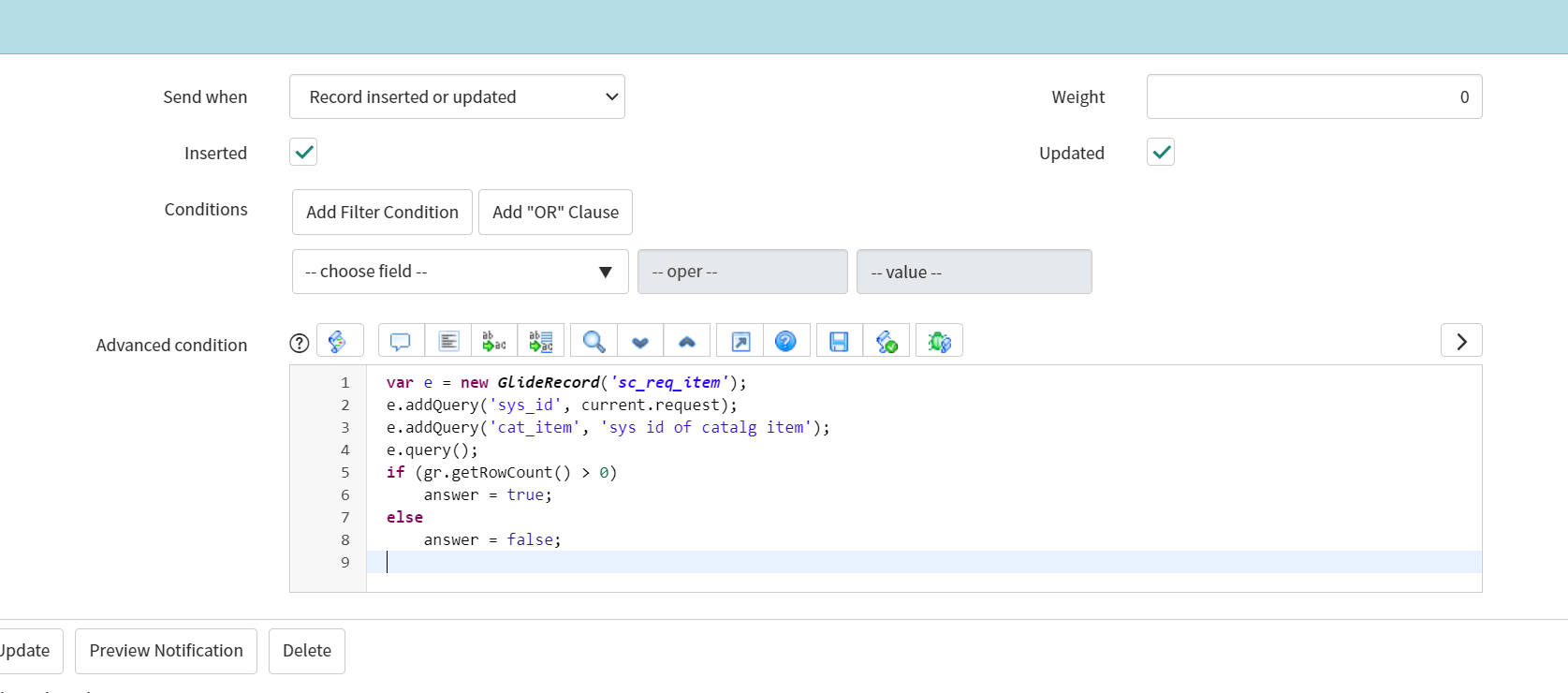
Oh ok , try this in advance condition of notification

Code:
var e = new GlideRecord('sc_req_item');
e.addQuery('sys_id', current.request);
e.addQuery('cat_item', 'sys id of catalg item');
e.query();
if (gr.getRowCount() > 0)
    answer = false;
else
    answer = true;
- Mark as New
- Bookmark
- Subscribe
- Mute
- Subscribe to RSS Feed
- Permalink
- Report Inappropriate Content
08-09-2022 08:43 AM
Sorry one small mistake I made I have corrected below
var e = new GlideRecord('sc_req_item');
e.addQuery('request', current.sys_id);
e.addQuery('cat_item', 'sys id of catalg item');
e.query();
if (e.getRowCount() > 0)
    answer = false;
else
    answer = true;

- Mark as New
- Bookmark
- Subscribe
- Mute
- Subscribe to RSS Feed
- Permalink
- Report Inappropriate Content
08-09-2022 08:39 AM
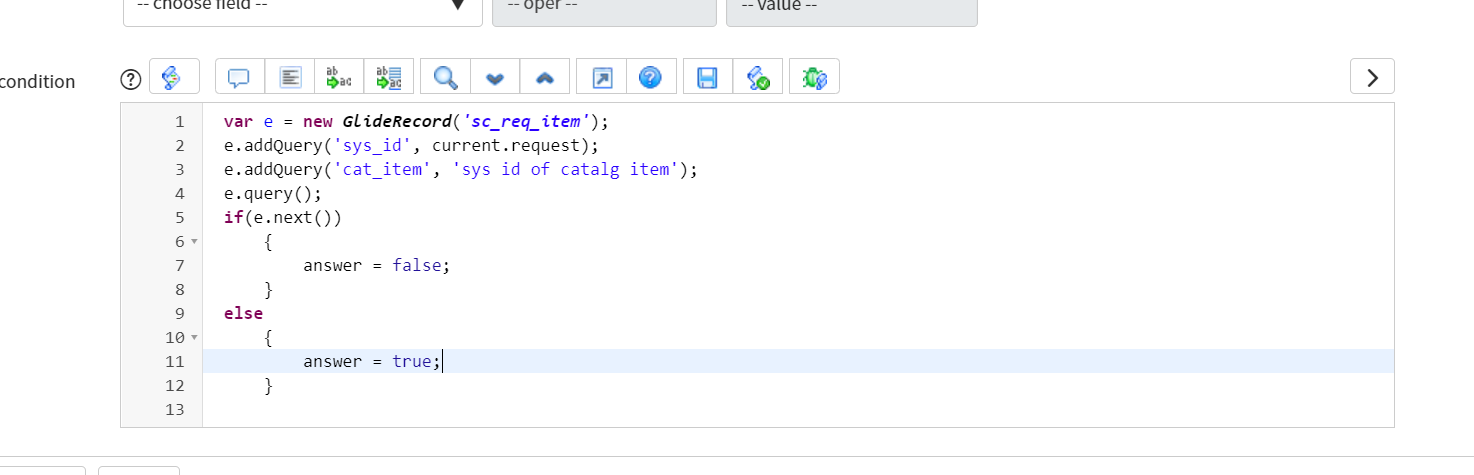
You can use advanced script in your notification:
var scReq = new GlideRecord("sc_req_item");
scReq.addQuery('request', current.getUniqueValue());
scReq.addQuery('cat_item', 'sys_id_of_catalg_item');
scReq.query();
if (scReq.next()){
    answer = false;
}
else{
    answer = true;
}]- Mark as New
- Bookmark
- Subscribe
- Mute
- Subscribe to RSS Feed
- Permalink
- Report Inappropriate Content
08-09-2022 08:45 AM
@sai
Check the correct script above in my reponse



- Mark as New
- Bookmark
- Subscribe
- Mute
- Subscribe to RSS Feed
- Permalink
- Report Inappropriate Content
08-09-2022 08:43 AM
Hi Sai,
You need to go to your notification on sc_request table and in the advanced condition section you can write the below script:
var ritm = new GlideRecord('sc_req_item');
ritm.addQuery('request', current.sys_id);
ritm.addQuery('cat_item', 'Sys_id of catalog item');
ritm.query();
if (ritm.nex()) {
    answer = false;
} else
    answer = true;
Please mark this as correct and helpful if it resolved the query or lead you in right direction.
Thanks,
Mohit Kaushik
Community Rising Star 2022
