- Mark as New
- Bookmark
- Subscribe
- Mute
- Subscribe to RSS Feed
- Permalink
- Report Inappropriate Content
09-19-2019 08:06 PM
I have a request to add the Ticket number and Short description to a Survey. (most customers would be more inclined to take the survey if they knew the subject matter)
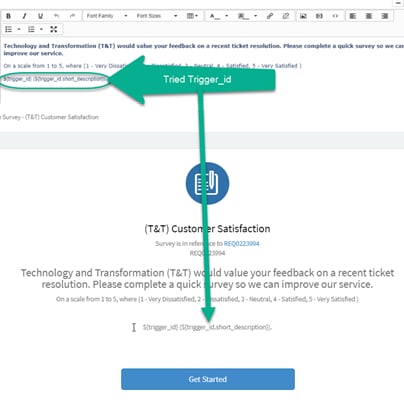
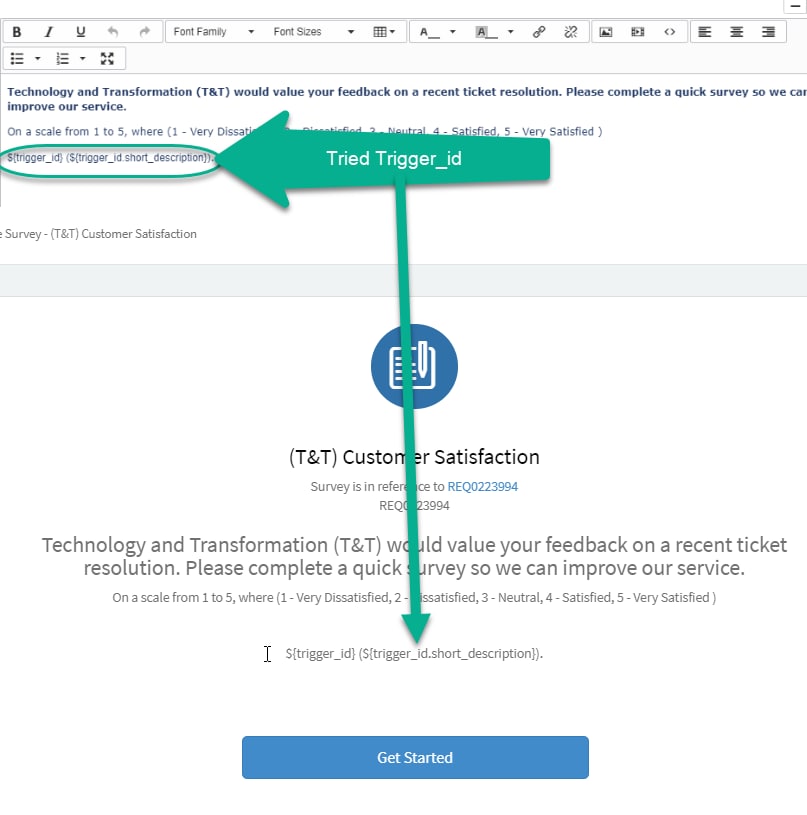
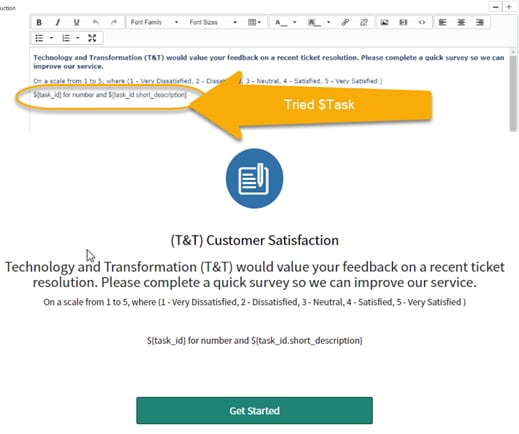
The Ticket number appears in the Splash page (invite) [see pics below] so this I presume is driven elsewhere NOT in the Survey, but it has no reference to the what the subject of the ticket is. I have read other articles and it looks like I will have to update the UI Page but not being a developer (programmer) makes this difficult. In an attempt to avoid the UI Page update I have successfully updated the email notification but my attempts to update the Survey 'Introduction' have come to nought.
Hopefully, someone can assist.
I have attempted the following and both failed.
$trigger

and $task

Solved! Go to Solution.
- Mark as New
- Bookmark
- Subscribe
- Mute
- Subscribe to RSS Feed
- Permalink
- Report Inappropriate Content
09-22-2019 06:03 PM
Thanks, Snehal.
Your first link I have tried (see pics above) and this does not work.
Your second link, ties into a further link https://community.servicenow.com/community?id=community_blog&sys_id=861d22e5dbd0dbc01dcaf3231f96196f
Which as I feared requires a jelly script update to the UI page.
- You need to write jelly code in "assessment_take2" UI Page.
- Add UI page client script variable in your survey introduction field.
So I'll have to try this.
Thanks for your help.
- Mark as New
- Bookmark
- Subscribe
- Mute
- Subscribe to RSS Feed
- Permalink
- Report Inappropriate Content
09-19-2019 10:03 PM
Hi,
Please go through the below links. It may help you.
https://community.servicenow.com/community?id=community_question&sys_id=e06b2df91bfb77c8fff162c4bd4bcbea&view_source=searchResult
https://community.servicenow.com/community?id=community_question&sys_id=c09b3269db7477080be6a345ca961992&view_source=searchResult
Thanks,
Snehal.
- Mark as New
- Bookmark
- Subscribe
- Mute
- Subscribe to RSS Feed
- Permalink
- Report Inappropriate Content
09-22-2019 06:03 PM
Thanks, Snehal.
Your first link I have tried (see pics above) and this does not work.
Your second link, ties into a further link https://community.servicenow.com/community?id=community_blog&sys_id=861d22e5dbd0dbc01dcaf3231f96196f
Which as I feared requires a jelly script update to the UI page.
- You need to write jelly code in "assessment_take2" UI Page.
- Add UI page client script variable in your survey introduction field.
So I'll have to try this.
Thanks for your help.