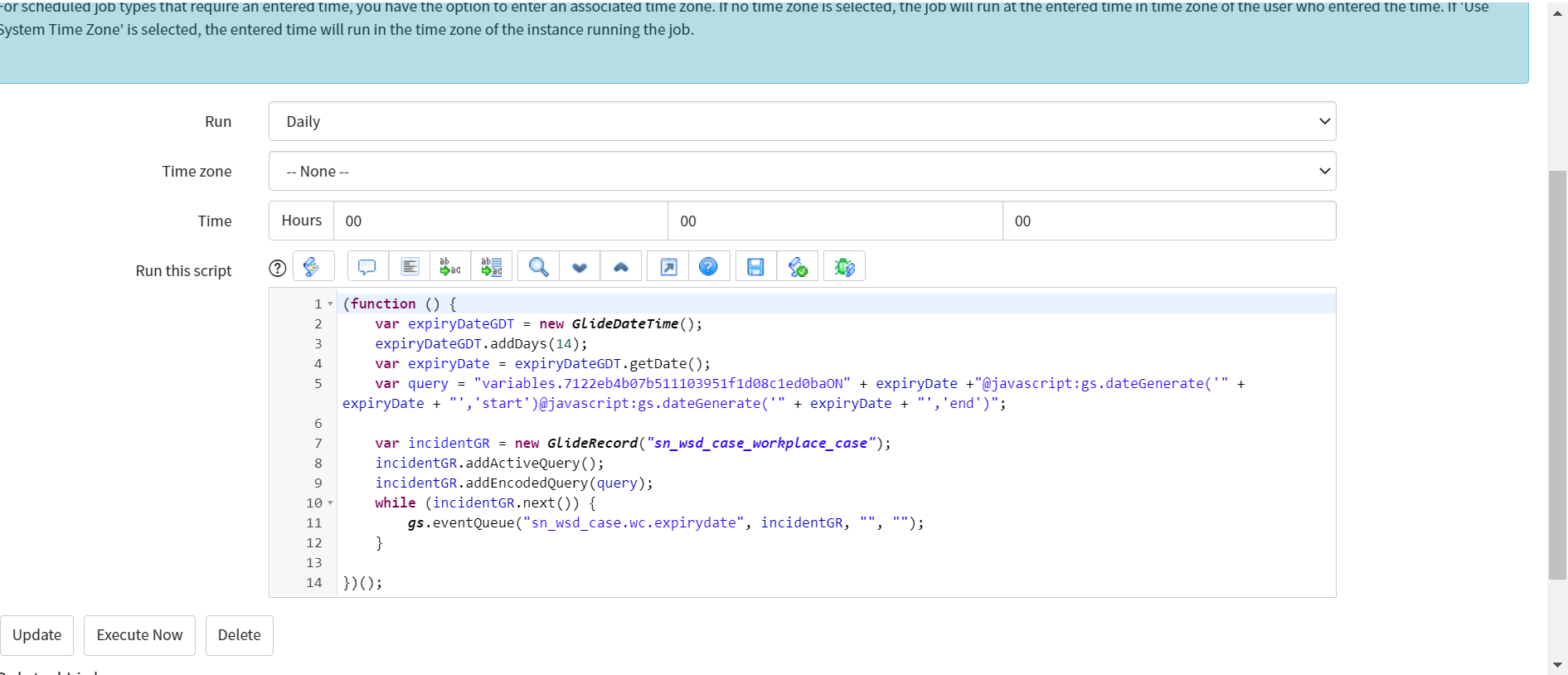
Send notification 14 days before the expiry date (variable on record producer)

- Mark as New
- Bookmark
- Subscribe
- Mute
- Subscribe to RSS Feed
- Permalink
- Report Inappropriate Content
09-12-2022 09:47 AM
i want to send notification 14 days before the expiry date.Expiry date is the variable(type -Date) on record producer and it is a scoped application
- Mark as New
- Bookmark
- Subscribe
- Mute
- Subscribe to RSS Feed
- Permalink
- Report Inappropriate Content
09-13-2022 02:18 AM

- Mark as New
- Bookmark
- Subscribe
- Mute
- Subscribe to RSS Feed
- Permalink
- Report Inappropriate Content
09-13-2022 09:05 AM
Hello Akash,
Could you please check with below script:
I have updated the query as mentioned below. Replace your variable sys_id in the below query:
var query = "variables.<variable_sys_id>ON" + expiryDate +"@javascript:gs.dateGenerate('" + expiryDate + "','start')@javascript:gs.dateGenerate('" + expiryDate + "','end')";
To get the Variable sys_id you can apply filter on Question and then select your record producer and then variable.

Click on run and right click on Filter and click on copy query

in query you will get variables.55ab6ce3973d91104cadfb000153af3a (this is the variable sys_id) replace that in the below script
(function () {
	var expiryDateGDT = new GlideDateTime();
	expiryDateGDT.addDays(14);
	var expiryDate = expiryDateGDT.getDate();
	var query = "variables.<variable_sys_id>ON" + expiryDate +"@javascript:gs.dateGenerate('" + expiryDate + "','start')@javascript:gs.dateGenerate('" + expiryDate + "','end')";

	var incidentGR = new GlideRecord("Your Table Name");
	incidentGR.addActiveQuery();
	incidentGR.addEncodedQuery(query);
	while (incidentGR.next()) {
		gs.eventQueue("Your EVENT name", incidentGR, "Your Recepient", "");
	}

})();
Please mark my respsone as helpful/correct, if it answer your question.
Thanks
- Mark as New
- Bookmark
- Subscribe
- Mute
- Subscribe to RSS Feed
- Permalink
- Report Inappropriate Content
09-14-2022 03:34 AM

- Mark as New
- Bookmark
- Subscribe
- Mute
- Subscribe to RSS Feed
- Permalink
- Report Inappropriate Content
09-14-2022 11:33 PM
Always put your code snippet instead of screenshot. It is easy to modify the code.
Please check with below code I missed to add incidentGR.query():
Also make sure that a notification is created to trigger on sn_wsd_case.wc.expiredate event and the notification has atleast 1 recepient selected else you need to pass the recepient in gs.eventQueue() as shown below:
gs.eventQueue("Your EVENT name", incidentGR, incidentGR.caller_id, "");
(function () {
var expiryDateGDT = new GlideDateTime();
expiryDateGDT.addDays(14);
var expiryDate = expiryDateGDT.getDate();
var query = "variables.<variable_sys_id>ON" + expiryDate +"@javascript:gs.dateGenerate('" + expiryDate + "','start')@javascript:gs.dateGenerate('" + expiryDate + "','end')";
var incidentGR = new GlideRecord("Your Table Name");
incidentGR.addActiveQuery();
incidentGR.addEncodedQuery(query);
incidentGR.query()
while (incidentGR.next()) {
gs.eventQueue("Your EVENT name", incidentGR, "Your Recepient", "");
}
})();
Please mark my respsone as helpful/correct, if it answer your question.
Thanks


- Mark as New
- Bookmark
- Subscribe
- Mute
- Subscribe to RSS Feed
- Permalink
- Report Inappropriate Content
09-14-2022 11:55 PM
Hi,
you can achieve this using flow designer with no script
check this link where I shared solution for something similar and you will have to enhance it with proper filter condition
I cannot seem to get an Email Notification when a record's due date is reached
regards
Ankur
Ankur
✨ Certified Technical Architect || ✨ 10x ServiceNow MVP || ✨ ServiceNow Community Leader