ServiceNow shipped SAML 2.0 Key store: password?

- Mark as New
- Bookmark
- Subscribe
- Mute
- Subscribe to RSS Feed
- Permalink
- Report Inappropriate Content
02-23-2022 11:41 AM
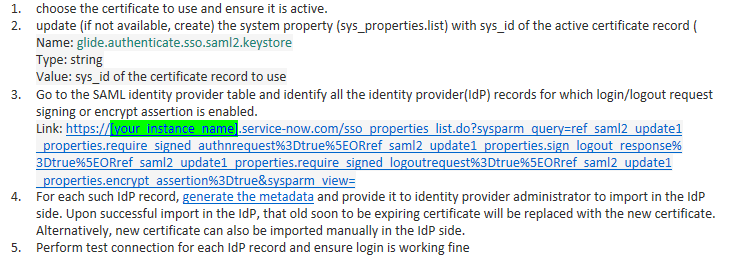
I'm trying to update our expiring SAML 2.0 keystore to one of the new ServiceNow provided certificates, as described in KB0994948: https://support.servicenow.com/kb?id=kb_article_view&sysparm_article=KB0994948

The trouble is generating the metadata. I'm throwing the error: "Exception occured, please check the logs for details"
Checking the logs... "Keystore was tampered with, or password was incorrect." But I never received a password for the keystore? In the certificate form, there's a password there, but it's hidden as dots.
I tried to copy+paste it out of the certificate entry, but I don't think that's working, it pastes whatever I last copied. I found a Community post that claims the default key store password is "changeit," but that doesn't work.
Where do I find the password? Do I just save a new password of my choice in here?


- Mark as New
- Bookmark
- Subscribe
- Mute
- Subscribe to RSS Feed
- Permalink
- Report Inappropriate Content
02-23-2022 12:00 PM
Hi -
usually, you will be generating this Keystore while adding the certificate right. however, the default Keystore password will be"changeit"
Regards,
Paul
PaulSylo
To be is to do. To do is to be.
- Mark as New
- Bookmark
- Subscribe
- Mute
- Subscribe to RSS Feed
- Permalink
- Report Inappropriate Content
02-23-2022 12:37 PM
So I guess if I've been using "changeit" but getting "Keystore was tampered with, or password was incorrect," then I probably just need to take this up with Support, huh?

- Mark as New
- Bookmark
- Subscribe
- Mute
- Subscribe to RSS Feed
- Permalink
- Report Inappropriate Content
05-31-2022 12:22 AM
Found an older community article regarding a similar issue. There it was stated, that the default alias and password is "saml2sp" and for me it worked so far.
Multi provider SSO - Now Platform - Question - ServiceNow Community