- Mark as New
- Bookmark
- Subscribe
- Mute
- Subscribe to RSS Feed
- Permalink
- Report Inappropriate Content
10-23-2017 11:04 AM
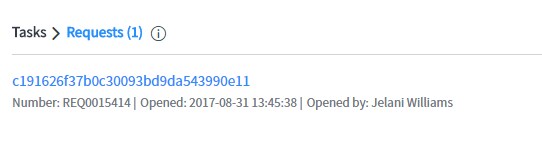
We are upgrading to Jakarta and have seen a few issues with the Global Text Search. We've fixed most of them relating to the sys-id showing and text_search views. But we have one that we cannot seem to fix. IN our environment we only use/show RITMs not the REQ level and would like to remove REQs form the global search and replace with RITMs. We added a text_search view to the RITM list layout but that didn't pull them into the global search. Is there another place we need to set that?

Solved! Go to Solution.


- Mark as New
- Bookmark
- Subscribe
- Mute
- Subscribe to RSS Feed
- Permalink
- Report Inappropriate Content
10-23-2017 12:41 PM
Hi Danielle,
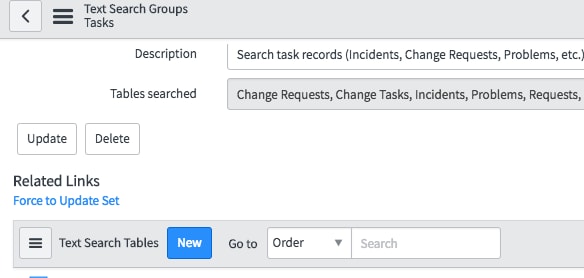
Look for System Definition >> Search Groups >> Task then scroll at the bottom & look for necessary table. If not get it added & it would work well then.


- Mark as New
- Bookmark
- Subscribe
- Mute
- Subscribe to RSS Feed
- Permalink
- Report Inappropriate Content
10-23-2017 11:33 AM

- Mark as New
- Bookmark
- Subscribe
- Mute
- Subscribe to RSS Feed
- Permalink
- Report Inappropriate Content
10-23-2017 12:41 PM
Hi Danielle,
Look for System Definition >> Search Groups >> Task then scroll at the bottom & look for necessary table. If not get it added & it would work well then.