
- Mark as New
- Bookmark
- Subscribe
- Mute
- Subscribe to RSS Feed
- Permalink
- Report Inappropriate Content
01-10-2022 10:48 AM
Hello-
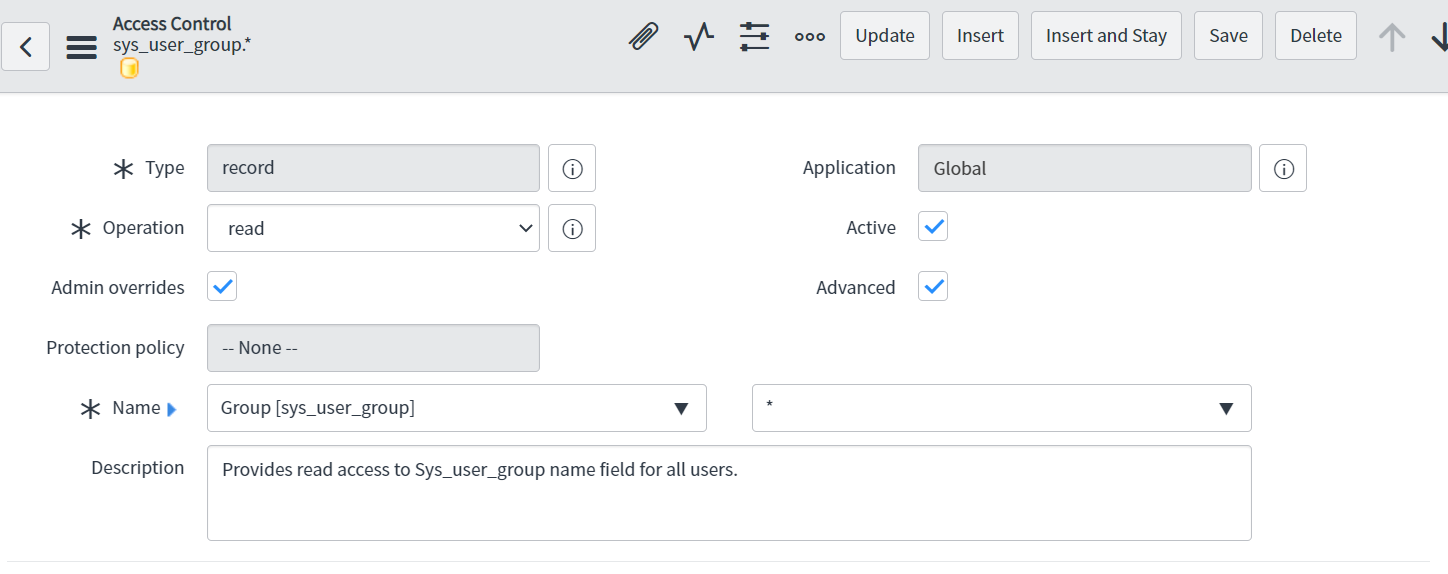
I have added an ACL for the sys_user_group to have read access to the table. I have a catalog item with a reference to this table to allow users to select the required support and approval group for a business application. I cannot get this to field to populate any options for a user with no roles. ITIL and Admin can see them just fine. I have added the below script to the advance section as well as I have previously done for another table.
if (gs.getUserID() == current.sys_id || gs.getUser().hasRoles())
answer = true;
else
answer = false;
Solved! Go to Solution.
- Mark as New
- Bookmark
- Subscribe
- Mute
- Subscribe to RSS Feed
- Permalink
- Report Inappropriate Content
01-11-2022 09:26 AM
Can you try with just
answer = true;
You are only giving read access to Name field. You can add conditions later.


- Mark as New
- Bookmark
- Subscribe
- Mute
- Subscribe to RSS Feed
- Permalink
- Report Inappropriate Content
01-10-2022 12:43 PM
Hi,
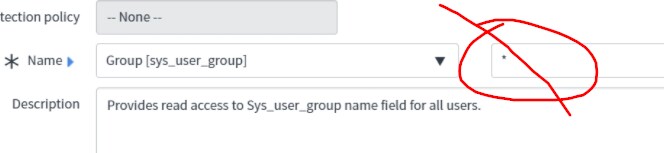
So you have this on the sys_user_group.* level...that's not correct.
You'd do it on the sys_user_group level without the *

And for your script, I've covered that above as to why that wouldn't work and gave alternate script.
Please mark reply as Helpful/Correct, if applicable. Thanks!

- Mark as New
- Bookmark
- Subscribe
- Mute
- Subscribe to RSS Feed
- Permalink
- Report Inappropriate Content
01-20-2022 11:02 AM
Hi Allen:
I'm running into the same issue that is described in the KB you referenced (thanks for that BTW), I've got a user with just the snc_internal role who can't read any group names. According to the KB, the ACL checks to see if the group in question has admin or security_admin associated with it; if not, it grants access to users with "any roles in the instance". I assumed that snc_internal would satisfy this condition but maybe not(?).
However, there are also read ACLs for sys_user_group.roles and from what I can see, snc_internal isn't one of those. Our instances have two .roles ACLs, one for admin and one for resource_user. How then can the ACL mentioned in the KB interrogate the roles of a group if the current user doesn't have admin or resource_user?
As a test, I granted resource_user to the user that previously only had snc_internal and they were then able to read the group names. My next step is to add snc_internal the .roles ACL and see if that works, just wondering if you had any additional insights before I do.
Thanks in advance!
- Mark as New
- Bookmark
- Subscribe
- Mute
- Subscribe to RSS Feed
- Permalink
- Report Inappropriate Content
01-20-2022 11:30 AM
Well that didn't work, had to remove the conditional on the ACL mentioned in the KB (811f2ddec0a801666be07f00f34794c7) and always return true for the snc_internal user to gain access.
- Mark as New
- Bookmark
- Subscribe
- Mute
- Subscribe to RSS Feed
- Permalink
- Report Inappropriate Content
01-10-2022 01:28 PM


- Mark as New
- Bookmark
- Subscribe
- Mute
- Subscribe to RSS Feed
- Permalink
- Report Inappropriate Content
01-10-2022 06:07 PM
Hi
Please review my last reply...the "read" ACL needs to be on the table level...not a table.field level. Remove the field selection "Name" and set it to none, as I had mentioned in my last reply.
Please let me know if you're confused?
Please mark reply as Helpful/Correct, if applicable. Thanks!
