- Mark as New
- Bookmark
- Subscribe
- Mute
- Subscribe to RSS Feed
- Permalink
- Report Inappropriate Content
05-11-2021 10:24 AM
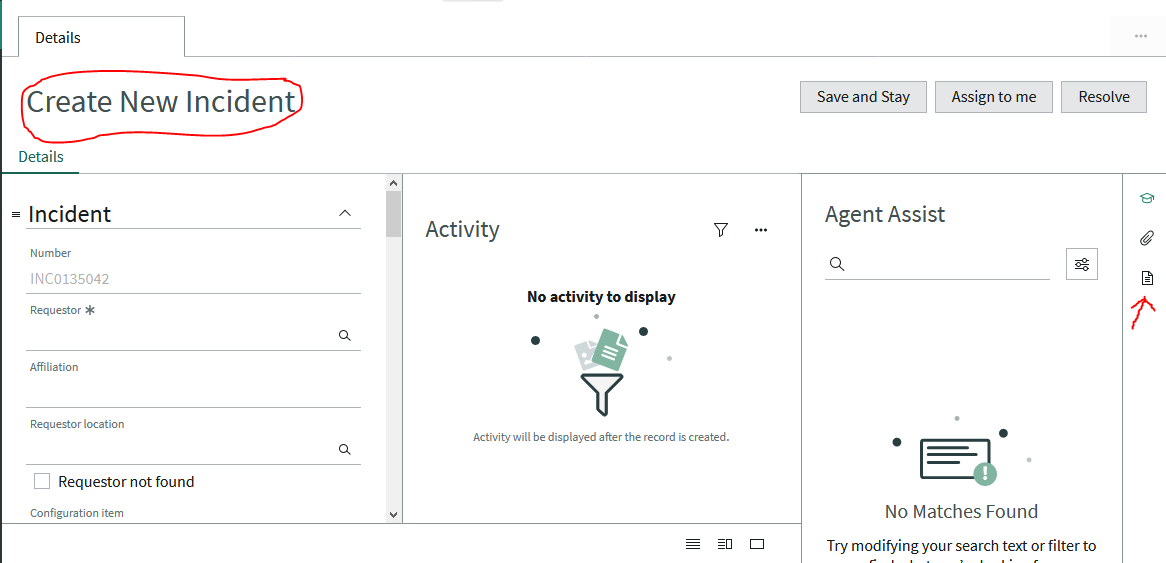
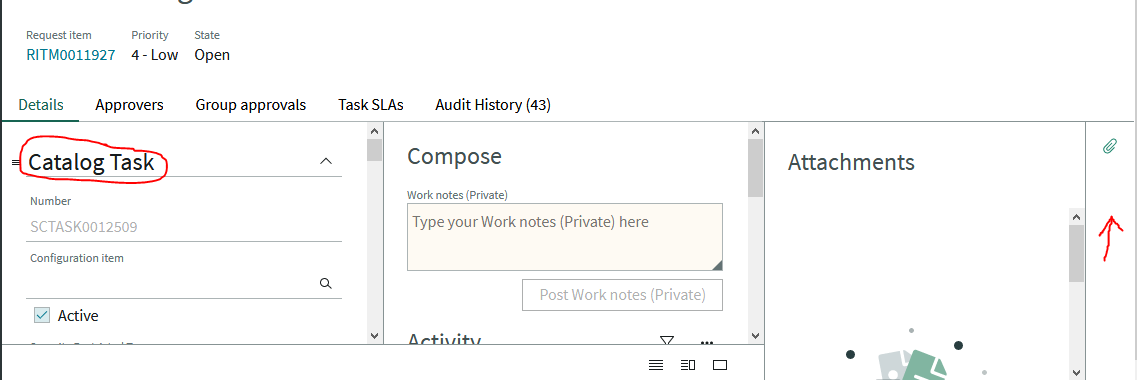
As an admin I have access to templates (via the template/document icon in Contextual Menu) within Agent Workspace for both Incidents and Tasks. However, all other users with the template roles only have access to templates for incidents. How do I give users access to templates in Agent Workspace for Tasks? See screenshots below. I've tried assigning the following roles with no luck.
Roles Given:
template_editor
template_scheduler
template_editor_group
template_editor_global
template_read_global
Screenshot of Incident from user with template roles

Screenshot of Task from user with template roles

Thanks,
AJ
Solved! Go to Solution.
- Labels:
-
Service Desk
- Mark as New
- Bookmark
- Subscribe
- Mute
- Subscribe to RSS Feed
- Permalink
- Report Inappropriate Content
05-18-2021 01:13 AM
I initially thought Malik's solution was correct in copying the Incident Template for Task however the issue still persisted. I reached out to SN support and the solution was as simple as:
1. Navigate to Contextual Side Panel
2. Open the Template for the [Global] table
3. Click on Advanced view
4. Uncheck "Requires create access"
Thanks Malik and SN support for your assistance
AJ

- Mark as New
- Bookmark
- Subscribe
- Mute
- Subscribe to RSS Feed
- Permalink
- Report Inappropriate Content
05-18-2021 01:13 AM
I initially thought Malik's solution was correct in copying the Incident Template for Task however the issue still persisted. I reached out to SN support and the solution was as simple as:
1. Navigate to Contextual Side Panel
2. Open the Template for the [Global] table
3. Click on Advanced view
4. Uncheck "Requires create access"
Thanks Malik and SN support for your assistance
AJ