
- Mark as New
- Bookmark
- Subscribe
- Mute
- Subscribe to RSS Feed
- Permalink
- Report Inappropriate Content
09-08-2022 06:51 AM
How do open a pdf file, in a KB articles, into a new tab?
I've looked at the following post https://community.servicenow.com/community?id=community_article&sys_id=bd6c7bf7db0eb050b3c099ead396198f as a guide but everything I've tried the pdf downloads.
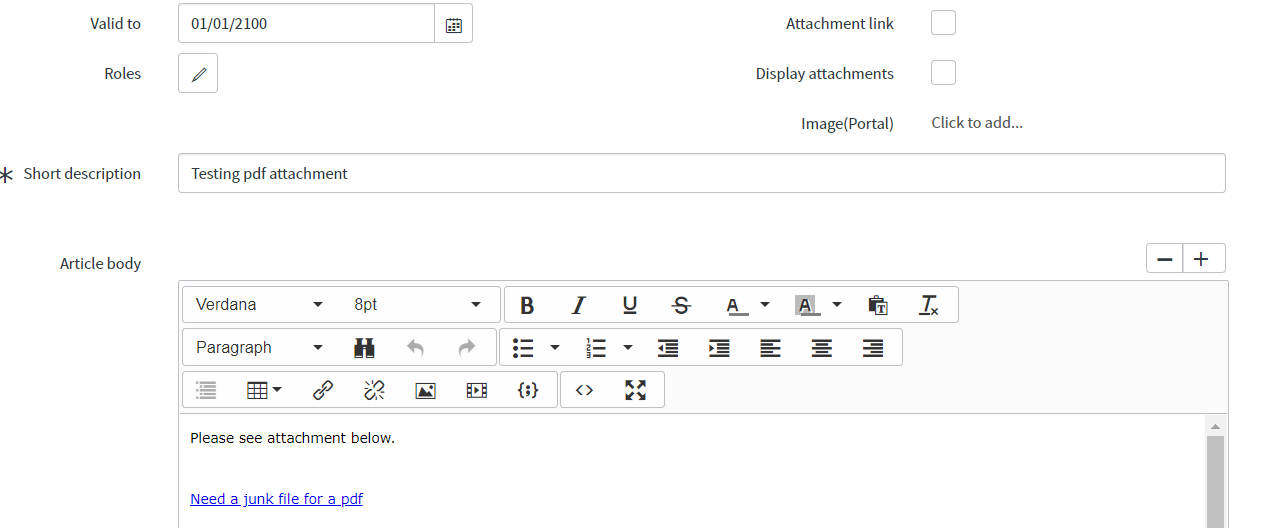
Below are screen shots of a KB article with an embedded link to the pdf and the settings on the embedded link.
Is there something else that needs to be done? Additionally, is there a system property so that all pdf files in KB articles open in a new tab?
Thanks.


Solved! Go to Solution.
- Labels:
-
Knowledge Management


- Mark as New
- Bookmark
- Subscribe
- Mute
- Subscribe to RSS Feed
- Permalink
- Report Inappropriate Content
09-08-2022 07:42 AM
Hi Vernom,
From the Manage Attachment of your KB Article, click View and copy the URL from the Window you get.
Set that URL as your URL of the Link and try. I tried in my PDI and it worked.
Please mark this as correct answer and helpful if it resolved, or mark this helpful if this help you to reach towards solution.
- Mark as New
- Bookmark
- Subscribe
- Mute
- Subscribe to RSS Feed
- Permalink
- Report Inappropriate Content
09-08-2022 08:31 AM
Thanks. I wasn't doing that final step. On another note, is there a system property that can be set or will this have to be performed for each KB article with a pdf attachment?
