Make changes to Knowledge feedback form

- Mark as New
- Bookmark
- Subscribe
- Mute
- Subscribe to RSS Feed
- Permalink
- Report Inappropriate Content
04-13-2022 06:36 AM
Hi community,
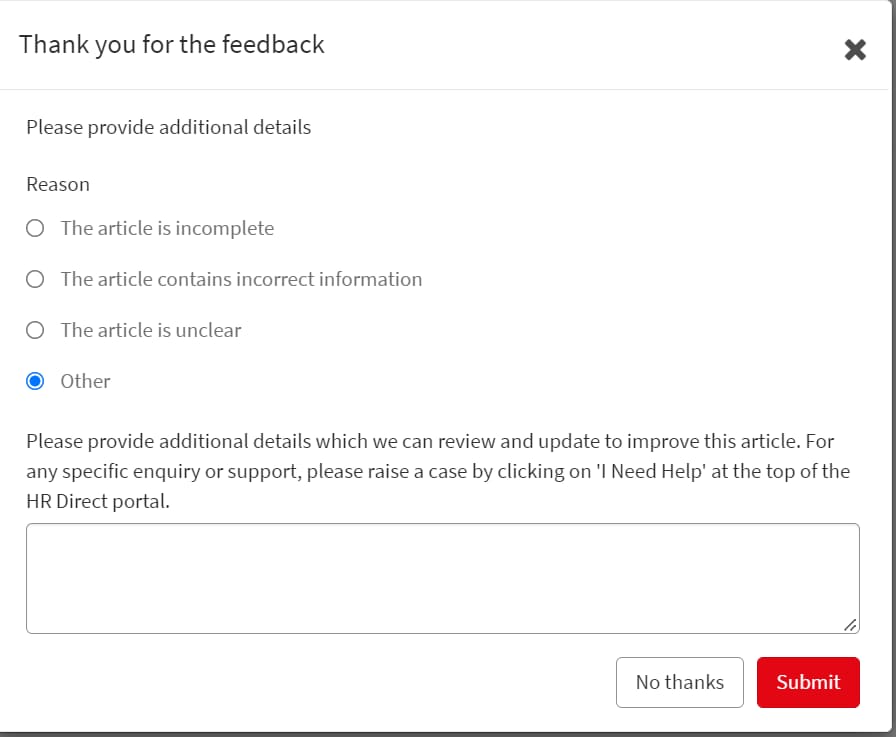
do any of you know how to change the Knowledge feedback form, that appears when rating X stars or lower, clicking Not helpful etc? We would like to change the wording a bit, adding a disclaimer etc.

many thanks in advance /Tommy

- Mark as New
- Bookmark
- Subscribe
- Mute
- Subscribe to RSS Feed
- Permalink
- Report Inappropriate Content
04-13-2022 06:53 AM


- Mark as New
- Bookmark
- Subscribe
- Mute
- Subscribe to RSS Feed
- Permalink
- Report Inappropriate Content
01-10-2025 09:07 AM
Do you have details of the widget i would like to do the same adding a comment but unable to locate where this script is to update.


- Mark as New
- Bookmark
- Subscribe
- Mute
- Subscribe to RSS Feed
- Permalink
- Report Inappropriate Content
04-13-2022 12:53 PM
Hi Tommy,
In order to configure the feedback task modal, You need to modify an angular template named "kb-feedback-task-modal" which can be found in sp_ng_template table this can also be found in "Knowledge Article Content" widget (sp_widget) under related lists Angular ng-templates tabs.
If you want to configure the options which are displayed while submitting the feedback you need to configure the dictionary of field "reason" of "kb_feedback" table, and add or remove the choices from "choices" related lists.
Please Mark this answer helpful if this helped you in anyway
Thanks & reagards
Aaditya Gupta
