Enable one-tap editing for incidents on Mobile Agent

- Mark as New
- Bookmark
- Subscribe
- Mute
- Subscribe to RSS Feed
- Permalink
- Report Inappropriate Content
02-28-2026 01:39 PM
Hello,
I want to let fulfillers change values of incidents fields on Mobile Agent by simply tapping the field, and not by selecting three dots -> Edit.
Is there such an option? Can I configure one?
Thanks
- Labels:
-
Agent Mobile App
-
Zurich
- Mark as New
- Bookmark
- Subscribe
- Mute
- Subscribe to RSS Feed
- Permalink
- Report Inappropriate Content
02-28-2026 08:15 PM
Hi @Ron161,
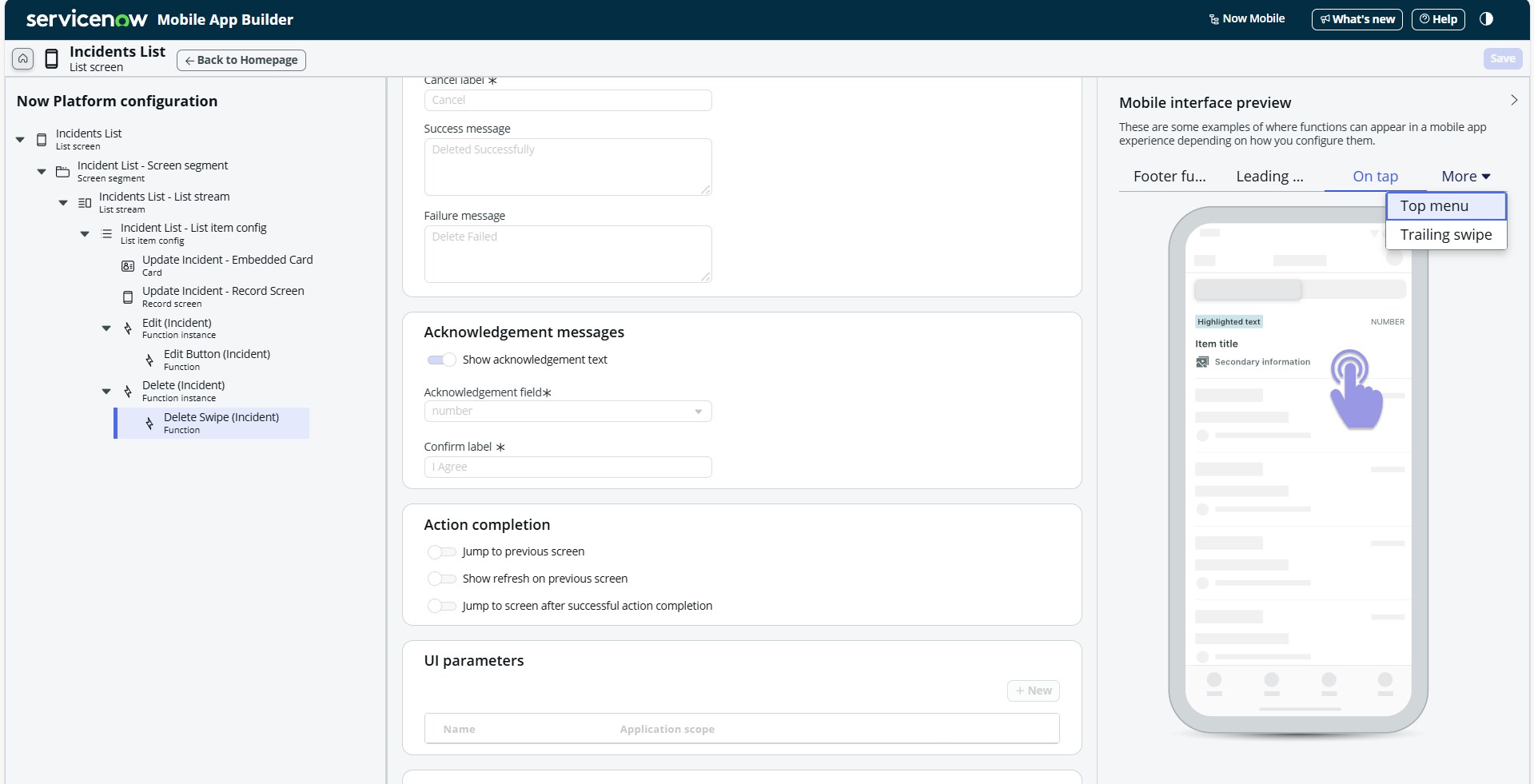
Yes, you can achieve this functionality by simply tapping the field. There is one functionality called Function Instance > Function under List item config in the List Screen of your Incidents List.
1. Leading swipe function instances
2. Trailing swipe function instances
3. On tap function instance
4. Footer function instance
5. Top menu function instance
You can select the function instance type in the "Mobile Interface Preview" - as I shown in the screenshot.
Further if you need any information, drop your question here. I will help you.
- Mark as New
- Bookmark
- Subscribe
- Mute
- Subscribe to RSS Feed
- Permalink
- Report Inappropriate Content
03-01-2026 03:37 AM
Hello, thank you for your answer.
Currently simply tapping the field isn't letting me edit it, I can only edit fields the way I described.
When I opened the edit function, I only saw 'On tap' as a preview option.
- Mark as New
- Bookmark
- Subscribe
- Mute
- Subscribe to RSS Feed
- Permalink
- Report Inappropriate Content
03-01-2026 05:50 AM
Hi @Ron161,
No, ServiceNow Mobile Agent does not support one-tap (inline) editing of the fields. There is no setting or configuration to enable "tap the field to edit".
Editing is only supported via inside the action (function) as I have mentioned in the previous reply.
If I have answered your question, please close the thread.
- Mark as New
- Bookmark
- Subscribe
- Mute
- Subscribe to RSS Feed
- Permalink
- Report Inappropriate Content
03-02-2026 04:55 AM
Thank you for your answer,
Then what is the 'On tap' option used for, if not for field editing?