- Mark as New
- Bookmark
- Subscribe
- Mute
- Subscribe to RSS Feed
- Permalink
- Report Inappropriate Content
08-12-2022 10:03 PM
Hi
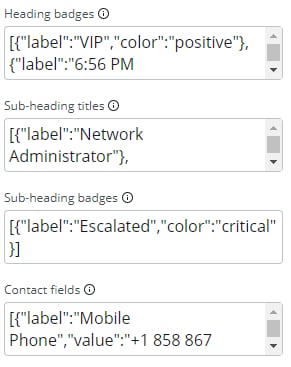
I would like to know how to dynamically set the following properties of the contact card component in UI Builder.
- Heading badges
- Sub-heading titles
- Sub-heading badges
- Contact fields
These properties look like JSON objects, so I'm not sure how to set up dynamic data binding.
Thanks
Solved! Go to Solution.
- Labels:
-
UI Builder : Next Experience


- Mark as New
- Bookmark
- Subscribe
- Mute
- Subscribe to RSS Feed
- Permalink
- Report Inappropriate Content
08-16-2022 06:11 AM
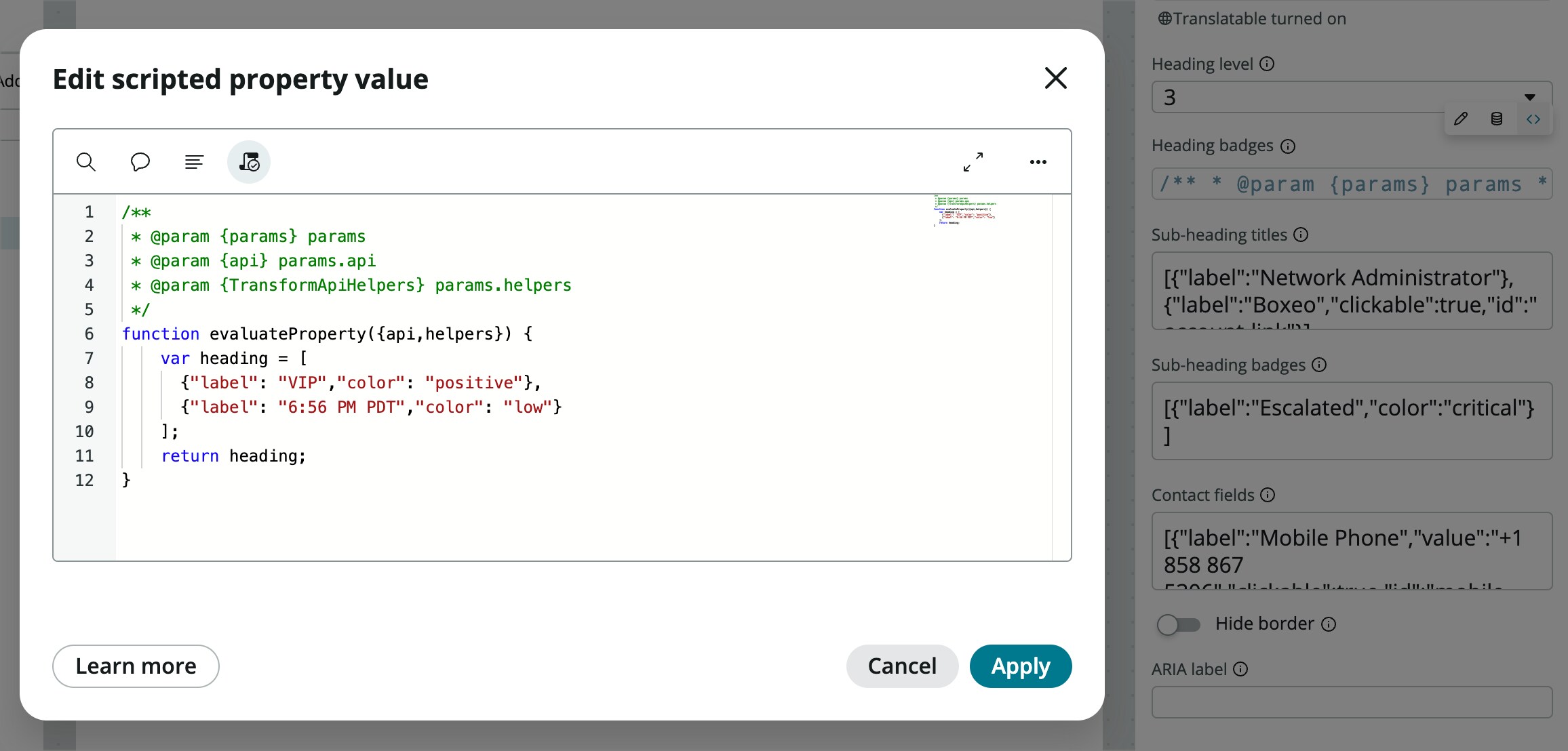
If it's JSON, you could bind a client state parameter in the correct format to the whole property, but I've found scripted properties work best for the JSON properties. Something like this:

From in the script block you'll have access to api.state and api.data.
- Mark as New
- Bookmark
- Subscribe
- Mute
- Subscribe to RSS Feed
- Permalink
- Report Inappropriate Content
08-16-2022 06:11 AM

- Mark as New
- Bookmark
- Subscribe
- Mute
- Subscribe to RSS Feed
- Permalink
- Report Inappropriate Content
04-23-2025 10:07 AM
Hi Brad,
I need to display more fields along with the OOB fields on contact card sub-header. Could you please suggest.

- Mark as New
- Bookmark
- Subscribe
- Mute
- Subscribe to RSS Feed
- Permalink
- Report Inappropriate Content
08-18-2022 04:03 PM
Hi Brad
Your comment looks helpful to me.
I'll give it a try. Thank you very much.