
- Mark as New
- Bookmark
- Subscribe
- Mute
- Subscribe to RSS Feed
- Permalink
- Report Inappropriate Content
09-18-2022 11:56 AM
I have followed the documentation on how to create a UX Style and Theme,
I created and uploaded my Logo as an Asset
I am not able to get my Company Logo to show instead of the Servicenow Logo in the header.
Help please!
I can't seem to figure this out.
I created the system property for the custom theme is there other properties ?

My Instance still shows this:

Solved! Go to Solution.
- Labels:
-
Next Experience Release Updates

- Mark as New
- Bookmark
- Subscribe
- Mute
- Subscribe to RSS Feed
- Permalink
- Report Inappropriate Content
09-18-2022 12:02 PM
Hi there,
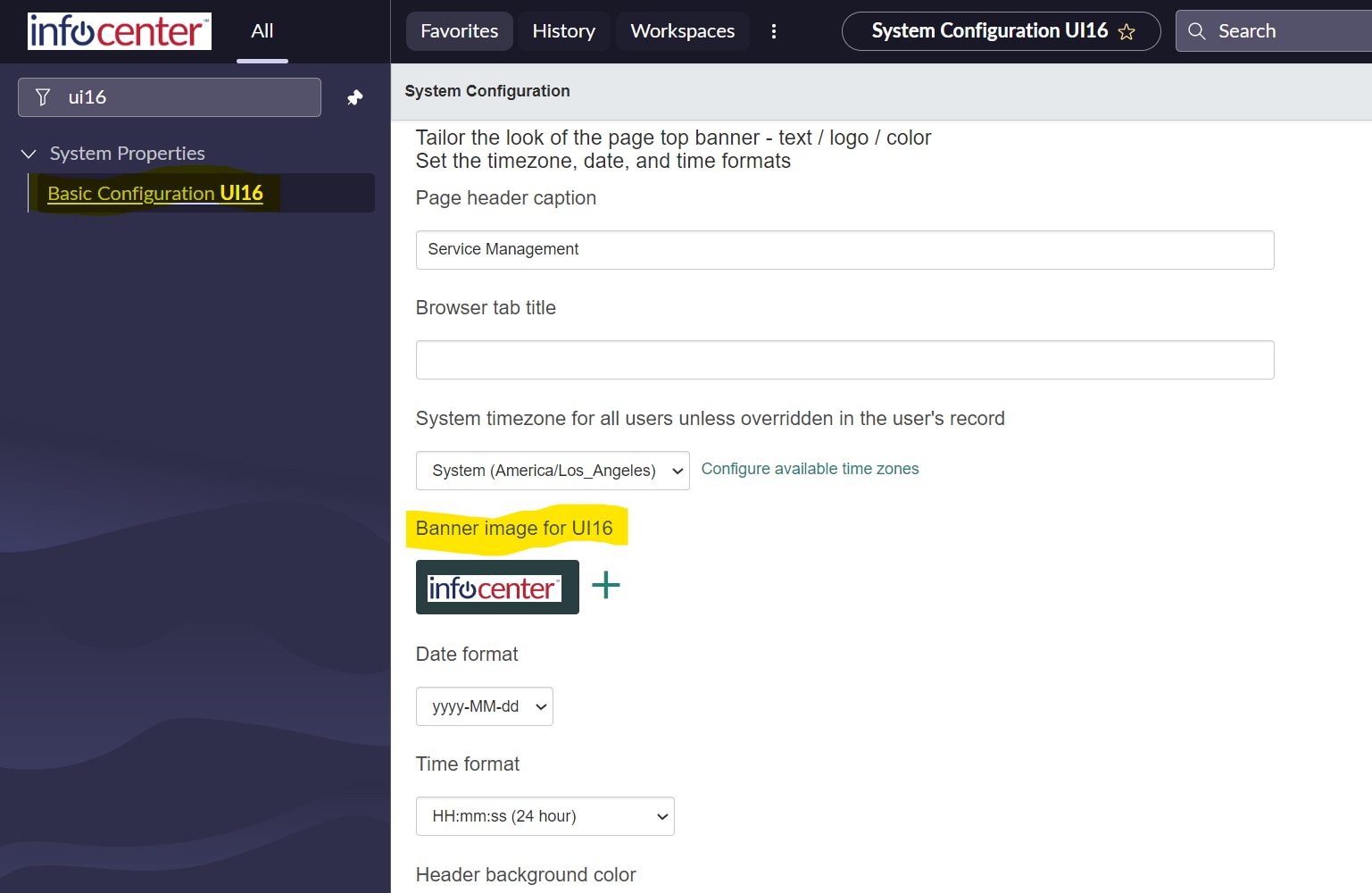
To update the banner image in Next Experience UI, you can still use the Basic Configuration UI16 module and update the image there:


If this answer is helpful please mark correct and helpful!
Regards,
Christopher Perry
- Mark as New
- Bookmark
- Subscribe
- Mute
- Subscribe to RSS Feed
- Permalink
- Report Inappropriate Content
09-18-2022 12:02 PM
- Mark as New
- Bookmark
- Subscribe
- Mute
- Subscribe to RSS Feed
- Permalink
- Report Inappropriate Content
09-19-2022 08:28 AM
My image is set in the Basic UI16 - and has not changed.
My Corporate Logo is in the Banner Image for UI16
Still with Polaris UI Next experience enabled it does not change?
- Mark as New
- Bookmark
- Subscribe
- Mute
- Subscribe to RSS Feed
- Permalink
- Report Inappropriate Content
09-19-2022 08:41 AM
Ok I had to delete the image clear cache and re-add the image.
It does not seem to work all the time.
