
- Mark as New
- Bookmark
- Subscribe
- Mute
- Subscribe to RSS Feed
- Permalink
- Report Inappropriate Content
12-23-2019 01:03 PM
I am experimenting with Performance Analytics.
I created a Manual Indicator, that is linked to a Manual Breakdown that has two Breakdowns ('Breakdown Dim 1' and 'Breakdown Dim 2')
I went into the scoresheet and added some fake data:

However, when I go to view the indicator on Analytics Hub (Manual Indicators -> Test Manual Indicators -> Related Links -> Show Analytics Hub), it says there is no data for this indicator:
I'm assuming I'm missing one (or several steps). What should I be doing differently?
Thanks!
-----------------------------------------------------------------------------
Update 12/30/19:
After trying solutions from
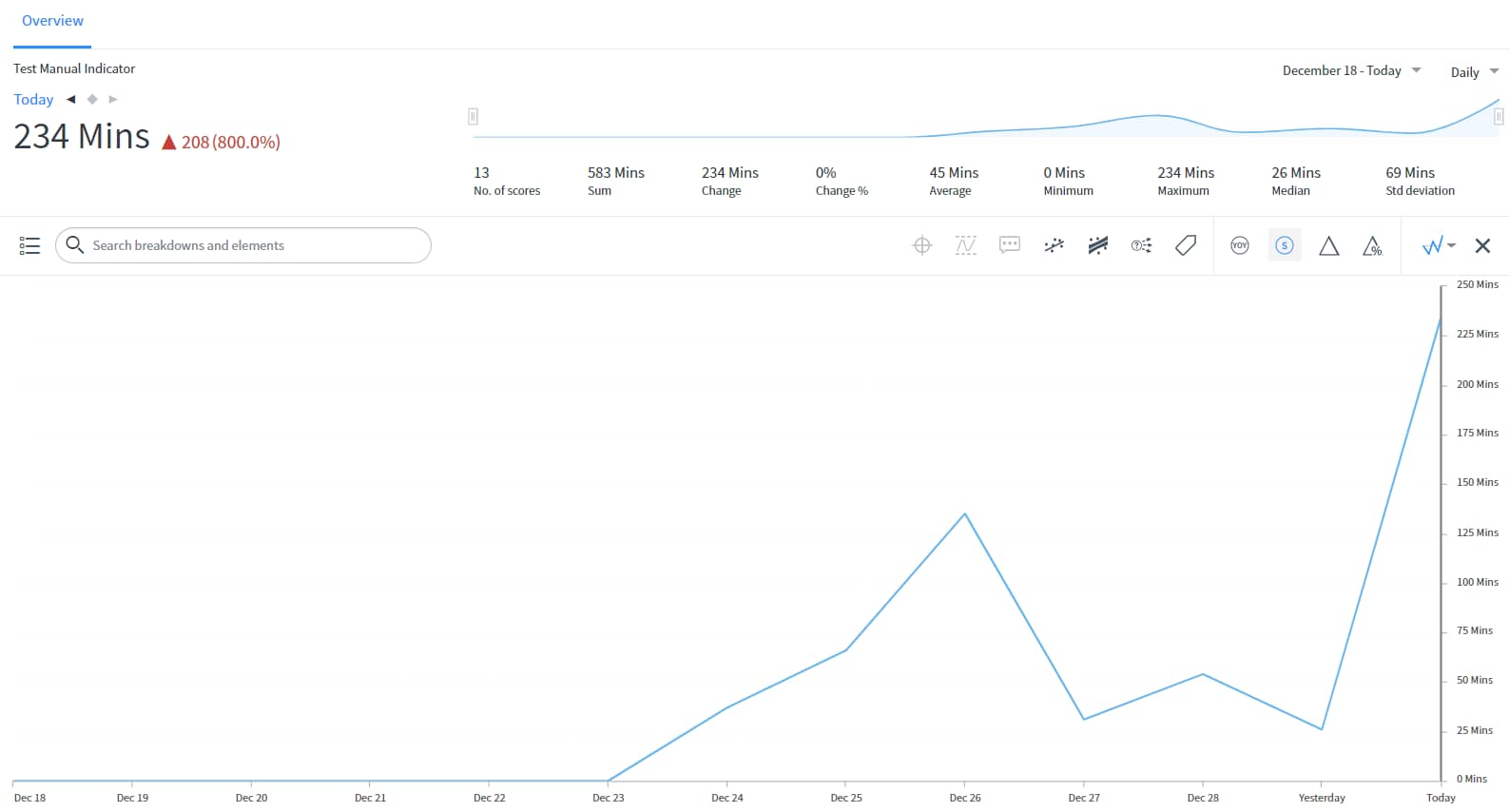
But here's what I see:
#When I put the correct sums at the top of the scoresheet, then I got the visualization I expected:
Solved! Go to Solution.
- Labels:
-
Performance Analytics


- Mark as New
- Bookmark
- Subscribe
- Mute
- Subscribe to RSS Feed
- Permalink
- Report Inappropriate Content
12-26-2019 10:37 AM
You need to have global/top line numbers. You might ignore them, but they have to be there. They don't have to be right (you can put in 0 or -1 if you want), but if they aren't there, the Analytics Hub won't look for scores in the breakdowns.

- Mark as New
- Bookmark
- Subscribe
- Mute
- Subscribe to RSS Feed
- Permalink
- Report Inappropriate Content
12-24-2019 11:44 PM


- Mark as New
- Bookmark
- Subscribe
- Mute
- Subscribe to RSS Feed
- Permalink
- Report Inappropriate Content
12-25-2019 04:12 AM
Please share some screenshots of the manual indicator configuration
- Mark as New
- Bookmark
- Subscribe
- Mute
- Subscribe to RSS Feed
- Permalink
- Report Inappropriate Content
12-26-2019 10:37 AM
You need to have global/top line numbers. You might ignore them, but they have to be there. They don't have to be right (you can put in 0 or -1 if you want), but if they aren't there, the Analytics Hub won't look for scores in the breakdowns.




.png)
.png)