How to change accordion label Disputed transaction details to Fraud transaction details

- Mark as New
- Bookmark
- Subscribe
- Mute
- Subscribe to RSS Feed
- Permalink
- Report Inappropriate Content
an hour ago
Hi Community,
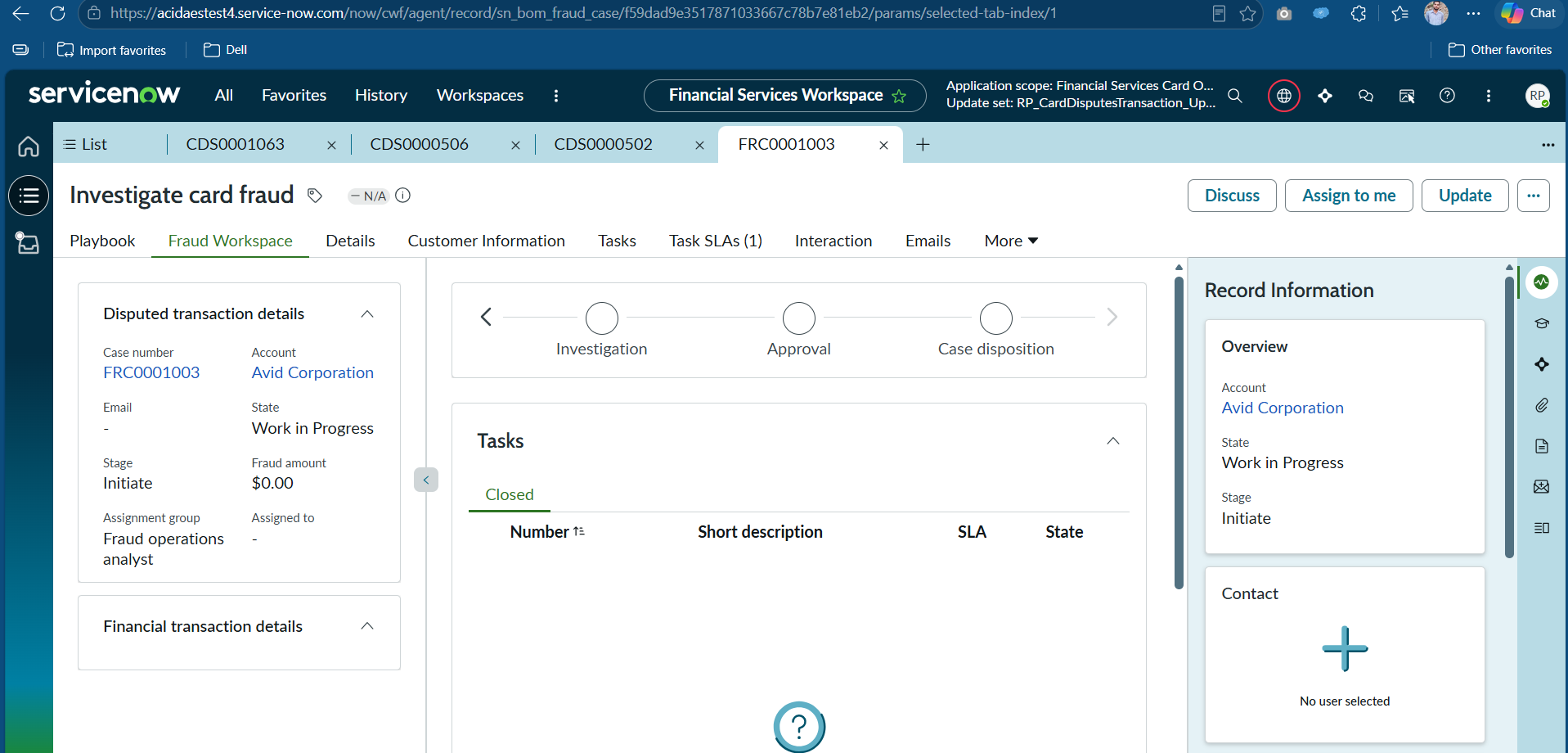
I'm working on a custom Fraud Workspace built on top of the CSM/FSM Configurable Workspace (Next Experience / UIB-based architecture). I need help with changing a UI label that appears in the left panel accordion.
Requirement
In the Fraud Workspace tab, the left panel shows an accordion with the label:
"Disputed transaction details"
I want this to show:
"Fraud transaction details"
Important: The Dispute Workspace must continue showing "Disputed transaction details" — completely untouched.
Architecture Overview
The workspace is built using the following UX-based records:
| sys_ux_macroponent | Dispute Workspace Default | Shared top-level page for BOTH workspaces |
| sys_ux_macroponent | Fraud Workspace Default | Fraud-specific parent macroponent |
| sys_ux_macroponent | Default (rohit.pandey) | Page definition for "Fraud transaction overview" screen collection — composition already updated with "Fraud transaction details" |
| sys_ux_screen | Default | Child screen under Fraud Workspace Default → Screen Collection: Fraud transaction overview |
| sys_ux_app_route | Fraud transaction overview | Route under Fraud Workspace Default |
Root of the Problem
The Dispute Workspace Default macroponent composition contains a headless viewport:
This viewport renders the accordion panel. Currently it renders from the "Disputed transaction overview" screen collection (which has "Disputed transaction details" as the accordion header). This is correct for the Dispute Workspace.
For the Fraud Workspace, the same viewport should render from the "Fraud transaction overview" screen collection instead — which has a custom Default page with "Fraud transaction details" as the header.
What I've Already Done
Created a custom sys_ux_macroponent "Default" (rohit.pandey) for the "Fraud transaction overview" screen collection with the accordion header updated to "Fraud transaction details" in its composition.
Created a sys_ux_screen "Default" under Fraud Workspace Default:
- Screen Collection: Fraud transaction overview
- Page Definition: rohit.pandey Default
Created a sys_ux_app_route "Fraud transaction overview" under Fraud Workspace Default:
- Route: fraud-transaction-overview
- Screen Collection: Fraud transaction overview
- Parent Macroponent Composition Element ID: disputed_transaction_overview
Cleared cache via cache.do and hard refreshed the browser.
What's Still Not Working
The Fraud Workspace still shows "Disputed transaction details" instead of "Fraud transaction details".
My Current Theory
Since the viewport disputed_transaction_overview lives inside the Dispute Workspace Default composition, it only resolves routes defined on the Dispute Workspace Default macroponent itself — not on Fraud Workspace Default.
Dispute Workspace Default has:
Route: "Disputed transaction overview" → disputed_transaction_overview viewport → "Disputed transaction overview" screen collection
- No route for "Fraud transaction overview" context
So the viewport always falls back to the dispute screen collection.
My proposed next step (not yet verified):
- Add a UX App Route to Dispute Workspace Default for fraud context
- Add a Child Screen to Dispute Workspace Default for the "Fraud transaction overview" screen collection
But I'm not sure if this is the right approach, or if it will break the Dispute Workspace.
Questions
Is it possible to override the screen collection rendered by a viewport in a shared parent macroponent — without modifying that shared macroponent?
Is there a proper way to configure a screen condition so the same viewport renders different screen collections based on whether the record is a Fraud Case (sn_bom_fraud_case) vs a Dispute Case (sn_bom_credit_card_disputes_transaction)?
What is the ServiceNow-recommended approach for having two workspaces share the same layout macroponent but render different sub-page content in the same viewport slot?
Instance Details
- Application: Financial Services Card Operations
- Tables involved: sn_bom_fraud_case, sn_bom_credit_card_disputes_transaction
- Key records:
- sys_ux_macroponent: Dispute Workspace Default, Fraud Workspace Default
- sys_ux_screen: Default (under Fraud Workspace Default)
- sys_ux_app_route: Fraud transaction overview
Any help or direction from the community would be greatly appreciated!
Thanks,