- Mark as New
- Bookmark
- Subscribe
- Mute
- Subscribe to RSS Feed
- Permalink
- Report Inappropriate Content
07-14-2022 11:54 AM
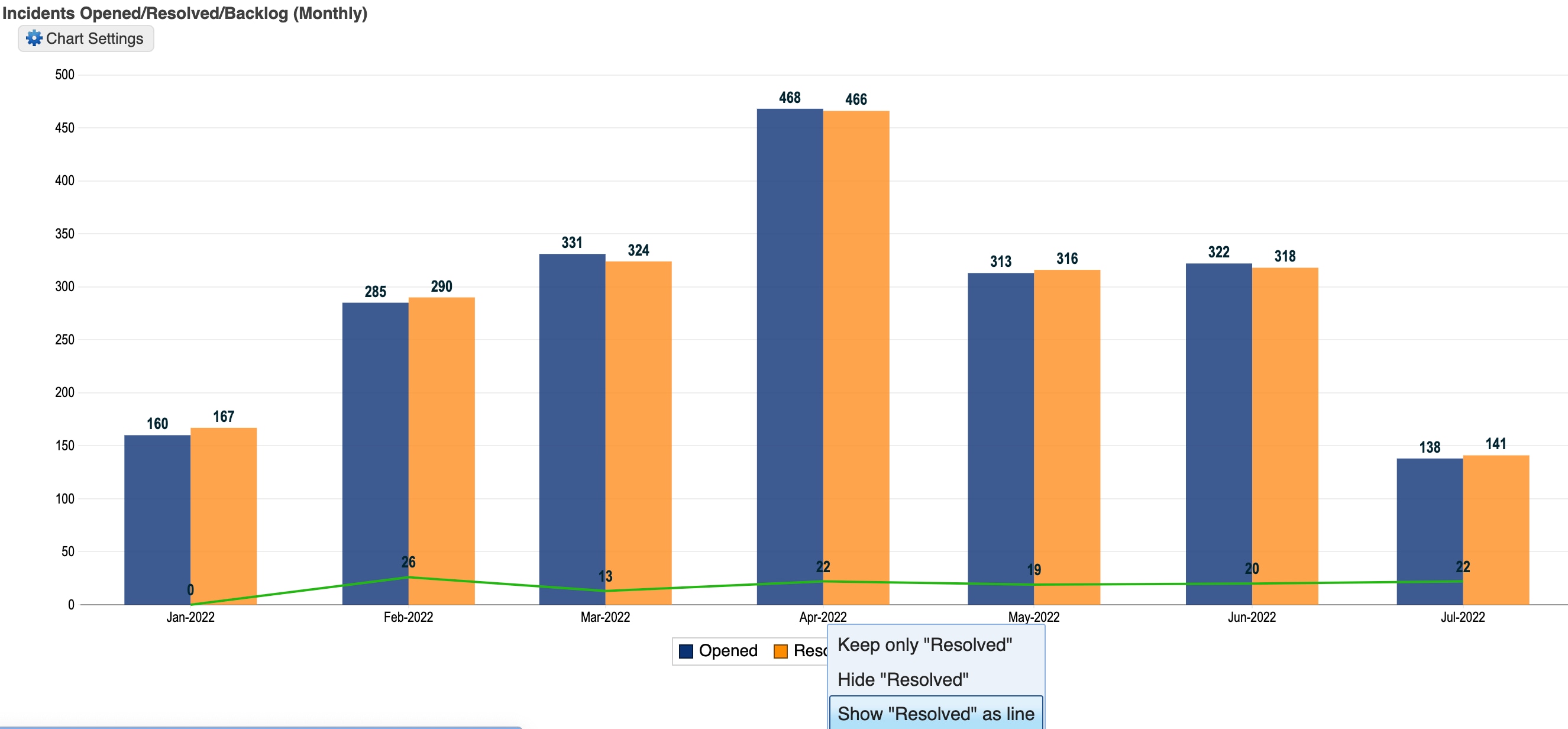
Currently, I have to plan ahead to ensure the data I want in the front is put in FIRST, and each new dataset does behind the previous one.
Is there a way to reorganize this without removing and re-adding datasets?
Solved! Go to Solution.
- Labels:
-
Reporting

- Mark as New
- Bookmark
- Subscribe
- Mute
- Subscribe to RSS Feed
- Permalink
- Report Inappropriate Content
07-14-2022 01:23 PM
Yea it doesn't seem there is a way as of now.
***Mark Correct or Helpful if it helps.***
- Mark as New
- Bookmark
- Subscribe
- Mute
- Subscribe to RSS Feed
- Permalink
- Report Inappropriate Content
07-14-2022 01:23 PM
Yea it doesn't seem there is a way as of now.
***Mark Correct or Helpful if it helps.***
- Mark as New
- Bookmark
- Subscribe
- Mute
- Subscribe to RSS Feed
- Permalink
- Report Inappropriate Content
07-15-2022 07:54 AM

- Mark as New
- Bookmark
- Subscribe
- Mute
- Subscribe to RSS Feed
- Permalink
- Report Inappropriate Content
08-18-2022 09:44 AM

- Mark as New
- Bookmark
- Subscribe
- Mute
- Subscribe to RSS Feed
- Permalink
- Report Inappropriate Content
11-01-2024 11:58 AM
Thanks @MikeB3
For anyone curious, adjusting the sequence (higher the number, further into the background a dataset goes and vice versa) fixed this issue.
- Mark as New
- Bookmark
- Subscribe
- Mute
- Subscribe to RSS Feed
- Permalink
- Report Inappropriate Content
07-06-2023 09:59 AM
Among a lot of reports, I could find how to order my datasets with this tip. Thank you so much. I belive that this is the answer that Alex Koziski was looking for.