
- Subscribe to RSS Feed
- Mark as New
- Mark as Read
- Bookmark
- Subscribe
- Printer Friendly Page
- Report Inappropriate Content
TLDR Answer: Pretty easy if you put in a couple hours to learn basic JavaScript
Why use custom license metrics?
Publisher Packs and Common Metrics account for the majority of a customers environment and software spend, but sometimes smaller publishers have their own unique licensing. This is where creating custom license metrics fill the gap. The information we’ll need to create a custom license metric is the publisher license definition and some basic JavaScript knowledge.
Example
Shank posted a question on the community forum looking for help with a custom license metric and I thought what better way to understand the custom license metric functionality than by helping a customer. Shank was trying to license the publisher Cohesity with a product licensed based on the storage size of the device to the terabyte (TB). By googling "Cohesity" and "terabyte licensing" I was able to identify the license definition from the Publisher which enables me to whiteboard the license logic.
Steps
- Navigate to Software Asset > Administration > Custom License Metrics
- Select New
- Input License Metric name
- “Per 1TB Capacity”
- Whiteboard license logic
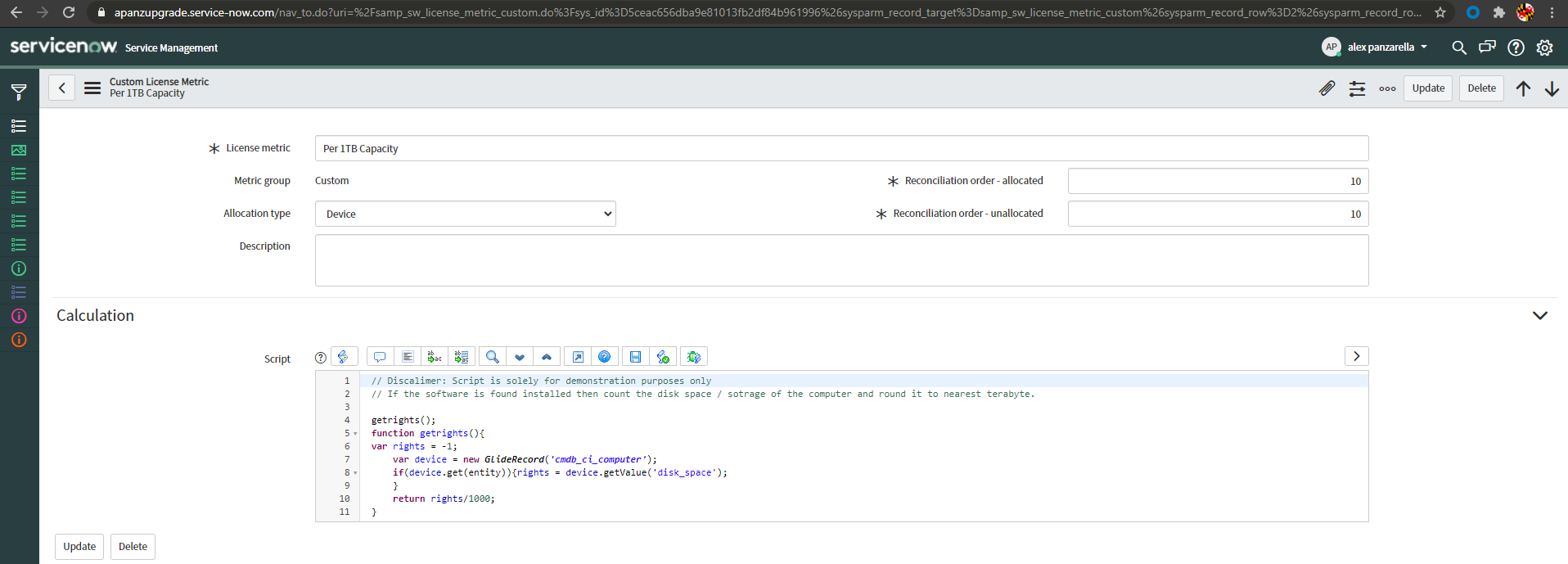
- When a software installation of the product is found count the disk space of the computer to the nearest terabyte in the cmdb_ci_computer table
- Since the computer disk space value is in GB we'll need to convert it into TB by dividing by 1000
- Code your logic in JavaScript
- getrights();
- function getrights(){
- var rights = -1;
- var device = new GlideRecord('cmdb_ci_computer');
- if(device.get(entity)){rights = device.getValue('disk_space');
- }
- return rights/1000;
- }
- Discover Software Installs
- We manually imported two installs of Cohesity DataProtect using import sets and transform maps
- Video link (3min) on importing data and normalization
- Create a Software Model
- Publisher = Cohesity
- Product = DataProtect
- Version = Anything
- Edition = Anything
- Create a Software Entitlement
- Software Model = Cohesity DataProtect
- Metric Group = Custom
- License Metric = Per 1TB Capacity
- Run Reconciliation
- Results
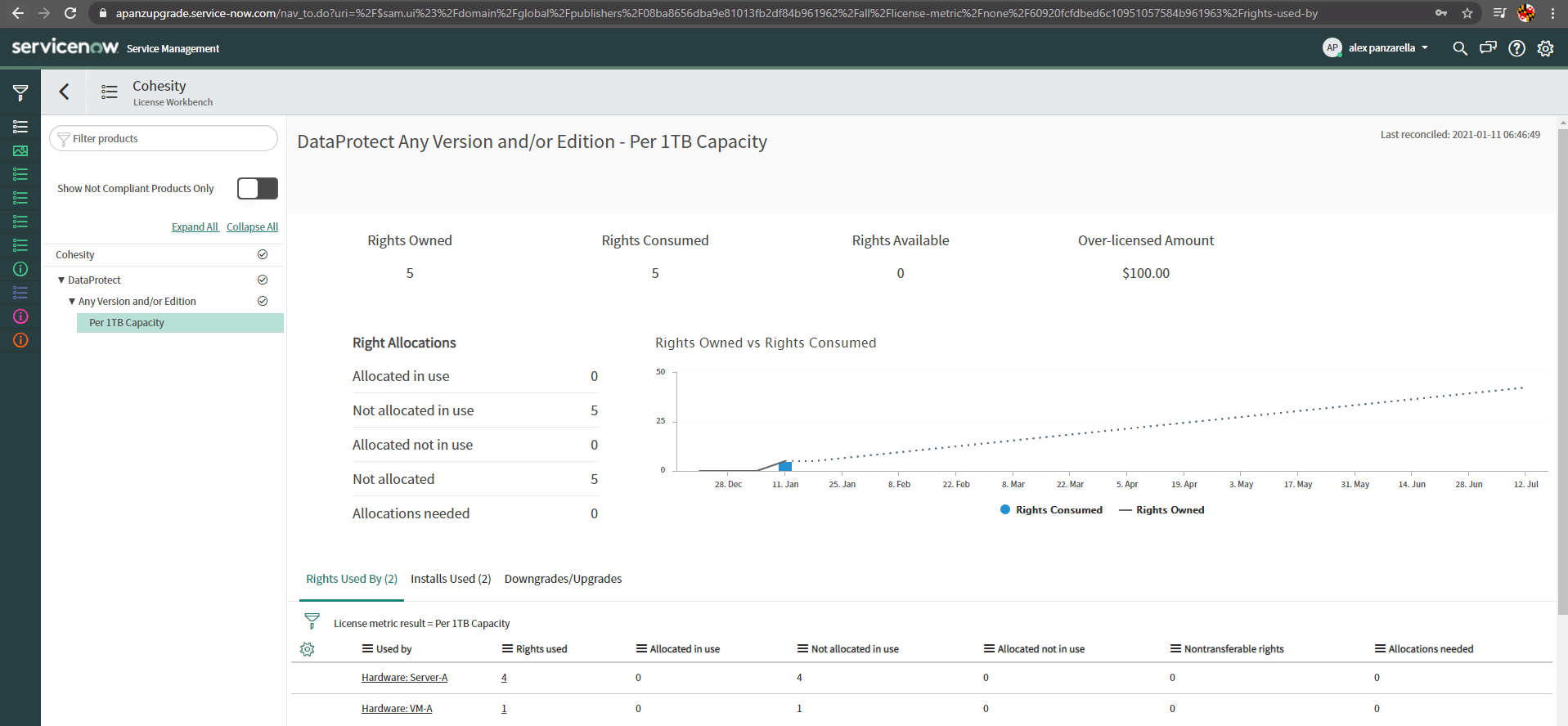
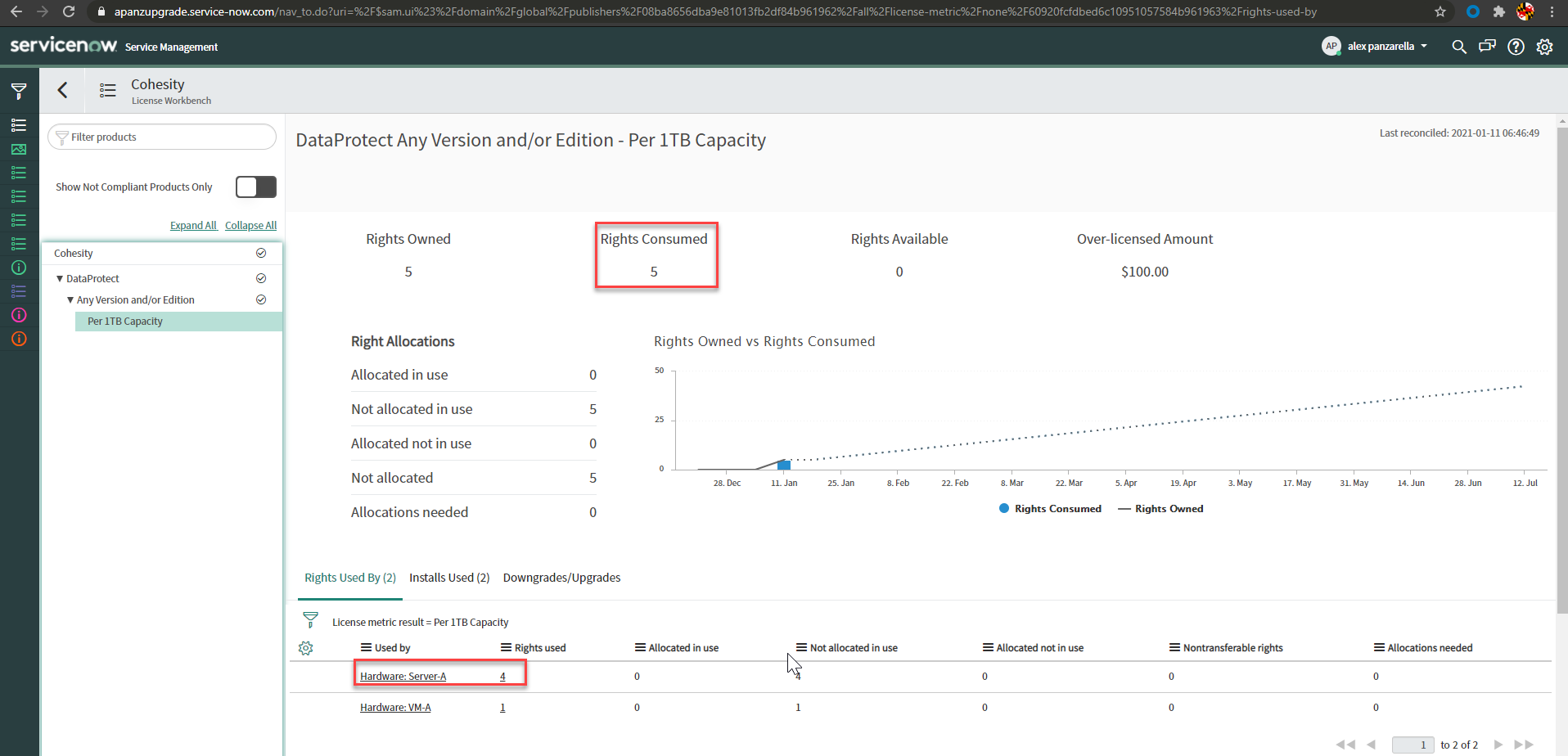
- Pic 1 - License Workbench showing Cohesity DataProtect licensed by Per 1TB Capacity having two installs being counted toward the license amount. 4 rights are consumed by Server-A and 1 right consumed by VM-A.
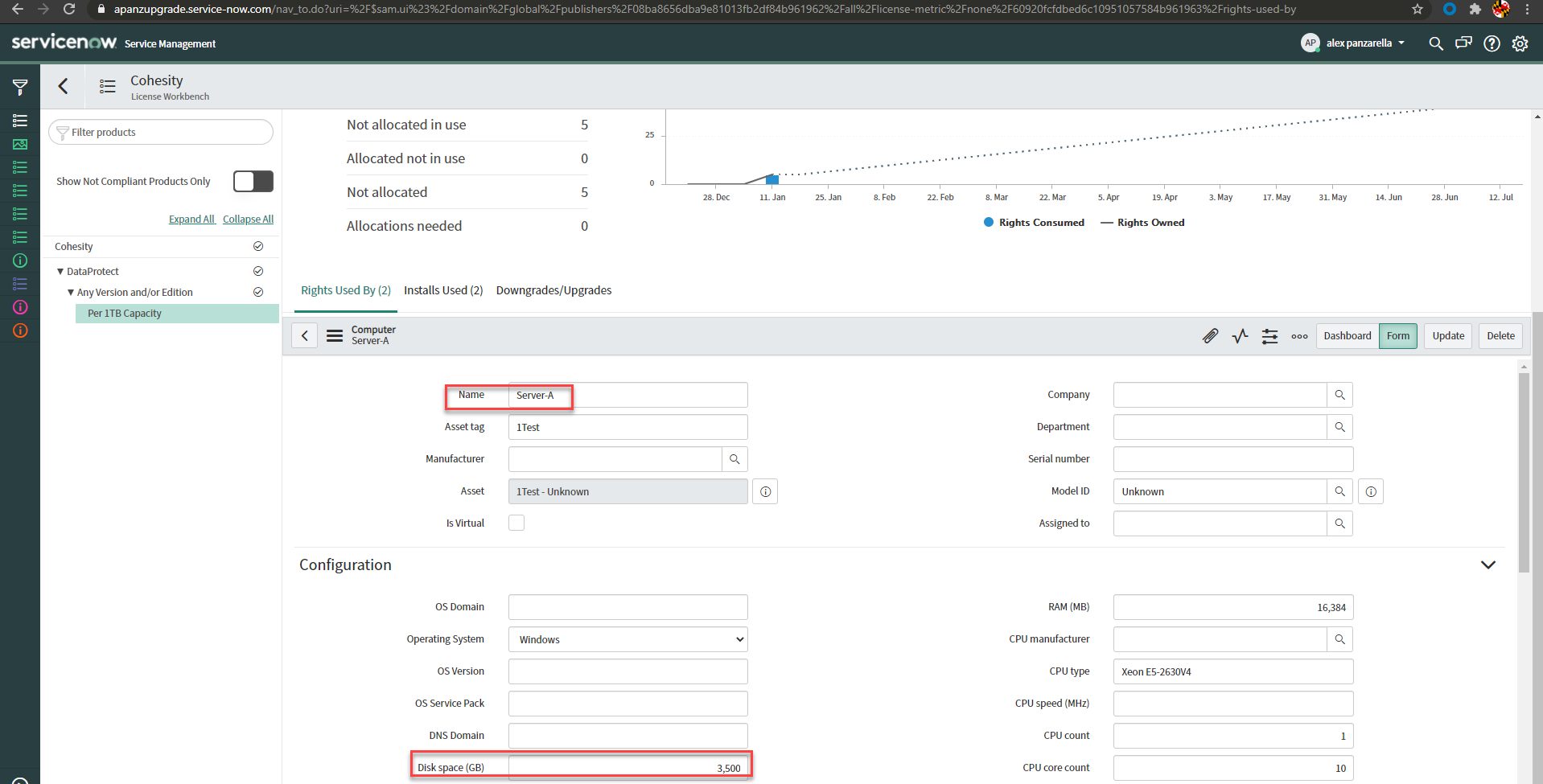
Pic 2 - Shows Server-A computer details having a disk space of 3,500GB. 3,5000GB is equivalent to 3.5 terabytes which is then rounded to the nearest whole terabyte of 4.
- Pic 1 - License Workbench showing Cohesity DataProtect licensed by Per 1TB Capacity having two installs being counted toward the license amount. 4 rights are consumed by Server-A and 1 right consumed by VM-A.


Disclaimer: This blogpost and script is solely for demonstration purposes. The opinions expressed in this publication are those of the authors and do not necessarily reflect the views of ServiceNow.
- 6,633 Views
You must be a registered user to add a comment. If you've already registered, sign in. Otherwise, register and sign in.