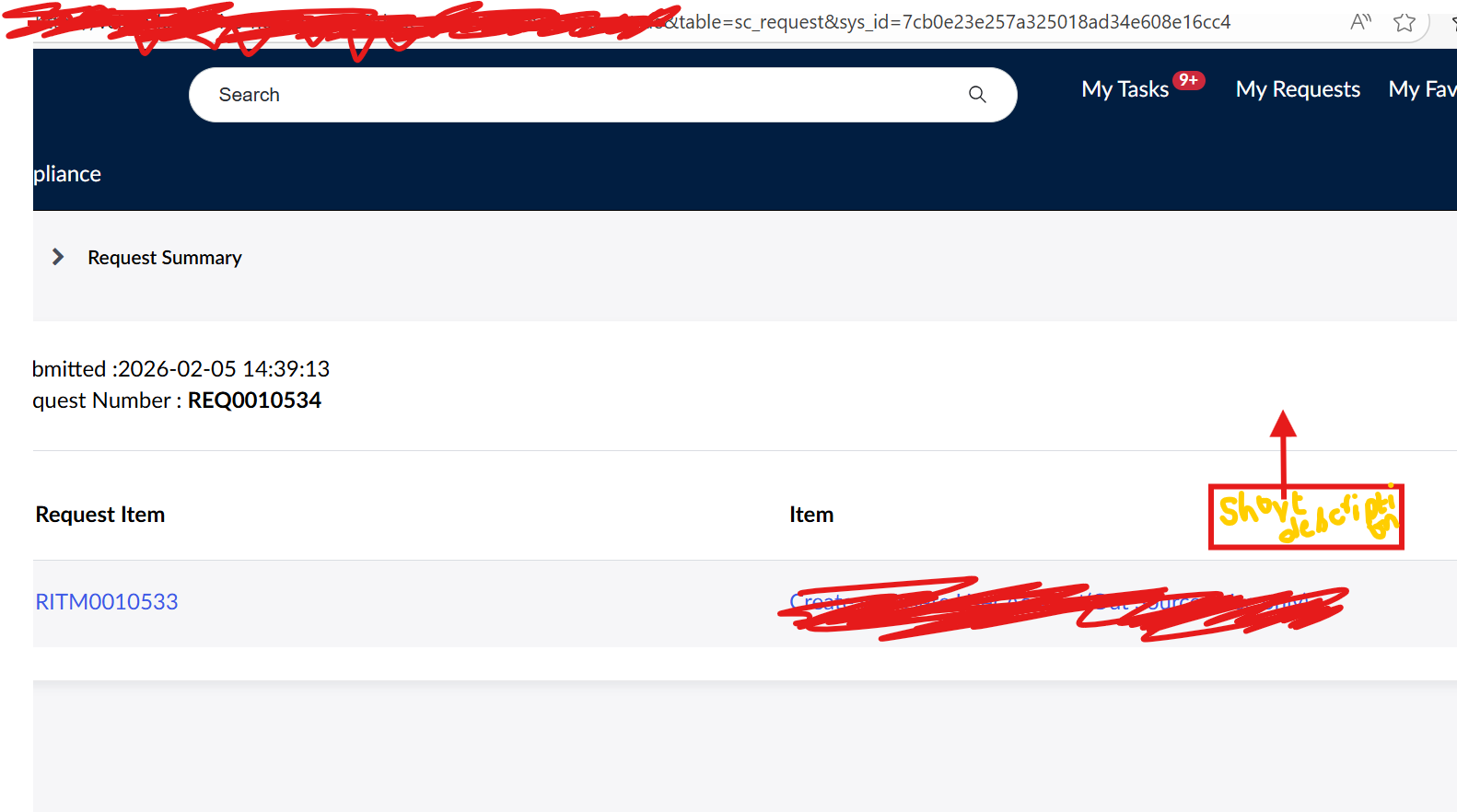
How to get Catalog item's short description on the Service Portal Page

- Mark as New
- Bookmark
- Subscribe
- Mute
- Subscribe to RSS Feed
- Permalink
- Report Inappropriate Content
02-05-2026 03:30 AM


- Mark as New
- Bookmark
- Subscribe
- Mute
- Subscribe to RSS Feed
- Permalink
- Report Inappropriate Content
02-05-2026 03:34 AM
You need to change in the widget.

Regards
Dr Atul G. - Learn N Grow Together ServiceNow Techno - Functional Trainer
LinkedIn: https://www.linkedin.com/in/dratulgrover
YouTube: https://www.youtube.com/@LearnNGrowTogetherwithAtulG
******************************************************************************************
- Mark as New
- Bookmark
- Subscribe
- Mute
- Subscribe to RSS Feed
- Permalink
- Report Inappropriate Content
02-05-2026 04:35 AM
You can see in HTML:

I already shared the widget details mate.
Regards
Dr Atul G. - Learn N Grow Together ServiceNow Techno - Functional Trainer
LinkedIn: https://www.linkedin.com/in/dratulgrover
YouTube: https://www.youtube.com/@LearnNGrowTogetherwithAtulG
******************************************************************************************
- Mark as New
- Bookmark
- Subscribe
- Mute
- Subscribe to RSS Feed
- Permalink
- Report Inappropriate Content
02-05-2026 03:43 AM
Hello Athul,
Thank you for your reply. In the Instance options, I can see only this,

Is there something am missing? Please enlighten.
Regards,
Sia Kiran

- Mark as New
- Bookmark
- Subscribe
- Mute
- Subscribe to RSS Feed
- Permalink
- Report Inappropriate Content
02-05-2026 04:15 AM
Steps to show it in column here

-> clone the OOTB widget "SC Order Status"
-> In the newly created widget, modify the server script etc to include Cat Item -> Short Description
check this link and it has solution, what to change in Server Script, HTML
Modify fields shown in SC Order Status widget -> this link will help you add in the place I mentioned above
-> then add this newly created widget on "order_status" page
if you want to add that on top besides the 3 columns then update the HTML place here


💡 If my response helped, please mark it as correct ✅ and close the thread 🔒— this helps future readers find the solution faster! 🙏
Ankur
✨ Certified Technical Architect || ✨ 10x ServiceNow MVP || ✨ ServiceNow Community Leader