Justin Bakker

ServiceNow Employee
Options
- Subscribe to RSS Feed
- Mark as New
- Mark as Read
- Bookmark
- Subscribe
- Printer Friendly Page
- Report Inappropriate Content
09-15-2020
11:24 AM
I’ve previously extolled the virtues of Flow Designer, but one element I didn’t address was how it deals with REST. If you don’t know what REST is, don’t worry; what it is is less important than why and how we use it. Regular business processes (from sending an order update to a customer to sending an approval request to another system) often require sharing data with third parties. But you want to do this without exposing your system. Cue REST.
REST is the best
REST is not the only way to share data with 3rd parties, but in my opinion it is the best. REST stands for REpresentation State Transfer —and while it has many lofty descriptions, it’s more important to understand what it actually does and how it’s really used. The main principle of REST is that rather than using complex mechanisms such as those employed by SOAP or RPC, it uses simple, easy-to-understand HTTP requests. REST uses HTTP to its advantage, employing HTTP methods like GET or POST and utilising HTTP response codes so they all make sense and are a lot easier to understand. REST is more intuitive than other web services. But this comes with a big disadvantage: it’s not a protocol, which means there is no agreed way of how the API should be implemented by the receiver. It’s an architectural style. If you want to use it, you have to be flexible.
The Now Platform as the REST client
How can you consume a web service if the implementation is not standardised? Every HTTP request can be different and so is the response you get back from the server. That’s why our implementation needs to be flexible as well.
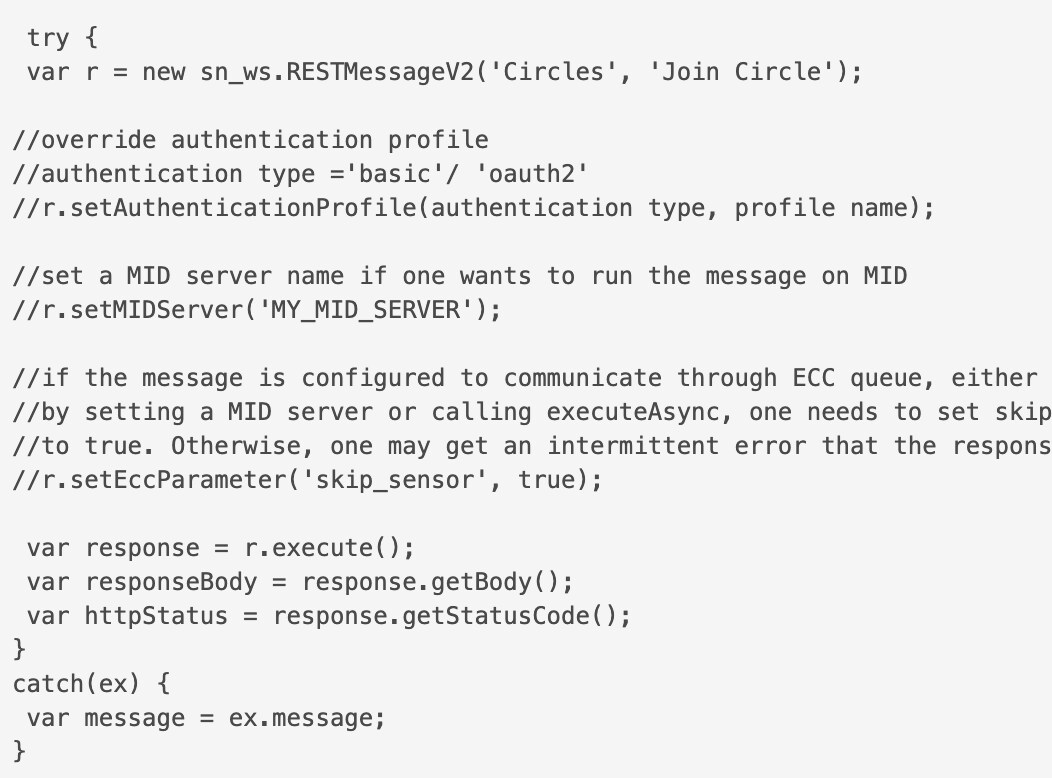
Scripting in ServiceNow is done via JavaScript. If you’ve ever used Workflow, you might remember the laborious effort of scripting around your REST requests. You might have to write 20 lines of code to get anything done. Still, it was better than having to do everything from scratch. Via the RESTMessageV2 API you could script most communication for the REST requests. For example, if you wanted to get details about a particular book using its ISBN number, here’s how you did it:
This sort of code can be used in various places, most notably Workflow. If you want to send a request from your Workflow to send a book order, the way to do this is via a Run Script activity.
This implementation works fine, but it’s all a bit too manual for me. Sure, that’s the consequence of REST APIs needing this flexibility but I prefer a more structured approach.
Improvements in Flow Designer
Enter Flow Designer, which comes with a new way to deal with consuming REST-based web services. Flow Designer requires you to work in a more structured way, but within those constraints we offer more flexibility. Working with REST is an excellent example of this approach. You don’t just call a piece of code, you need to define an action. In this action you define the inputs and outputs, then specify the steps that action goes through to get there. We do this so you are forced to structure your Flow in a way that improves its readability and supportability, and will make it easier to develop.
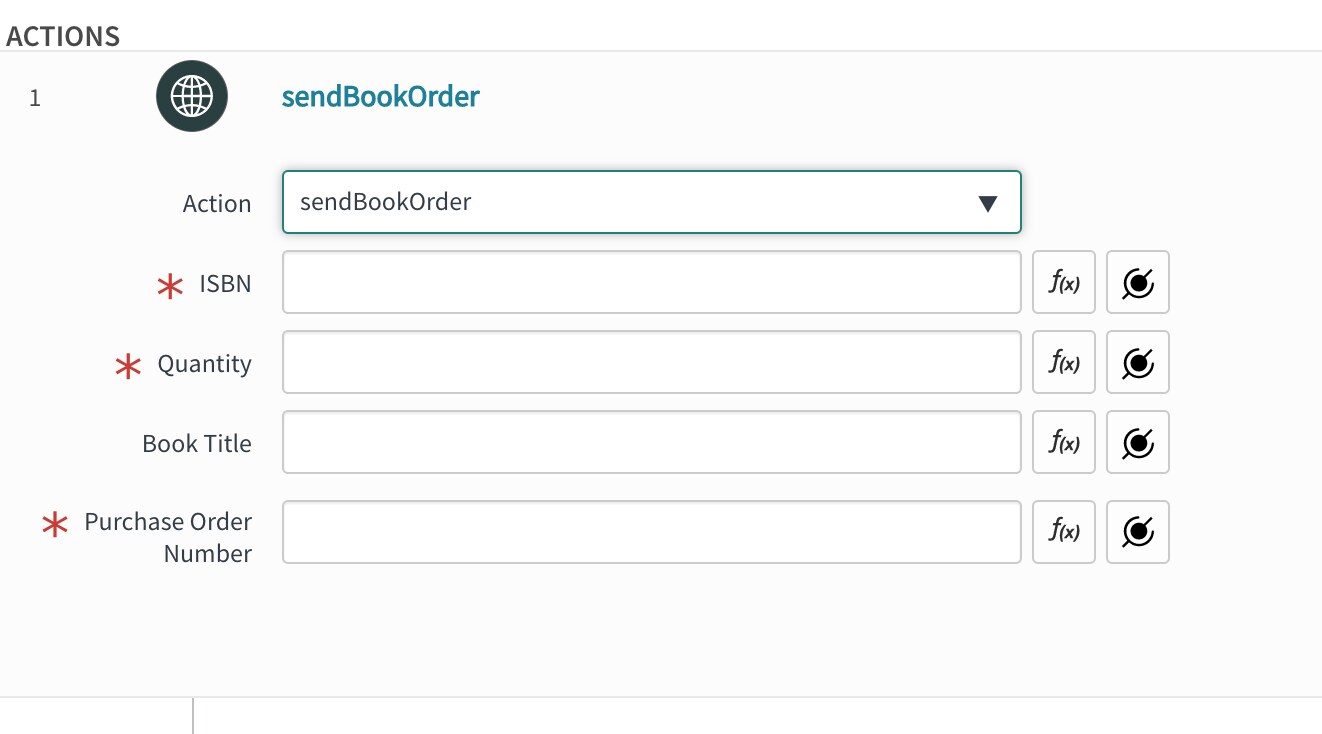
Let’s take that example from earlier: we need to send a book order to a distributor. Instead of calling the RESTMessageV2 and coding this, we now define an action called sendBookOrder:
We define the input parameters, like the ISBN and quantity and we set the output, the order number. To process this action we need a series of steps, and in these steps we define how go from the input to the output.
I’m going to use two steps, first I need to define the payload I need to send, which is JSON. That’s the manual part.
Once that’s done I need to define how I send the request to the third-party provider. This time I don’t need to code anything, I just select what this request will look like. I already know the payload (the JSON code), I define the HTTP method (POST), the endpoint and whatever else is needed. Notice the amount of code is fairly minimal here and I’m mostly selecting options in the UI.
Once my action is complete, I can test it. This is another great thing in Flow Designer: I don’t need to trigger the complete Flow, I can test individual actions and iron out any problems at this stage. Especially with REST being so particular, it’s great I can test the actions individually. Once that’s done, I add the whole action in my Flow.
Sure, it’s a bit different from Workflow but I hope you appreciate the structured approach here. It’s more readable and the ability to test individual components will flag any problems during development phase. Flow Designer offers a great alternative to Workflow. And if you need to integrate with a third-party system via REST, Flow Designer is the way to go.
Justin
Labels:
- 6,996 Views
You must be a registered user to add a comment. If you've already registered, sign in. Otherwise, register and sign in.