Nirupam Biswas

ServiceNow Employee
Options
- Subscribe to RSS Feed
- Mark as New
- Mark as Read
- Bookmark
- Subscribe
- Printer Friendly Page
- Report Inappropriate Content
03-06-2020
07:28 AM
Have you been using Notify before Madrid? Are you now on (or planning to be on) Madrid or later? Then this post is of your interest.
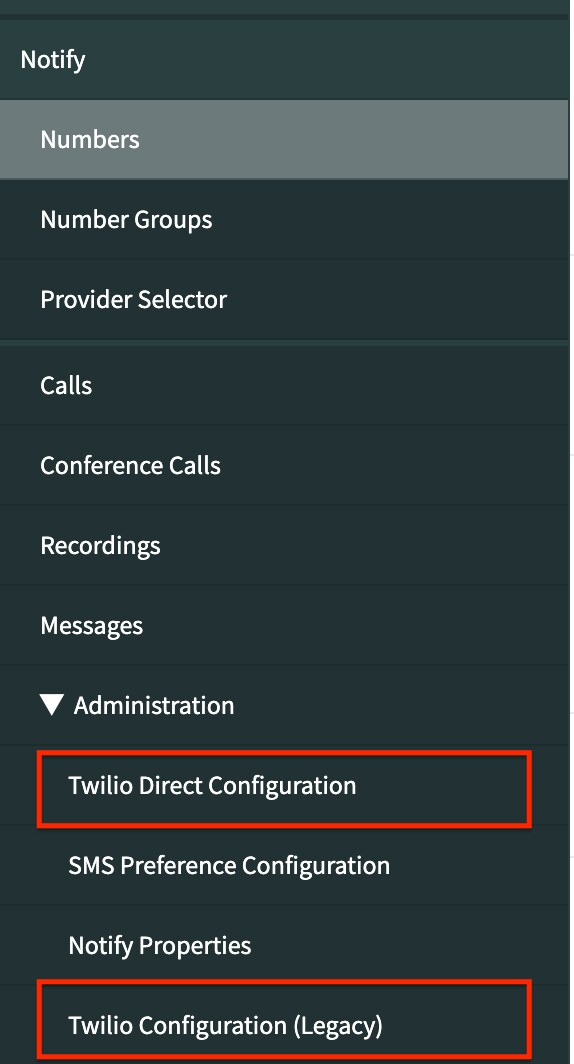
After upgrade the Notify application modules will look something like below.
You will also notice the other two new modules - SMS Preference Configuration (official doc) and Provider Selector (official doc). I won't be discussing them; instead I have provided official docs links for them.
Since Madrid ServiceNow automatically activates a new plugin Twilio, called - Notify - Twilio Direct Driver. The older Twilio driver has been renamed to Notify - Twilio Driver (Legacy). This older (legacy) driver is what you have been using till now. After upgrade the older driver will still remain connected and will continue to be used. There is no auto initiated migration to new driver. However you have the option to migrate to new driver using a single click, with few minutes of downtime (official doc).
Since New York, Twilio Direct Driver plugin will not get auto enabled on upgrade or zboot. You will need to activate it manually from plugins list.
The differences between the two Twilio drivers are listed on the official doc.
Important Update: (Feb, 2022)
The older Java based Twilio driver has reached end-of-life in Orlando and has been removed in San Diego altogether. So it is important to migrate to Twilio Direct Driver as soon as possible as the older driver will stop working from San Diego ServiceNow family release.
Labels:
You must be a registered user to add a comment. If you've already registered, sign in. Otherwise, register and sign in.