- Mark as New
- Bookmark
- Subscribe
- Mute
- Subscribe to RSS Feed
- Permalink
- Report Inappropriate Content
05-17-2021 07:47 AM
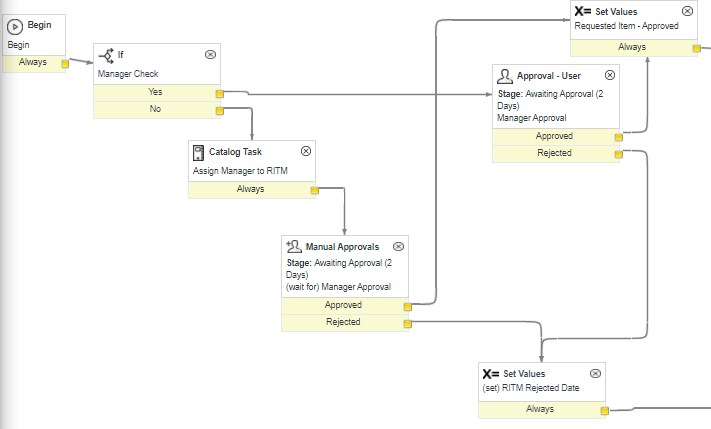
I do most of my work in Workflow Editor, I want to start doing more in Flow Designer. I want to create a Subflow that would verify an associate has a manager assigned to them. If not create a Task to assign manager and then allow Flow to move to manager approval. I am not sure where to start. I assume this would be a good process for a subflow.

Solved! Go to Solution.
- Labels:
-
Service Catalog

- Mark as New
- Bookmark
- Subscribe
- Mute
- Subscribe to RSS Feed
- Permalink
- Report Inappropriate Content
05-17-2021 08:28 AM
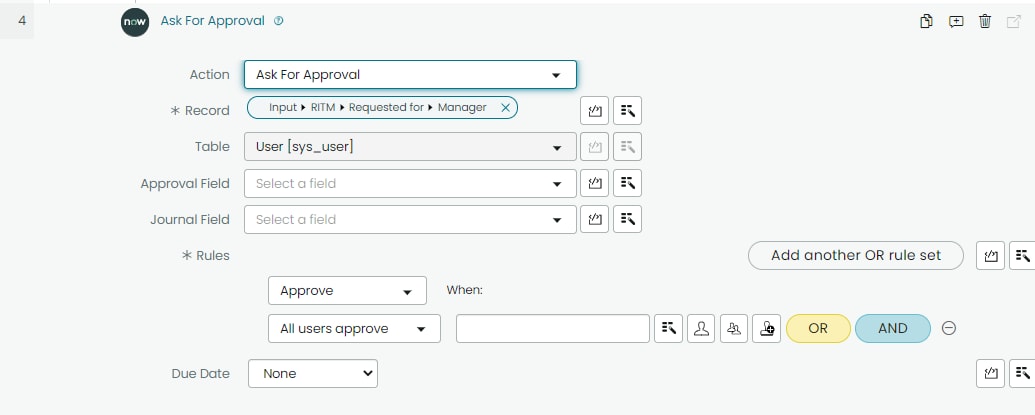
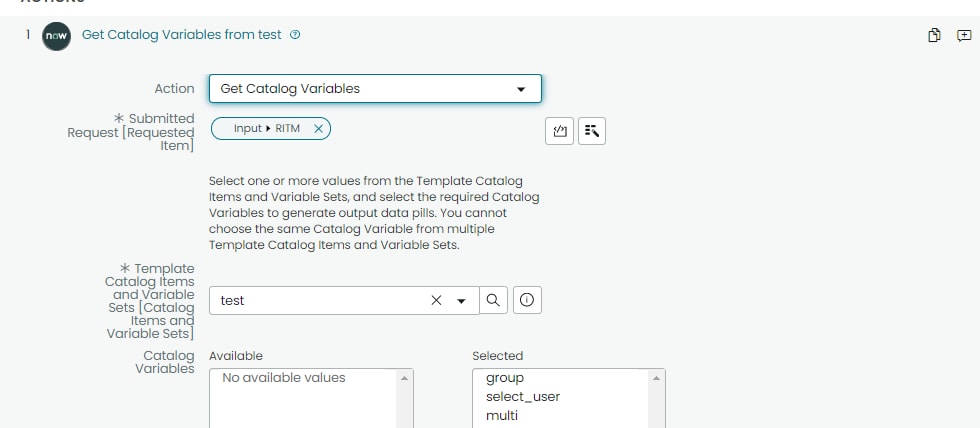
Sorry I can give you steps to
1. Inputs

2. Get variables from item if you want

3. if Manager is not empty

4. Create catalog task

5. Add Approval for manager

Please mark my answer correct and helpful if applicable.
Thank you
Prasad


- Mark as New
- Bookmark
- Subscribe
- Mute
- Subscribe to RSS Feed
- Permalink
- Report Inappropriate Content
05-17-2021 08:14 AM
That seems very doable.
I would suggest using inputs to your subflow, a reference to the RITM/sc_req_item, and possibly the user if you don't pull that from the RITM.requested_for / RITM.parent.requested_for.
If correct or helpful, please indicate so!
- Mark as New
- Bookmark
- Subscribe
- Mute
- Subscribe to RSS Feed
- Permalink
- Report Inappropriate Content
05-17-2021 08:25 AM

- Mark as New
- Bookmark
- Subscribe
- Mute
- Subscribe to RSS Feed
- Permalink
- Report Inappropriate Content
05-17-2021 08:28 AM
Sorry I can give you steps to
1. Inputs
2. Get variables from item if you want
3. if Manager is not empty
4. Create catalog task
5. Add Approval for manager
Please mark my answer correct and helpful if applicable.
Thank you
Prasad
- Mark as New
- Bookmark
- Subscribe
- Mute
- Subscribe to RSS Feed
- Permalink
- Report Inappropriate Content
05-17-2021 08:47 AM
Thank you Prasad, I wasn't clear on how to get my inputs. This will help for this application and in the future.