- Mark as New
- Bookmark
- Subscribe
- Mute
- Subscribe to RSS Feed
- Permalink
- Report Inappropriate Content
02-11-2021 03:33 AM
Hi,
I have a 'attachment' type variable in my record producer which i have made mandatory. When the user uploads any attachment, i want the attachment to get saved in the record created. But instead, it is hiding it.
I can see the entry created in sys_attachment but under table name field, a prefix ZZ_YY is getting added which is making the attachment hidden.
Please find the field below -

Record in sys_attachment -

Can anyone help me get this attachment added in the record as it happens when add any attachment from here -

Solved! Go to Solution.


- Mark as New
- Bookmark
- Subscribe
- Mute
- Subscribe to RSS Feed
- Permalink
- Report Inappropriate Content
02-11-2021 06:05 AM
This worked well for me
1) I created Async After Insert BR on the target table
2) Script as this
a) Remove the ZZ_YY
b) Then use the Copy Attachment
(function executeRule(current, previous /*null when async*/) {

	// Add your code here
	var gr = new GlideRecord("sys_attachment");
	gr.addQuery("table_name", "ZZ_YY" + current.getTableName());
	gr.addQuery("table_sys_id", current.sys_id);
	gr.query();
	if (gr.next()) {
		gr.table_name = current.getTableName();
		gr.update();
		new global.VariableUtil().copy(gr.sys_id, current.getTableName(), current.sys_id);
	}

})(current, previous);
Output:
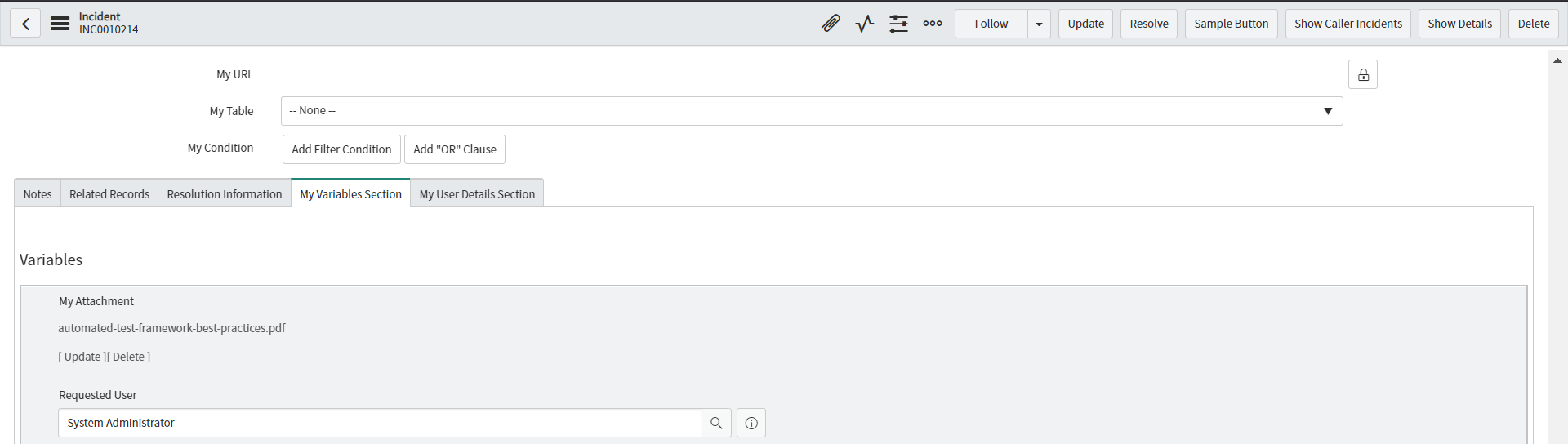
1) The file added to the record

2) The file present on the attachment variable

Regards
Ankur
Ankur
✨ Certified Technical Architect || ✨ 10x ServiceNow MVP || ✨ ServiceNow Community Leader

- Mark as New
- Bookmark
- Subscribe
- Mute
- Subscribe to RSS Feed
- Permalink
- Report Inappropriate Content
11-26-2024 01:20 PM
was having trouble getting the interaction and case records to add the attachment. will give this a try and let you know if it worked!

- Mark as New
- Bookmark
- Subscribe
- Mute
- Subscribe to RSS Feed
- Permalink
- Report Inappropriate Content
08-26-2026 11:06 AM
I tried this logic, but the attachment is appearing only in the Activity section and is not being attached to the top of the record.
In my case, when I upload an attachment, remove it, and then upload another one, the first attachment is attached to the record, while the second appears only in the Activity section.
After implementing this business rule, only the second attachment is retained; however, it is not attached to the top of the record.
- Mark as New
- Bookmark
- Subscribe
- Mute
- Subscribe to RSS Feed
- Permalink
- Report Inappropriate Content
03-25-2021 07:27 AM

- Mark as New
- Bookmark
- Subscribe
- Mute
- Subscribe to RSS Feed
- Permalink
- Report Inappropriate Content
03-25-2021 07:32 AM
Hi,
please check any cross scope access issue
Regards
Ankur
Ankur
✨ Certified Technical Architect || ✨ 10x ServiceNow MVP || ✨ ServiceNow Community Leader

- Mark as New
- Bookmark
- Subscribe
- Mute
- Subscribe to RSS Feed
- Permalink
- Report Inappropriate Content
09-16-2021 09:19 AM
line 5: replace with "ZZ_YY[...]" with "table_name" since this is the correct name of the attribute in the Attachment Table.