- Mark as New
- Bookmark
- Subscribe
- Mute
- Subscribe to RSS Feed
- Permalink
- Report Inappropriate Content
03-04-2018 10:54 AM
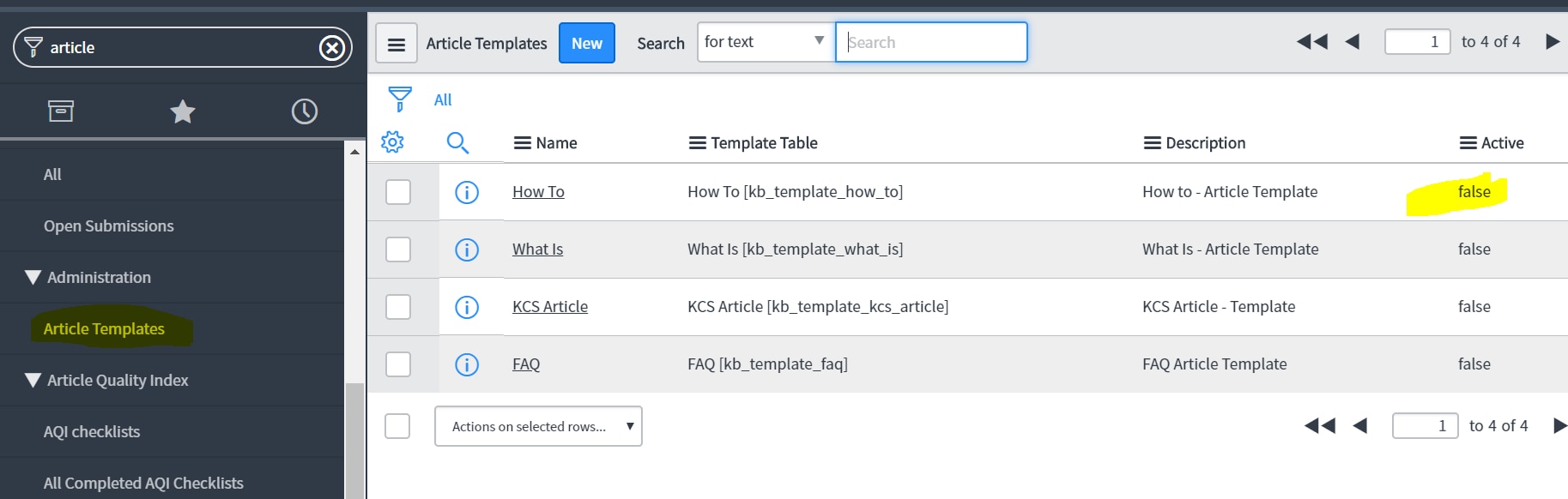
Hi . Does anyone know how to delete an KB article template ? I am at home working in dev but at work ( in test ) I began creating article templates for my employer and somehow I managed to create a situation where , when I click on create new article template I dont get the original pristine form. I get a form that has the top header but it has a prefilled template ( problem - solution ) at the bottom, a schema of a template that I had created once and now it comes up every time. I just want to revert back to a simple ,happy place where I can create KB article templates as I now am following the Servicenow directions explicitly and have no problem in dev. Somehow I messed up the table structure at work ( I think ) some how so cannot simply create a KB article template from scratch.
I would really appreciate any help. I cannot find anyway to delete any of my corrupted templates and I cannot figure how to revert back to the original knowledge base template form to start creating from scratch.
Thanks
Rodger
Solved! Go to Solution.
- Labels:
-
Knowledge Management


- Mark as New
- Bookmark
- Subscribe
- Mute
- Subscribe to RSS Feed
- Permalink
- Report Inappropriate Content
03-04-2018 02:29 PM
Why not version them. So that you know which is the latest one. For ex. Problem - Resolution V1, Problem - Resolution V2 and so on. And keep the current one as Problem - Resolution. If the current one you want to retire tomorrow, rename it to Problem - Resolution V3 and name the current one as Problem - Resolution.
Please mark this response as correct or helpful if it assisted you with your question.
- Mark as New
- Bookmark
- Subscribe
- Mute
- Subscribe to RSS Feed
- Permalink
- Report Inappropriate Content
03-04-2018 11:42 AM

- Mark as New
- Bookmark
- Subscribe
- Mute
- Subscribe to RSS Feed
- Permalink
- Report Inappropriate Content
03-04-2018 02:20 PM
Hi Sanji,
Thanks for your quick reply ! The problem is that I have had so many issues with these templates that I have ended up with templates with names that I want to use for a common knowledge base at work but when I deactivate and try to use that name again, I get a message that states that ' name already exists'. For example, I want to create a template that says Problem - Resolution but I already have that name. I am not sure if that makes sense but that is why I had hoped to delete all 15 of my templates that I have created, 🙂 and start over so I could use names again. I wish that I could wipe system clean of any vestiges of my creating templates and start over with a fresh system view again.
Thanks,
Rodger
- Mark as New
- Bookmark
- Subscribe
- Mute
- Subscribe to RSS Feed
- Permalink
- Report Inappropriate Content
03-04-2018 02:29 PM
Why not version them. So that you know which is the latest one. For ex. Problem - Resolution V1, Problem - Resolution V2 and so on. And keep the current one as Problem - Resolution. If the current one you want to retire tomorrow, rename it to Problem - Resolution V3 and name the current one as Problem - Resolution.
Please mark this response as correct or helpful if it assisted you with your question.
- Mark as New
- Bookmark
- Subscribe
- Mute
- Subscribe to RSS Feed
- Permalink
- Report Inappropriate Content
03-04-2018 05:27 PM
Sanji,
That makes perfect sense! I guess my brain has been so scrambled and I didn't think of that. I will rename and then use the names that I really need. A simple fix but one that escaped me and a real life saver !
Thank you so much !
Rodger