- Mark as New
- Bookmark
- Subscribe
- Mute
- Subscribe to RSS Feed
- Permalink
- Report Inappropriate Content
07-13-2022 02:32 PM
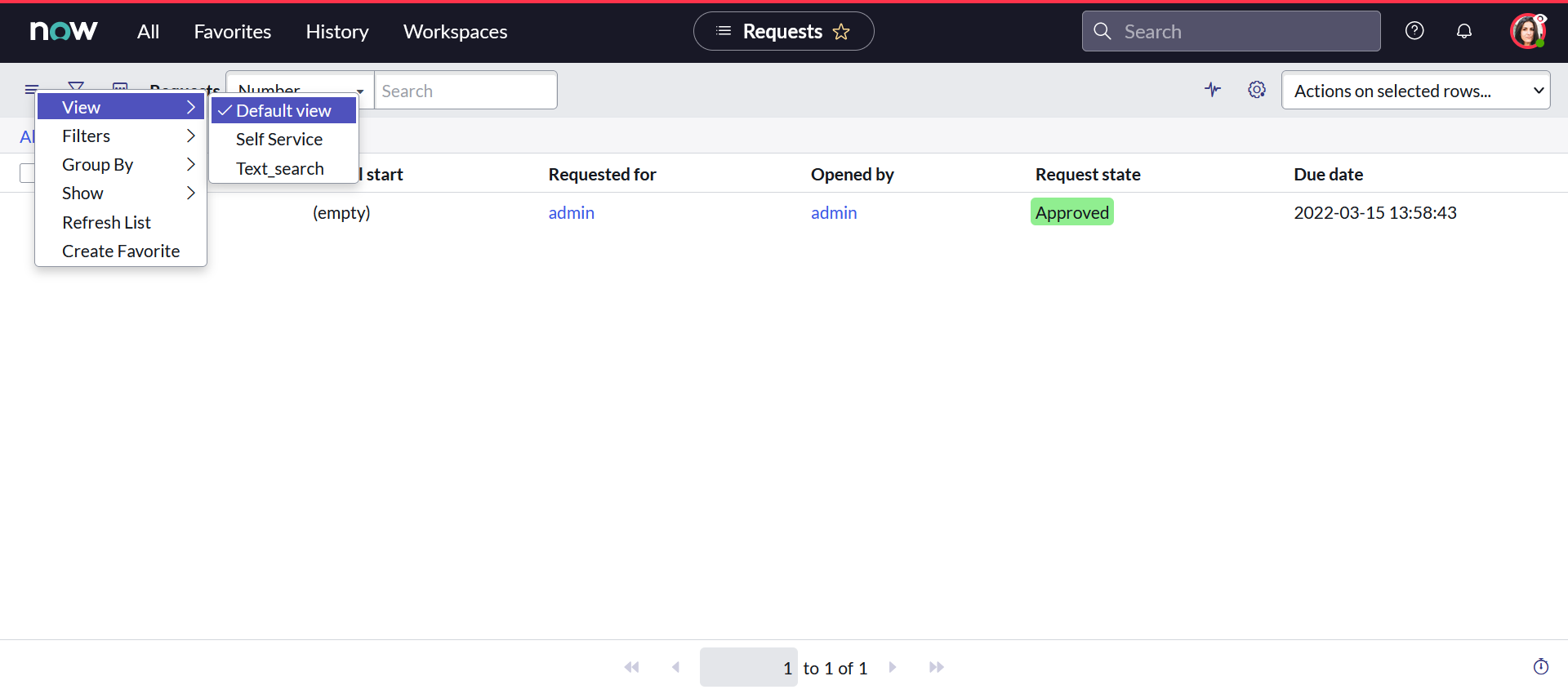
Unable to perform a simple task of saving a customized list view. Documentation shows an option to save a "View Name", which is not visible to me. I tried elevating role or changing my role to an ITIL User. Need advise.

Solved! Go to Solution.
- Labels:
-
Service Portal


- Mark as New
- Bookmark
- Subscribe
- Mute
- Subscribe to RSS Feed
- Permalink
- Report Inappropriate Content
07-13-2022 04:42 PM
Please follow steps show on the attached screenshot. You can see the post-"I need to create a new list view for my list. The whole right click and then select list layout does...

- Mark as New
- Bookmark
- Subscribe
- Mute
- Subscribe to RSS Feed
- Permalink
- Report Inappropriate Content
07-13-2022 02:48 PM
Hi Vipin,
Did you try Configure > List layout?
Thanks,
Yousaf
***Mark Correct or Helpful if it helps.***
- Mark as New
- Bookmark
- Subscribe
- Mute
- Subscribe to RSS Feed
- Permalink
- Report Inappropriate Content
07-13-2022 02:51 PM
Hi Vipin,
Did you try Configure > List Layout ?
Thanks,
Yousaf
***Mark Correct or Helpful if it helps.***

- Mark as New
- Bookmark
- Subscribe
- Mute
- Subscribe to RSS Feed
- Permalink
- Report Inappropriate Content
07-13-2022 04:04 PM
As Yousaf said, right click on any column header in a list view, go to Configure > List Layout. From there you can create a new view and place all the fields you want, then press Save.
- Mark as New
- Bookmark
- Subscribe
- Mute
- Subscribe to RSS Feed
- Permalink
- Report Inappropriate Content
07-13-2022 04:42 PM
Please follow steps show on the attached screenshot. You can see the post-"I need to create a new list view for my list. The whole right click and then select list layout does...