- Mark as New
- Bookmark
- Subscribe
- Mute
- Subscribe to RSS Feed
- Permalink
- Report Inappropriate Content
05-02-2024 12:45 PM - edited 05-02-2024 12:56 PM
Hello,
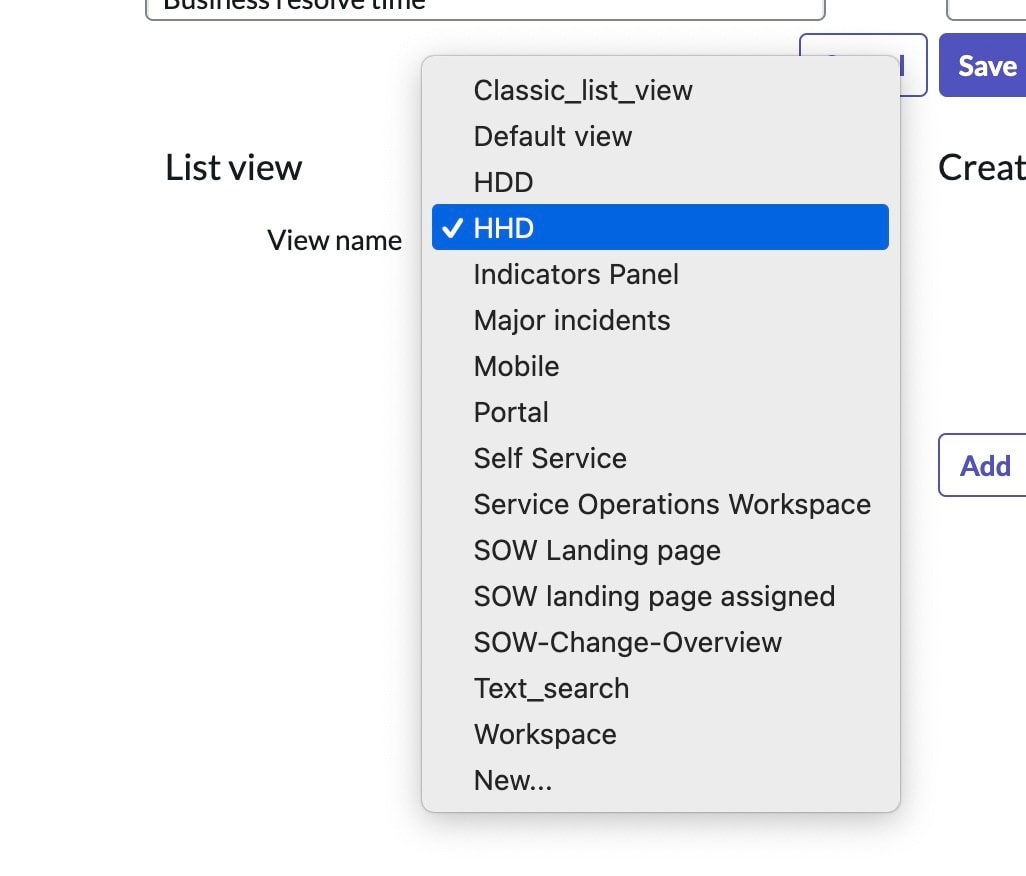
I am new to this platform. I created a new list view under the Incidents table. I misspelled the name of the list, and also created a duplicate. I want to delete it all of them and start from scratch. I did this on my Lab Instance.
Thanks for your help.
PS. I have attached a few pictures for reference.
Solved! Go to Solution.
- Mark as New
- Bookmark
- Subscribe
- Mute
- Subscribe to RSS Feed
- Permalink
- Report Inappropriate Content
05-13-2024 10:53 AM
Thank you both! I appreciate your help. These were the steps I took.
- To delete a view, navigate to System UI > Views.
- Click the view to delete.
- Click Delete on the form header.
- Mark as New
- Bookmark
- Subscribe
- Mute
- Subscribe to RSS Feed
- Permalink
- Report Inappropriate Content
05-08-2024 03:11 PM
Try to find that in the 'sys_ui_view' "UI Views" table. delete any from opening a record there.
- Mark as New
- Bookmark
- Subscribe
- Mute
- Subscribe to RSS Feed
- Permalink
- Report Inappropriate Content
05-13-2024 10:52 AM
Thank you both! I appreciate your help. These were the steps I took.
- To delete a view, navigate to System UI > Views.
- Click the view to delete.
- Click Delete on the form header.

- Mark as New
- Bookmark
- Subscribe
- Mute
- Subscribe to RSS Feed
- Permalink
- Report Inappropriate Content
05-09-2024 04:45 AM
Hi @Pati_SN Refer this Documentation Create and delete views
- Mark as New
- Bookmark
- Subscribe
- Mute
- Subscribe to RSS Feed
- Permalink
- Report Inappropriate Content
05-13-2024 10:53 AM
Thank you both! I appreciate your help. These were the steps I took.
- To delete a view, navigate to System UI > Views.
- Click the view to delete.
- Click Delete on the form header.