
- Mark as New
- Bookmark
- Subscribe
- Mute
- Subscribe to RSS Feed
- Permalink
- Report Inappropriate Content
12-14-2022 12:11 PM
Hello,
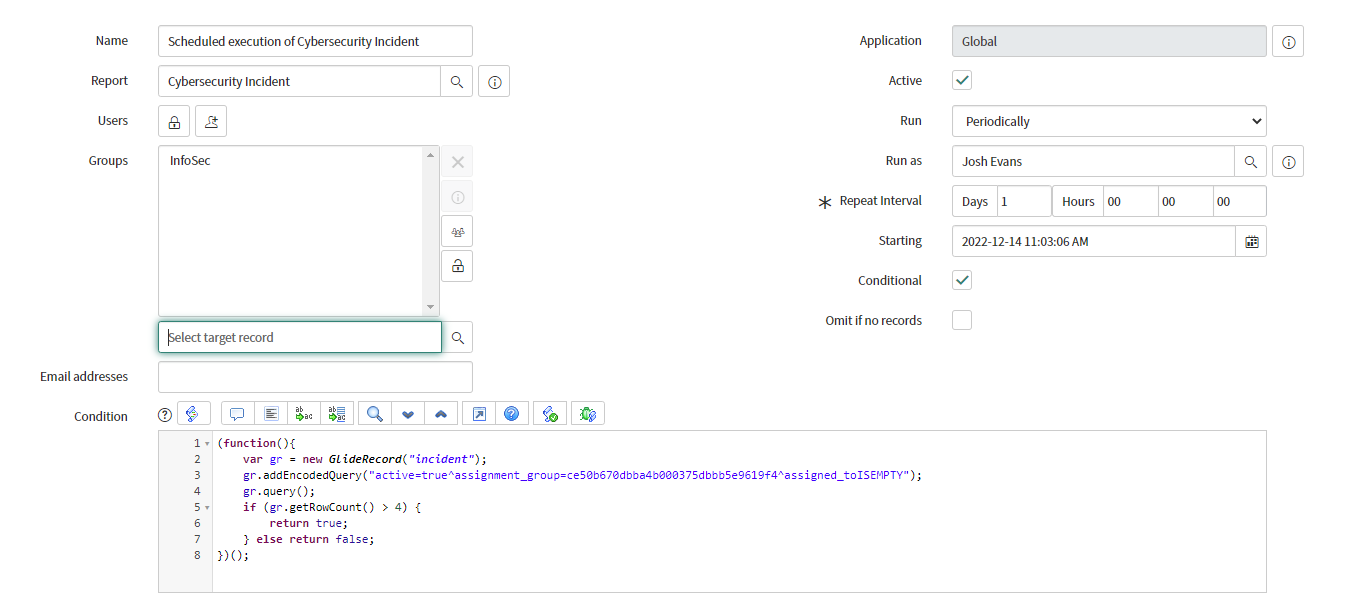
I am trying to get a report to send every hour if there are 5 or more records in it. I have tried several different configurations of this, but regardless of what condition script I try it always sends regardless. See screenshots for different attempts at scripts.
Any assistance with what I may be doing wrong is appreciated.
Thanks!


Solved! Go to Solution.
- Mark as New
- Bookmark
- Subscribe
- Mute
- Subscribe to RSS Feed
- Permalink
- Report Inappropriate Content
01-08-2023 10:21 PM
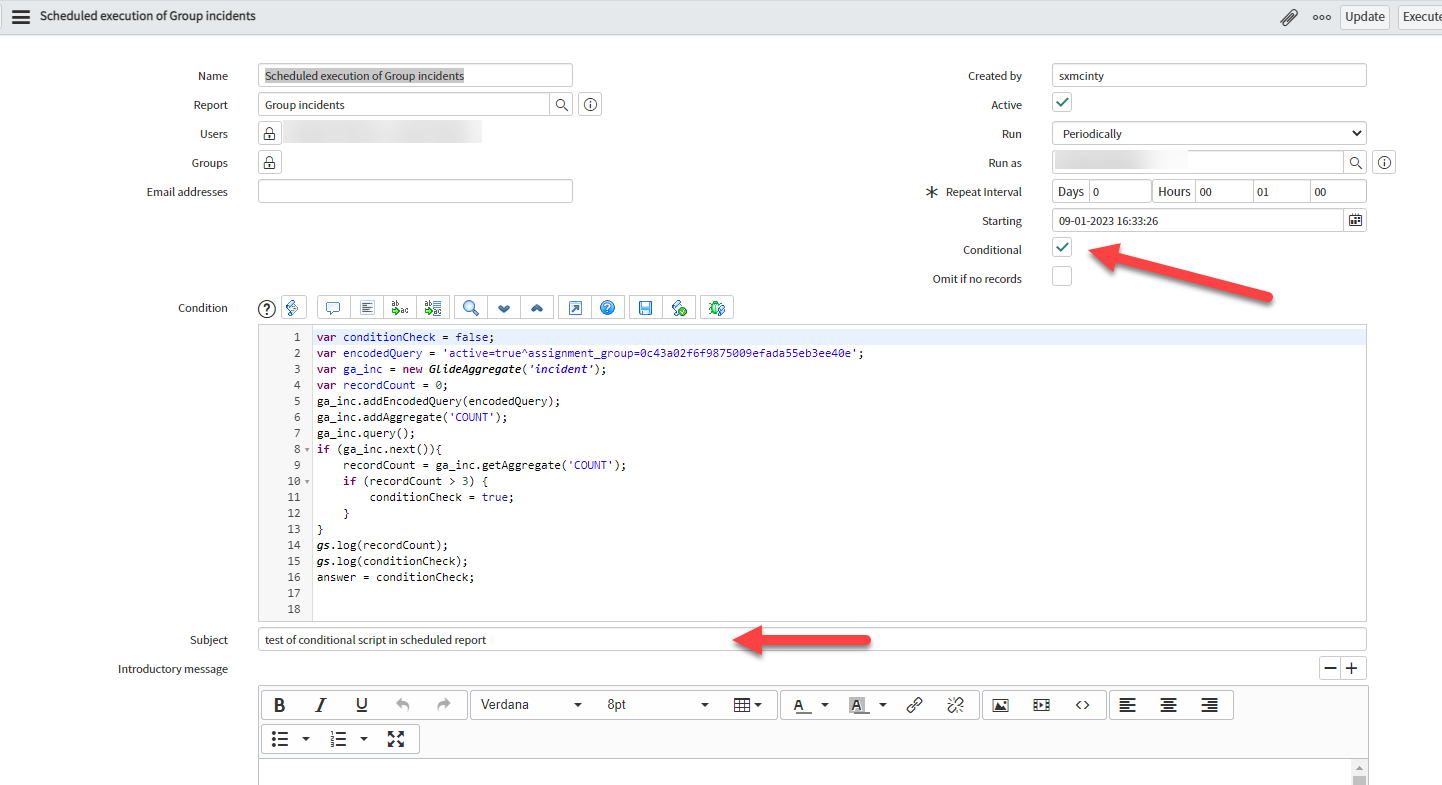
Did some testing in San Diego Patch 8
- In the Scheduled Report
- ensure the subject field has a value
- ensure the Run As user has necessary roles to read the table / records
- Set the system property glide.security.sandbox_no_logging to false (at least in your sub-prod environment) so you can see logging statements
- Confirm the recipients have notifications enabled
The following conditional script is working
var conditionCheck = false;
var encodedQuery = 'active=true^assignment_group=0c43a02f6f9875009efada55eb3ee40e';
var ga_inc = new GlideAggregate('incident');
var recordCount = 0;
ga_inc.addEncodedQuery(encodedQuery);
ga_inc.addAggregate('COUNT');
ga_inc.query();
if (ga_inc.next()){
	recordCount = ga_inc.getAggregate('COUNT');
	if (recordCount > 3) {
		conditionCheck = true;
	}
}
gs.log(recordCount);
gs.log(conditionCheck);
answer = conditionCheck;
I tested to ensure it ran when count of records was greater than 3 and did not run when count of records was less than the threshold


- Mark as New
- Bookmark
- Subscribe
- Mute
- Subscribe to RSS Feed
- Permalink
- Report Inappropriate Content
12-15-2022 04:50 PM
@Josh Evans Did you try this? If not please try it. This should fix your issue.
- Mark as New
- Bookmark
- Subscribe
- Mute
- Subscribe to RSS Feed
- Permalink
- Report Inappropriate Content
12-19-2022 10:33 AM
Hello,
Apologies for the delayed response. I have tried this as well, and got the same results I was getting before.
Thanks,
Josh
- Mark as New
- Bookmark
- Subscribe
- Mute
- Subscribe to RSS Feed
- Permalink
- Report Inappropriate Content
12-19-2022 04:44 PM
@Josh Evans can you please post the screen shot of condition script
- Mark as New
- Bookmark
- Subscribe
- Mute
- Subscribe to RSS Feed
- Permalink
- Report Inappropriate Content
12-19-2022 03:08 PM
May be related to script sandboxing - https://support.servicenow.com/kb?id=kb_article_view&sysparm_article=KB0827366
I recall having to remove the function in some of our scheduled reports. Think the wrapping of the condition with (function(){
<script content>
})();
causes it to be sandboxed / not assessed
- Mark as New
- Bookmark
- Subscribe
- Mute
- Subscribe to RSS Feed
- Permalink
- Report Inappropriate Content
01-08-2023 10:21 PM
Did some testing in San Diego Patch 8
- In the Scheduled Report
- ensure the subject field has a value
- ensure the Run As user has necessary roles to read the table / records
- Set the system property glide.security.sandbox_no_logging to false (at least in your sub-prod environment) so you can see logging statements
- Confirm the recipients have notifications enabled
The following conditional script is working
var conditionCheck = false;
var encodedQuery = 'active=true^assignment_group=0c43a02f6f9875009efada55eb3ee40e';
var ga_inc = new GlideAggregate('incident');
var recordCount = 0;
ga_inc.addEncodedQuery(encodedQuery);
ga_inc.addAggregate('COUNT');
ga_inc.query();
if (ga_inc.next()){
	recordCount = ga_inc.getAggregate('COUNT');
	if (recordCount > 3) {
		conditionCheck = true;
	}
}
gs.log(recordCount);
gs.log(conditionCheck);
answer = conditionCheck;
I tested to ensure it ran when count of records was greater than 3 and did not run when count of records was less than the threshold
