Micro-Certification - Welcome to -Assessment Simulator Task 1: Personalize Your Instance - Failed

- Mark as New
- Bookmark
- Subscribe
- Mute
- Subscribe to RSS Feed
- Permalink
- Report Inappropriate Content
07-02-2026 01:06 PM
I did what is detailed below:
Task Instructions:
1. Impersonate 'Platform User'.
2. Set your instance preferences to show date and time formats on forms.
3. Set your instance preferences to show help tips on forms.
But the Validate Task is always failing. And give me this link to confirm that I did what is correct, and I did correctly.
Did you change the 'show date and time format on forms' setting in user preferences?
I did this to Platform USER as mentioned and tried to do it with the other user. Same Error.

- Mark as New
- Bookmark
- Subscribe
- Mute
- Subscribe to RSS Feed
- Permalink
- Report Inappropriate Content
07-02-2026 07:35 PM - edited 07-02-2026 07:36 PM
Switch off the option, validate to fail, and then try again. I've seen similar behavior before while validating a lab.
CSA | CAD | DF | DISCO | ITIL4
- Mark as New
- Bookmark
- Subscribe
- Mute
- Subscribe to RSS Feed
- Permalink
- Report Inappropriate Content
07-02-2026 08:14 PM
Hi @sravanikond ,
If after modifying validating task falling continiouly -
1. Logout the instance and login back again and clear cache as well.
Parallel I will recommend raising a ServiceNow university/Training support ticket and including screenshots of:
The impersonated Platform User session.
The enabled user preferences.
The validation error message.
So that training support team to review the lab validation and determine whether it is a validator issue.
Please mark helpful & correct answer if it's worthy for you.

- Mark as New
- Bookmark
- Subscribe
- Mute
- Subscribe to RSS Feed
- Permalink
- Report Inappropriate Content
07-02-2026 08:45 PM
Hi @sravanikond
Ensure you have performed the activity impersonating by Platform User.
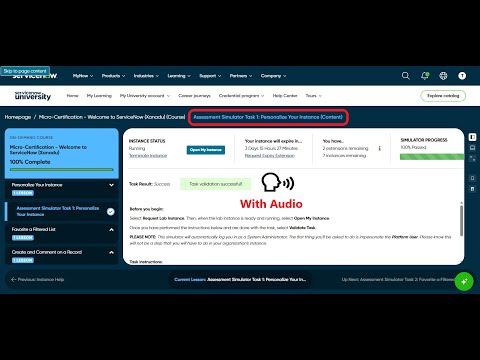
Validate your steps to check these videos:
https://www.youtube.com/watch?v=fV5O3xckXvk
https://www.youtube.com/watch?v=Ygl4aSCKevQ
Regards
Tanushree Maiti
ServiceNow Technical Architect
LinkedIn: https://www.linkedin.com/in/tanushreemaiti


- Mark as New
- Bookmark
- Subscribe
- Mute
- Subscribe to RSS Feed
- Permalink
- Report Inappropriate Content
07-02-2026 11:05 PM
ahoy @sravanikond,
follow these steps:


✂-----Cutting-out-the---✦AI-noise✦---All-replies-written-and-vouched-for-by-GlideFather---



