- Mark as New
- Bookmark
- Subscribe
- Mute
- Subscribe to RSS Feed
- Permalink
- Report Inappropriate Content
11-18-2025 07:23 AM
Hi,
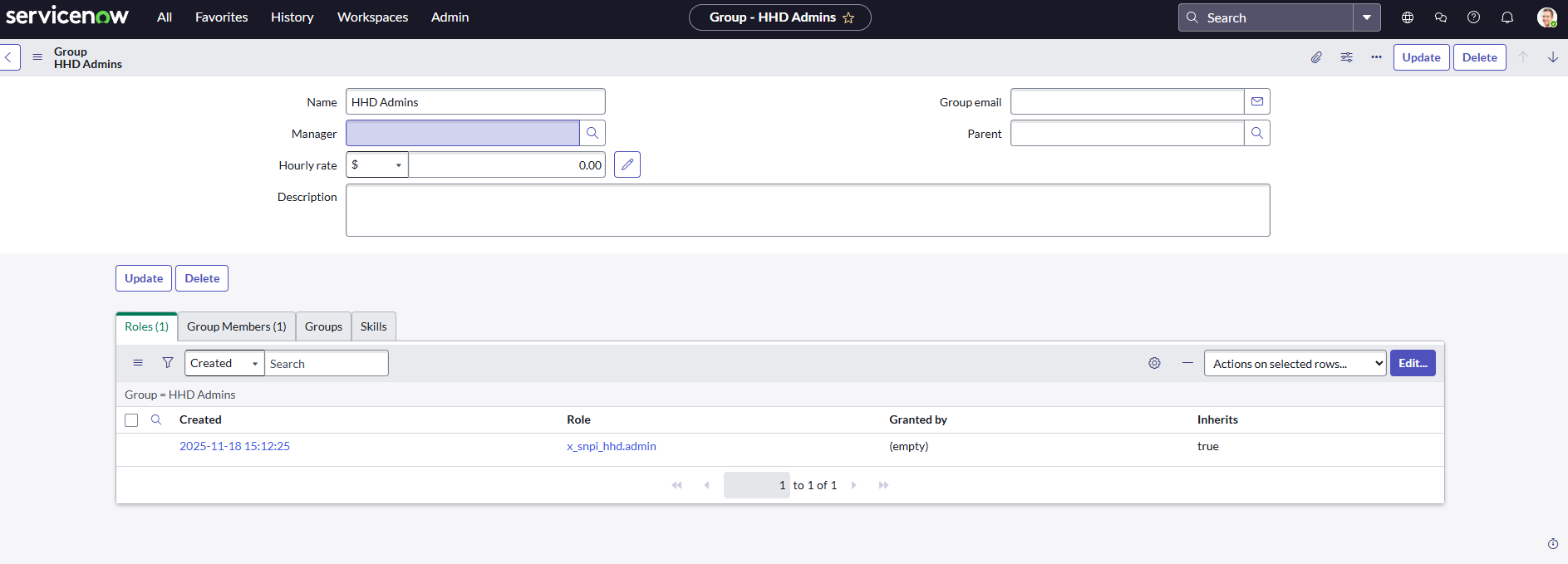
When validating task "SNPI Story 3 - Configure Groups for HHD Users" , it keeps failing even though I am positive I have done everything correctly. It gives the folllowing notification: Did you correctly add the hhd_admin role with to the HHD Admins group?
You can see in my screenshot that I have added the specific role to the correct group. This role was automatically added when creating the HHD application on ServiceNow Studio. Cannot seem to finish this course without the validation so please help.
Solved! Go to Solution.
- Mark as New
- Bookmark
- Subscribe
- Mute
- Subscribe to RSS Feed
- Permalink
- Report Inappropriate Content
11-19-2025 02:39 AM
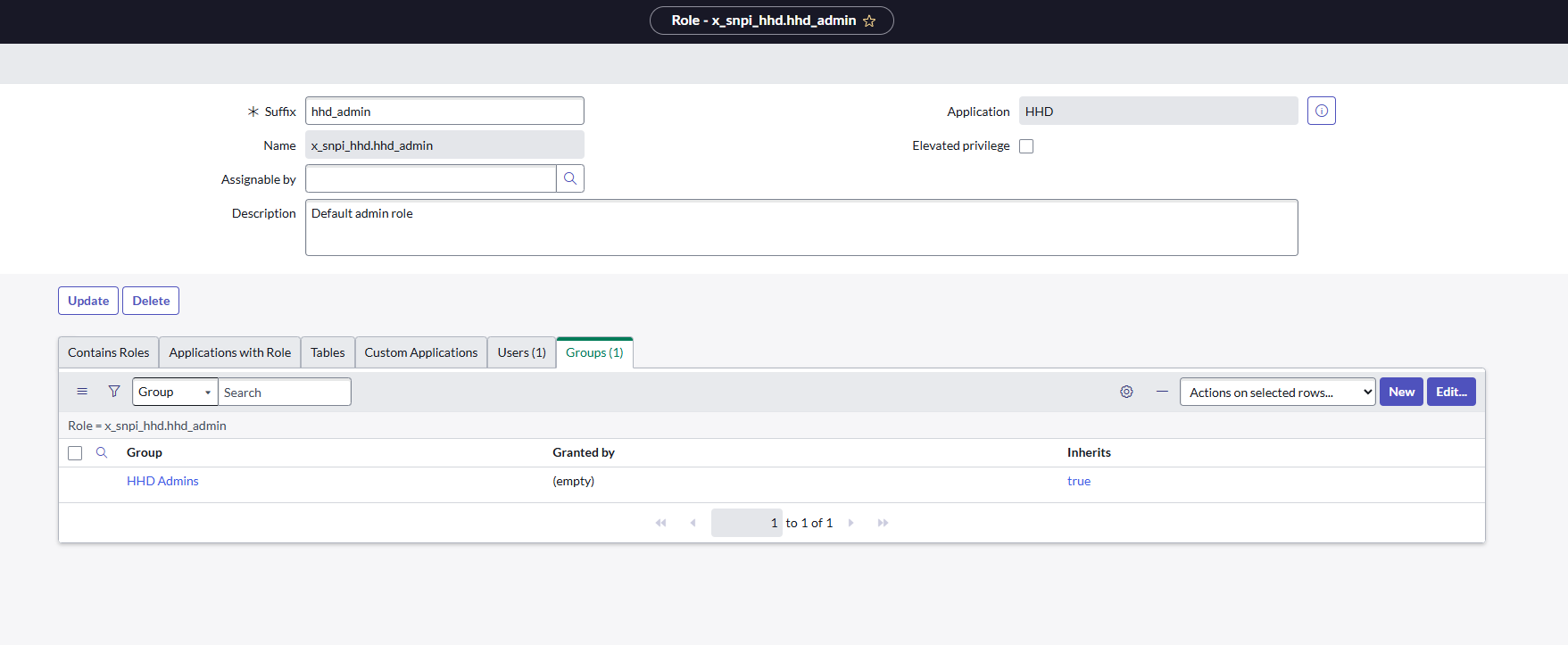
I have found out the reason myself. When creating the the HHD Application through the ServiceNow Studio, the user role and the admin role are created by default. However, the suffix for the admin role is created as just "admin". Apparantly the task valididation needs the Suffix to be changed to "hhd_admin", otherwise it will not get through the validation. See attached screenshot:
- Mark as New
- Bookmark
- Subscribe
- Mute
- Subscribe to RSS Feed
- Permalink
- Report Inappropriate Content
11-19-2025 02:39 AM
I have found out the reason myself. When creating the the HHD Application through the ServiceNow Studio, the user role and the admin role are created by default. However, the suffix for the admin role is created as just "admin". Apparantly the task valididation needs the Suffix to be changed to "hhd_admin", otherwise it will not get through the validation. See attached screenshot:

- Mark as New
- Bookmark
- Subscribe
- Mute
- Subscribe to RSS Feed
- Permalink
- Report Inappropriate Content
11-24-2025 06:05 PM
You're absolutely right. I think this is a mistake in the course.
- Mark as New
- Bookmark
- Subscribe
- Mute
- Subscribe to RSS Feed
- Permalink
- Report Inappropriate Content
04-11-2026 04:44 AM
Yes i have same issue how can contact to help center for resolve this issue