- Mark as New
- Bookmark
- Subscribe
- Mute
- Subscribe to RSS Feed
- Permalink
- Report Inappropriate Content
08-27-2025 04:40 AM
As part of a overall project in our company we are building a data dictionary of all our applications. I am able to export the Table data contents to CSV, but I would also like to download the schema itself, I might be daft but I have not been able to find a way to do this, other than doing screenshots (not ideal)
Has anyone achieved this in a fairly efficient way?
Solved! Go to Solution.

- Mark as New
- Bookmark
- Subscribe
- Mute
- Subscribe to RSS Feed
- Permalink
- Report Inappropriate Content
09-08-2025 02:57 AM
Hi @ Manuel Gomes
ServiceNow doesn’t really give you a nice “Download Schema” button out of the box, so most people bump into the same challenge.
Here’s a simple way that usually works well:
- Tables:
Head over to System Definition > Tables (sys_db_object.list) and filter for the table you care about. That’ll give you the high-level schema view. - Fields (Dictionary):
Go to System Definition > Dictionary (sys_dictionary.list), filter by Table.Name = your table, and you’ll see all the fields with their types, references, and attributes. - Export:
From that list view, just right-click the header and choose Export > CSV/Excel.
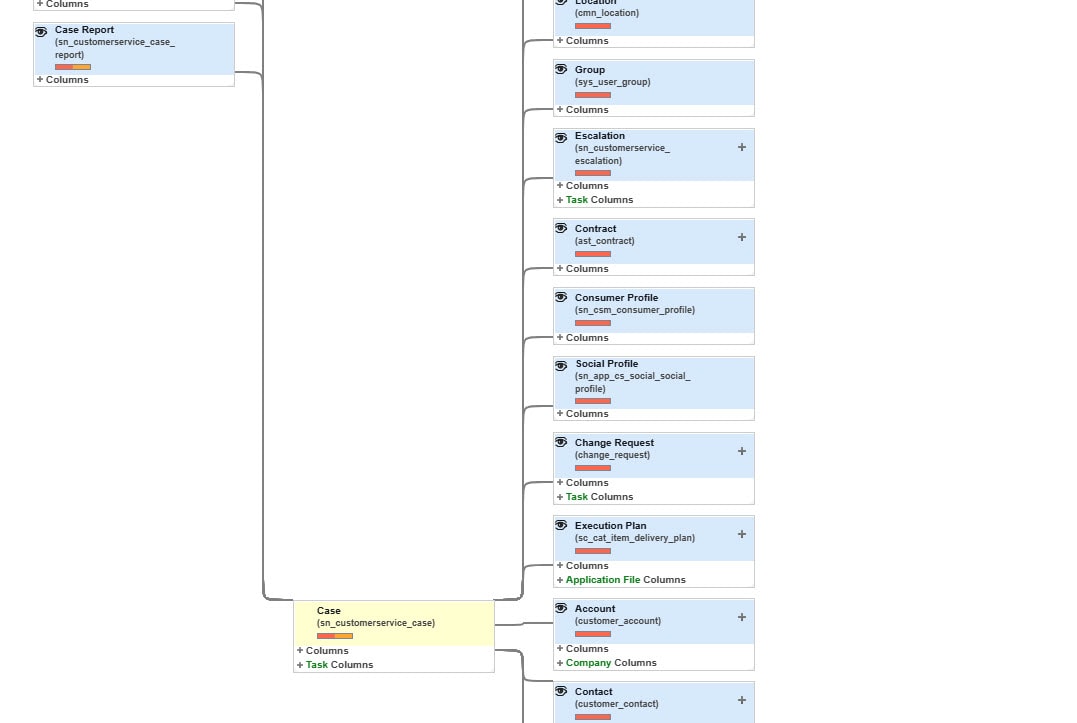
The Schema Map in ServiceNow is useful for visually displaying relationships between tables and fields. However, the platform does not provide a built-in way to export that diagram into a file format (such as CSV, Excel, or PDF). The only option available out of the box is to print the map directly from your browser.
Thanks & Regards,
Muhammad Iftikhar
If my response helped, please mark it as the accepted solution so others can benefit as well.
Muhammad Iftikhar
If my response helped, please mark it as the accepted solution so others can benefit as well.
- Mark as New
- Bookmark
- Subscribe
- Mute
- Subscribe to RSS Feed
- Permalink
- Report Inappropriate Content
09-08-2025 02:57 AM
Hi @ Manuel Gomes
ServiceNow doesn’t really give you a nice “Download Schema” button out of the box, so most people bump into the same challenge.
Here’s a simple way that usually works well:
- Tables:
Head over to System Definition > Tables (sys_db_object.list) and filter for the table you care about. That’ll give you the high-level schema view. - Fields (Dictionary):
Go to System Definition > Dictionary (sys_dictionary.list), filter by Table.Name = your table, and you’ll see all the fields with their types, references, and attributes. - Export:
From that list view, just right-click the header and choose Export > CSV/Excel.
The Schema Map in ServiceNow is useful for visually displaying relationships between tables and fields. However, the platform does not provide a built-in way to export that diagram into a file format (such as CSV, Excel, or PDF). The only option available out of the box is to print the map directly from your browser.
Thanks & Regards,
Muhammad Iftikhar
If my response helped, please mark it as the accepted solution so others can benefit as well.
Muhammad Iftikhar
If my response helped, please mark it as the accepted solution so others can benefit as well.