- Mark as New
- Bookmark
- Subscribe
- Mute
- Subscribe to RSS Feed
- Permalink
- Report Inappropriate Content
04-22-2026 02:08 AM - edited 04-22-2026 02:09 AM
Hello everyone,
i am trying to make dynamic flows work, to efficiently make decisions on which subflow to use, instead of falling back to if/else conditions. My subflows require a reference input (f.ex. a task), when i test the subflow directly, everthing works, but as soon as i try to trigger it through the dynamic flow - flow logic, every step that uses the input, fails with the error 'Value of field record is not a GlideRecord'.
I also managed to reproduce this on a dev-instance:
1. Create a subflow with any name f.ex. 'dynamic flow logic'
2. create an input 'task' of type reference.task
3. add an action > update record and try to update the task (f.ex. set state = 3)
Test the flow => flow works
Trigger it dynamically:
1. Create new subflow with anyname f.ex. 'dynamic trigger'
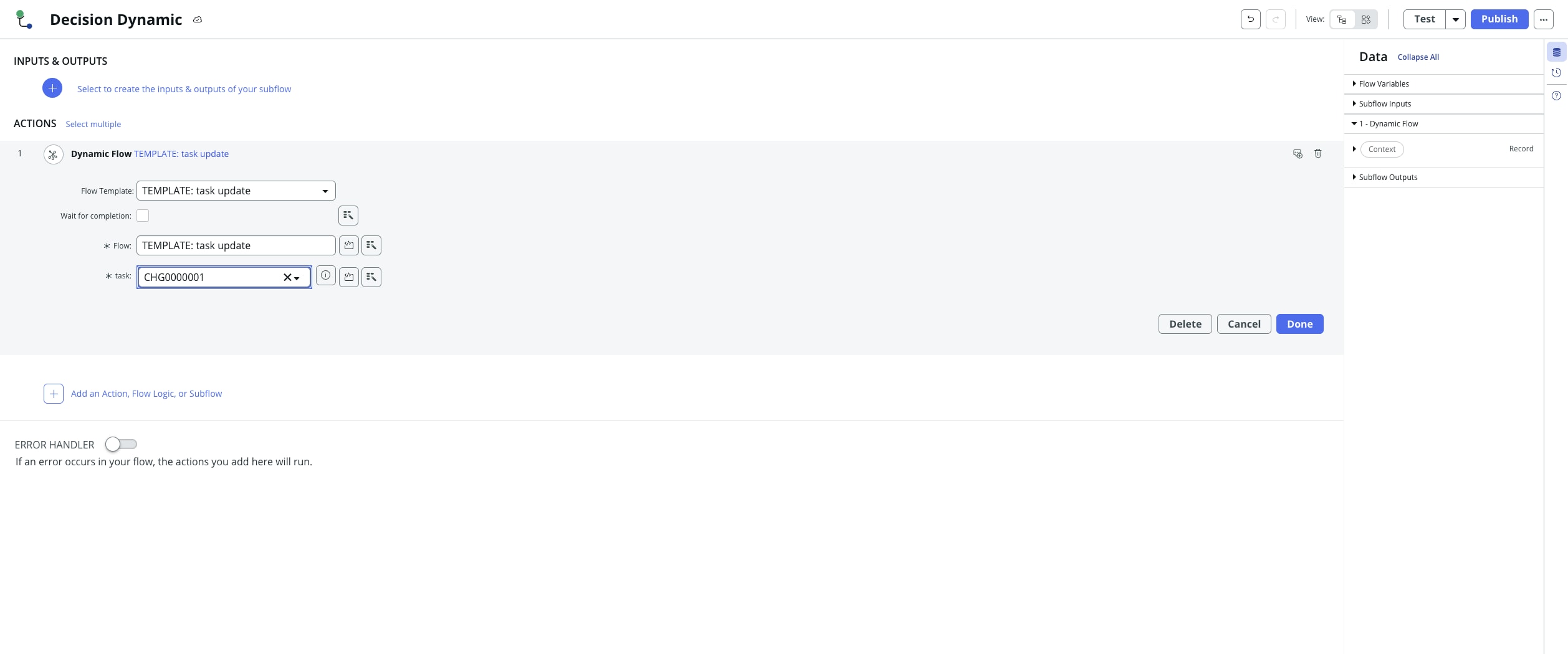
2. add a flow logic > dynamic flow step with config:
Flow Template: dynamic flow logic
Flow: dynamic flow logic
Task: select any task
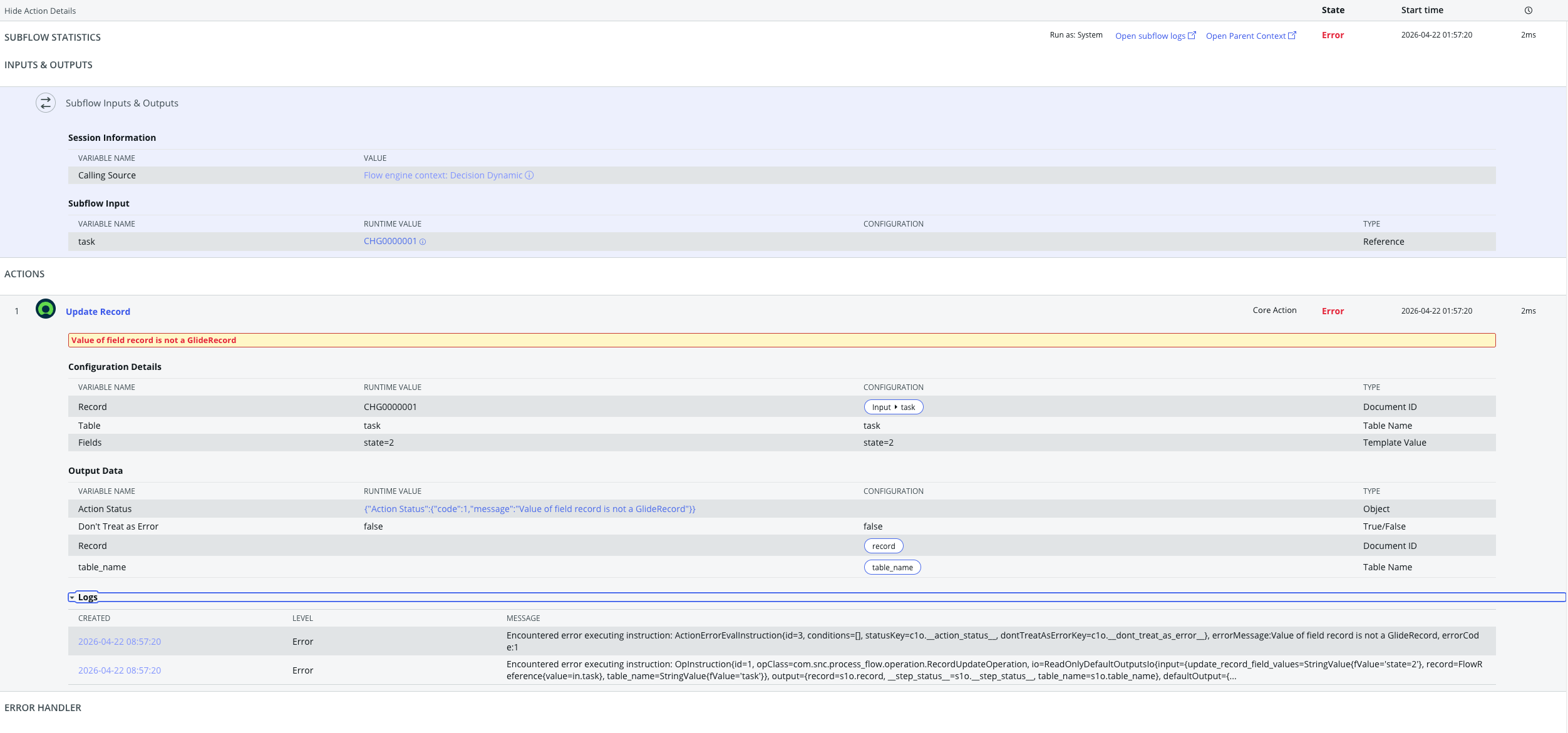
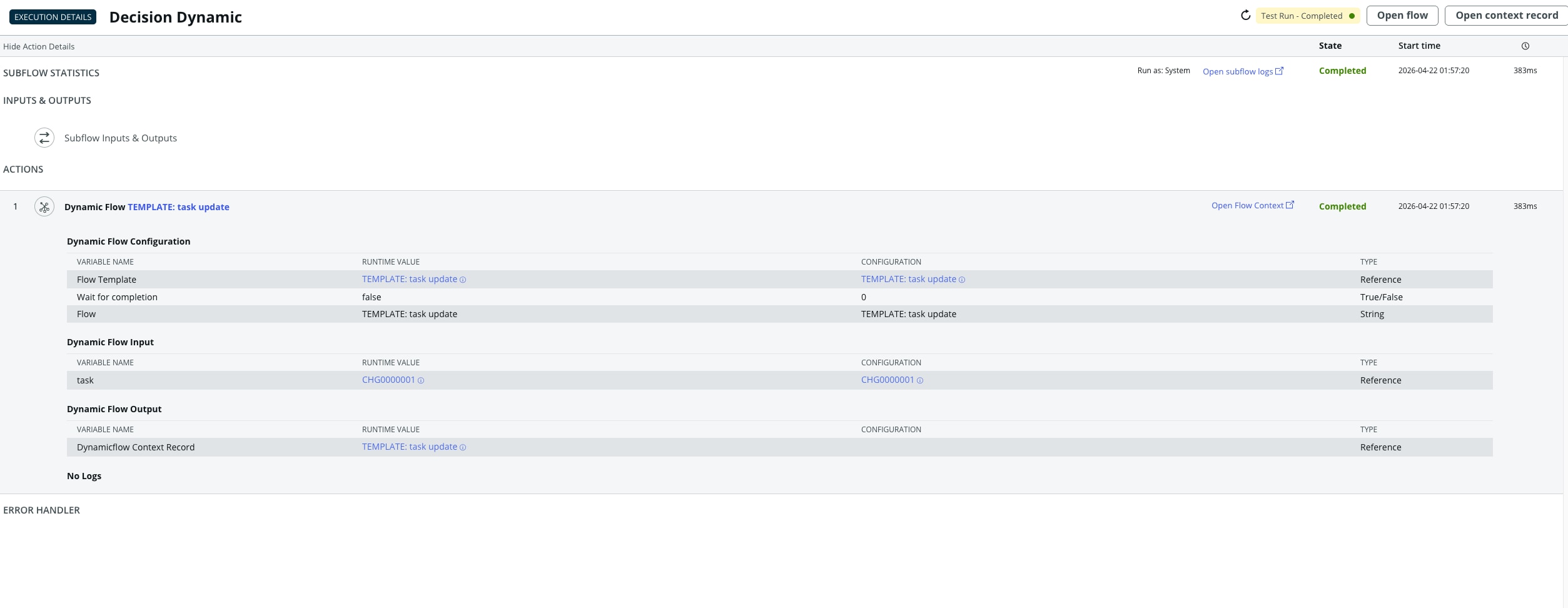
Test the trigger subflow => it says Completed, but when you open the context of the flow that got triggered, you can see that it failed on an error in the update step "Value of field record is not a GlideRecord".
When i digged in deeper (trying to use a wait for condition instead of an update step), i got yet another error message that hints that the reference might be passed as a string instead of a real reference record. (Error Message:
class java.lang.String cannot be cast to class com.glide.util.IGlideRecord (java.lang.String is in module java.base of loader 'bootstrap'; com.glide.util.IGlideRecord is in unnamed module of loader com.snc.orbit.container.tomcat8.ParallelOrbitTomcat8ClassLoader @79f5bed6))
Has anyone also experienced this problem and found a solution to this other than changing all the inputs to sys_ids and using lookup actions?
PS: images in the attachments of the different flows and execution results
Thank you for your responses,
Cheers Niclas
Solved! Go to Solution.
- Labels:
-
Flow Designer
- Mark as New
- Bookmark
- Subscribe
- Mute
- Subscribe to RSS Feed
- Permalink
- Report Inappropriate Content
05-05-2026 08:06 AM
After digging deeper into i found the following:
when a reference is passed through dynamic flow, it is not a GlideRecord but instead is an Object that looks like this:
{"displayValue": "REQ123", "value": sys_id}
Now this could be used in a lookup action, f.ex. but then the 'Test' Action on the flow does not work anymore as a normal GlideRecord doesn't have an attribute called 'value'.
The solution was to build a custom action which takes the reference as an input that is able to use a GlideRecord OR the dynamic Flow Object:
// normal glideRecord
if (!gs.nil(inputs.task.sys_id)) {
var ts = new GlideRecord('task');
ts.get(inputs.teamspot.sys_id);
outputs.teamspot = ts;
return;
}
// this is the part that handles the Dynamic Flow Inputs
// try catch is needed as JSON.parse throws an Error, if no JSON
try {
var teamspot = JSON.parse(inputs.teamspot);
if (!gs.nil(teamspot.value)) {
gs.info('NG2: ')
var ts = new GlideRecord('x_ina_sharepoint_site');
ts.get(teamspot.value);
outputs.teamspot = ts;
return;
}
} catch (e) {
gs.info('Error')
}
Hope this helps someone.

- Mark as New
- Bookmark
- Subscribe
- Mute
- Subscribe to RSS Feed
- Permalink
- Report Inappropriate Content
04-28-2026 03:27 AM
Hi @ngrm
Can you please try dot walk for the one step more to get the change_request
and before updating that records please find the record first by look up action and then try to update it would work i hope.
If my answer has helped with your question, please mark my answer as accepted solution and give a thumb up.
Thank You
- Mark as New
- Bookmark
- Subscribe
- Mute
- Subscribe to RSS Feed
- Permalink
- Report Inappropriate Content
05-05-2026 08:06 AM
After digging deeper into i found the following:
when a reference is passed through dynamic flow, it is not a GlideRecord but instead is an Object that looks like this:
{"displayValue": "REQ123", "value": sys_id}
Now this could be used in a lookup action, f.ex. but then the 'Test' Action on the flow does not work anymore as a normal GlideRecord doesn't have an attribute called 'value'.
The solution was to build a custom action which takes the reference as an input that is able to use a GlideRecord OR the dynamic Flow Object:
// normal glideRecord
if (!gs.nil(inputs.task.sys_id)) {
var ts = new GlideRecord('task');
ts.get(inputs.teamspot.sys_id);
outputs.teamspot = ts;
return;
}
// this is the part that handles the Dynamic Flow Inputs
// try catch is needed as JSON.parse throws an Error, if no JSON
try {
var teamspot = JSON.parse(inputs.teamspot);
if (!gs.nil(teamspot.value)) {
gs.info('NG2: ')
var ts = new GlideRecord('x_ina_sharepoint_site');
ts.get(teamspot.value);
outputs.teamspot = ts;
return;
}
} catch (e) {
gs.info('Error')
}
Hope this helps someone.