- Mark as New
- Bookmark
- Subscribe
- Mute
- Subscribe to RSS Feed
- Permalink
- Report Inappropriate Content
01-23-2026 01:38 AM
Hey ServiceNow Community,
I have worked on several WSD projects now, and on most projects we use something OOTB called Workplace Profiles.
Our plan with this functionality is to attach a space, floor, building, or campus to a profile. When using the Location Directory, it should then preselect the location hierarchy that has been configured.
For example, when you select a workspace or room, it should automatically fill in the campus, building, floor, and then hover to the space itself.
However, for some reason this works on all instances except the most recent one. Is there something I might be missing?
Kind regards,
Fabian ter Beeke
Solved! Go to Solution.
- Mark as New
- Bookmark
- Subscribe
- Mute
- Subscribe to RSS Feed
- Permalink
- Report Inappropriate Content
01-26-2026 05:22 AM

The solution was the Property name: sn_wsd_space_map.map_default_location
This setting can be turned from world map to workplace profile.
- Mark as New
- Bookmark
- Subscribe
- Mute
- Subscribe to RSS Feed
- Permalink
- Report Inappropriate Content
01-23-2026 03:37 AM
Sounds like the location hierarchy or Workplace configuration is incomplete.
For Workplace Profiles to auto-populate the full hierarchy (campus -> building → floor → space) in the Location Directory, a few things must all be in place:
- The Location records must be truly hierarchical, not just visually related. Each Space must have its Parent set to the Floor, the Floor to the Building, and the Building to the Campus. In newer instances, it’s common to see locations linked only via type or naming, which will not work for auto-selection.
- Ensure the Location Type values are correct and consistent (campus, building, floor, space). If a level is missing or uses a custom type, the directory cannot traverse the hierarchy correctly.
- Verify that the Workplace Profile is linked to the lowest-level location (typically the Space). The directory derives the higher levels by walking up the parent chain. It will not draw them up if the profile is attached only at building or floor level.
- Check that Workplace Core / Location Directory properties and data sources are enabled and identical to the working instances. On newer instances, some Workplace plugins are installed with updated defaults, and missing data sources or disabled directory settings can cause this issue.
- compare one working instance and the failing one by opening the same Space record and checking: Parent field values, Location Type, etc.
Ideally this issue would be solved by fixing the missing or incorrect parent relationship in the Location table.
Regards,
Harish K
- Mark as New
- Bookmark
- Subscribe
- Mute
- Subscribe to RSS Feed
- Permalink
- Report Inappropriate Content
01-23-2026 04:52 AM
Hey @harishk07 ,
Thanks for your quick response.
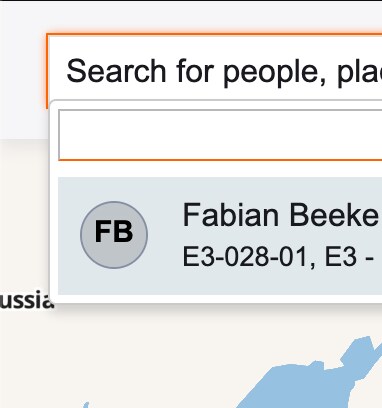
As of right now, this behavior occurs in the Location Directory – Search tab. When I click on a result, it takes me to the Workplace Profile space. However, on other instances it automatically navigates directly to the space. Could this be a setting that I’m not aware of?
In your response, you mentioned Location Directory settings. As far as I know, there are only Map Properties under Dependency Views and Space Mapping. Are these the only two, or are there additional settings involved?
If you open the PNG “location hierarchy”, it seems to me that the hierarchy is configured correctly. This screenshot was taken from the Region record.
Kind regards,
Fabian ter Beeke
- Mark as New
- Bookmark
- Subscribe
- Mute
- Subscribe to RSS Feed
- Permalink
- Report Inappropriate Content
01-26-2026 05:22 AM
The solution was the Property name: sn_wsd_space_map.map_default_location
This setting can be turned from world map to workplace profile.
- Mark as New
- Bookmark
- Subscribe
- Mute
- Subscribe to RSS Feed
- Permalink
- Report Inappropriate Content
01-28-2026 05:30 AM
Oh this is good to know. Thanks for posting your finding 🙂
Regards,
Harish K