管理ビュー
クラウドコスト管理ワークスペースの管理ビューを使用すると、ガイド付きエクスペリエンスでアプリケーションをインストール、設定、および構成できます。
管理ビューでは、次のことができます。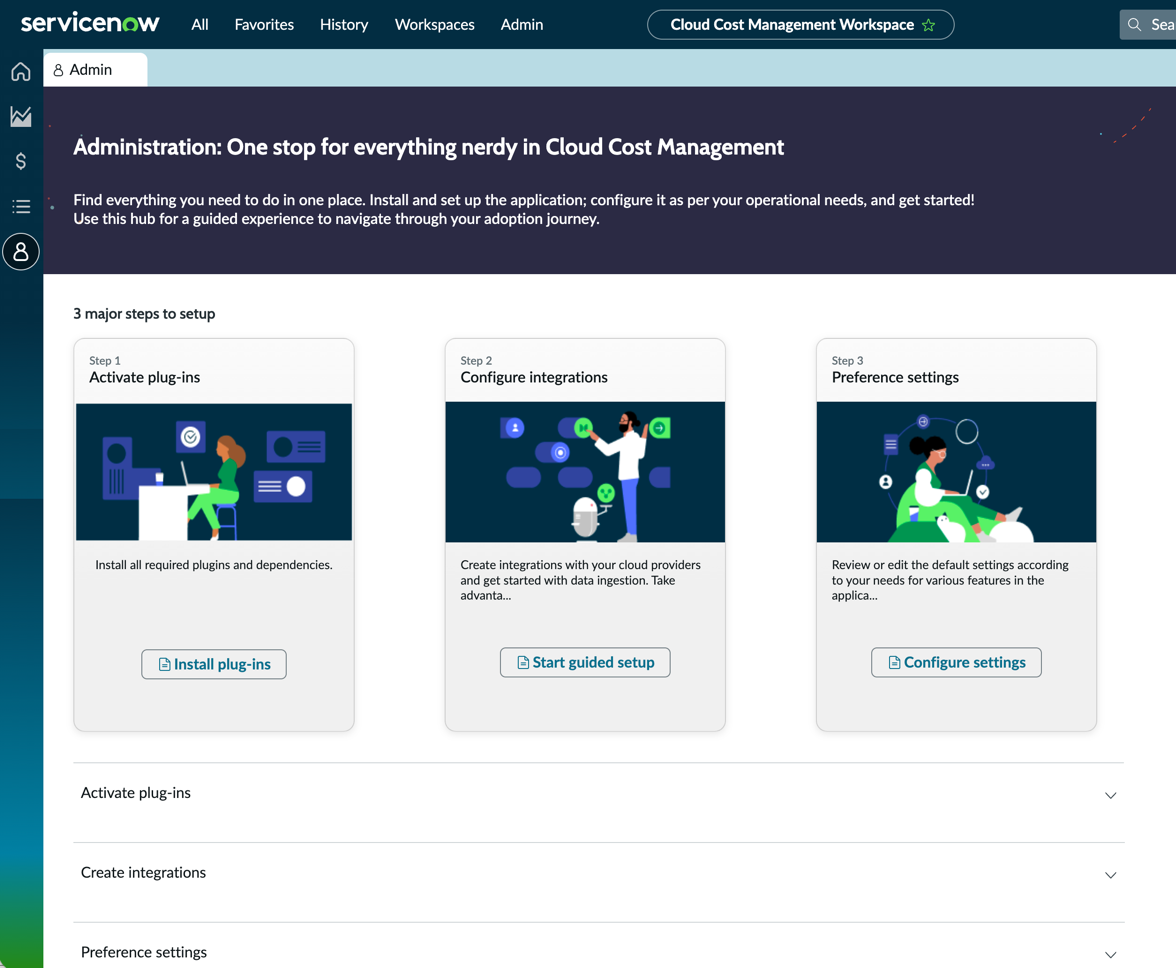
- AWS、Azure、GCPのクラウドコスト管理を構成するガイド付きセットアップを使用すると、価値をより迅速に実現できます。ガイド付きセットアップは、構成を完了するために実行する必要があるタスクに関する規範的なガイダンスを提供します。この ガイド付きセットアップ は、使いやすさを考慮して構成アクティビティをさまざまなカテゴリに整理します。
- チュートリアルを見て、 クラウドコスト管理を理解してください。
- 役に立つリソースと関連製品または機能を表示します。
ガイド付きセットアップ による クラウドコスト管理 の実装
ガイド付きセットアップ には一連のタスクがあり、ご利用の ServiceNow インスタンスで クラウドコスト管理 を設定するのに役立ちます。
AWS、Microsoft Azure、およびGCPのクラウドコスト管理 ガイド付きセットアップを開くには、 .
詳細については、「Guided Setup」を参照してください。
ガイド付きセットアップ の [管理] ビューで次の手順を確認してください。
- プラグインのアクティブ化:必要なすべてのプラグインと依存関係がインストールされていることを確認します。注:ガイド付きセットアップ 2.1.2 バージョンを追加する必要があります。
- 統合の構成: Amazon Web サービス AWS、 Microsoft Azure、 Google Cloud Platform (GCP) などのクラウドプロバイダーとの統合を作成します。
- 環境設定:デフォルトの設定を確認するか、アプリケーションのさまざまな機能のニーズに応じて編集します。