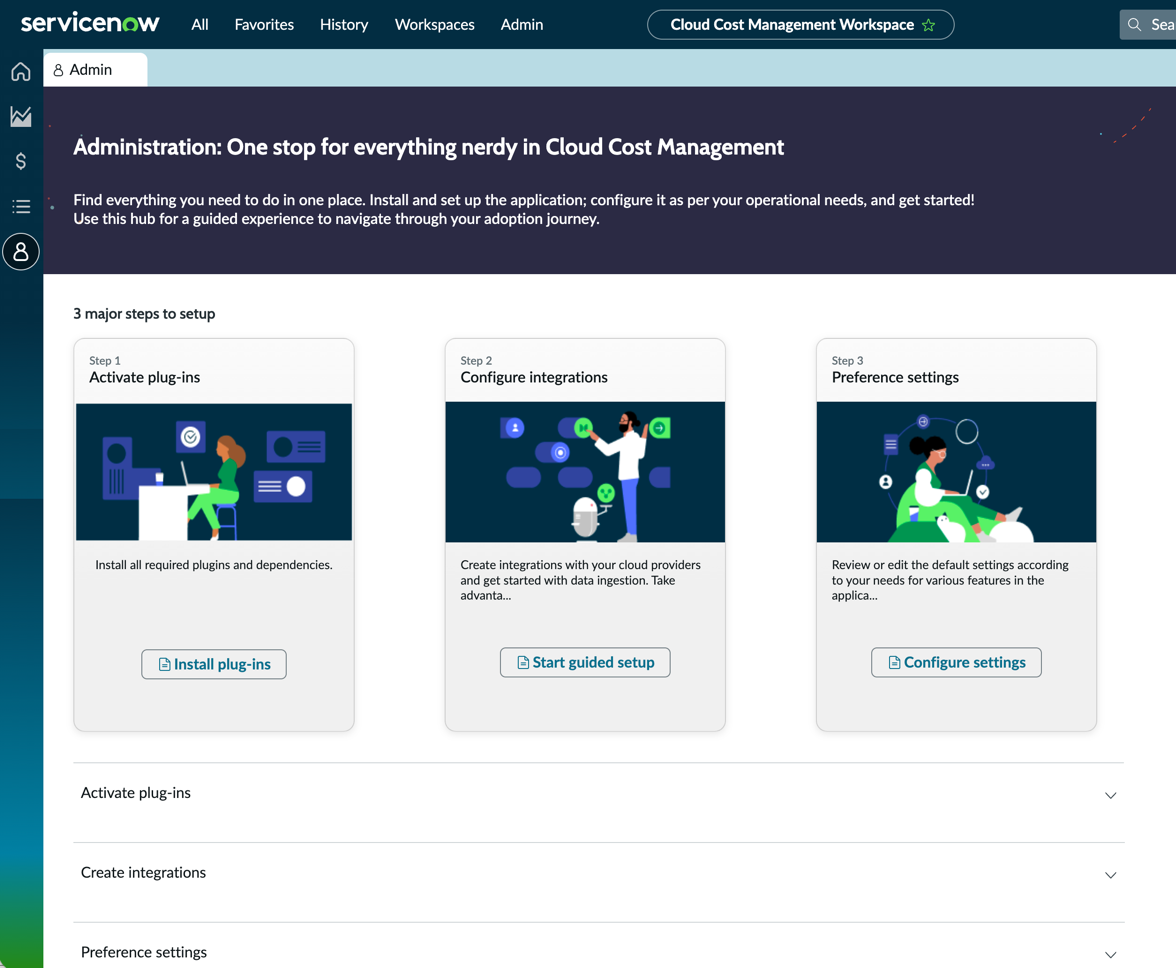
Admin view

  • リリースバージョン: Australia
  • 更新日 2026年03月12日
  • 所要時間:2分
  • Use the Admin view in the Cloud Cost Management Workspace that enables you to install, set up, and configure the application through a guided experience.

    The Admin view lets you to:
    • Get to value faster by using Guided Setup for configuring Cloud Cost Management for AWS, Azure and GCP. Guided Setup provides a prescriptive guidance on the tasks that you must perform for completing the configuration. This Guided Setup organizes configuration activities into various categories tor ease of use.
    • Watch a tutorial to familiarize with Cloud Cost Management.
    • View helpful resources and related products or features.
    Admin view in Cloud Cost Management Workspace.

    Using Guided Setup to implement Cloud Cost Management

    Guided Setup provides a sequence of tasks that help you configure Cloud Cost Management on your ServiceNow instance.

    To open Cloud Cost Management Guided Setup for AWS, Microsoft Azure, and GCP, navigate to Workspaces > Cloud Cost Management Workspace > Admin > Create integrations > Integrate.

    For more information, see Guided Setup.

    Find the following steps on the Admin view for Guided Setup:
    • Activate plug-ins: Verify that all required plugins and dependencies are installed.
      注:
      You must add the Guided Setup 2.1.2 version.
    • Configure integrations: Create integrations with cloud providers such as Amazon Web Services AWS, Microsoft Azure, and Google Cloud Platform (GCP).
    • Preference settings: Review the default settings or edit them according to your needs for various features in the application.